J1939 DM1 logging
In the following, it is described how to configure the DM1 logging in the Proemion Configurator.
It is possible to configure the logging of more than one source address. For a detailed description of J1939 DM1, read J1939 DM1 DM2.
Open the .DOD file in the Proemion Configurator and select the desired "Receive Message (PDO)" within the Object Dictionary on the left hand-side. For the following example, the source address 0x003 is used.
In the Communication tab, proceed as follows:
-
Change CAN protocol to "J1939".
-
Fill in the PGN with "FECA".
-
Source Address is in this example "03".
-
Source Address Value is selected with "Fix".
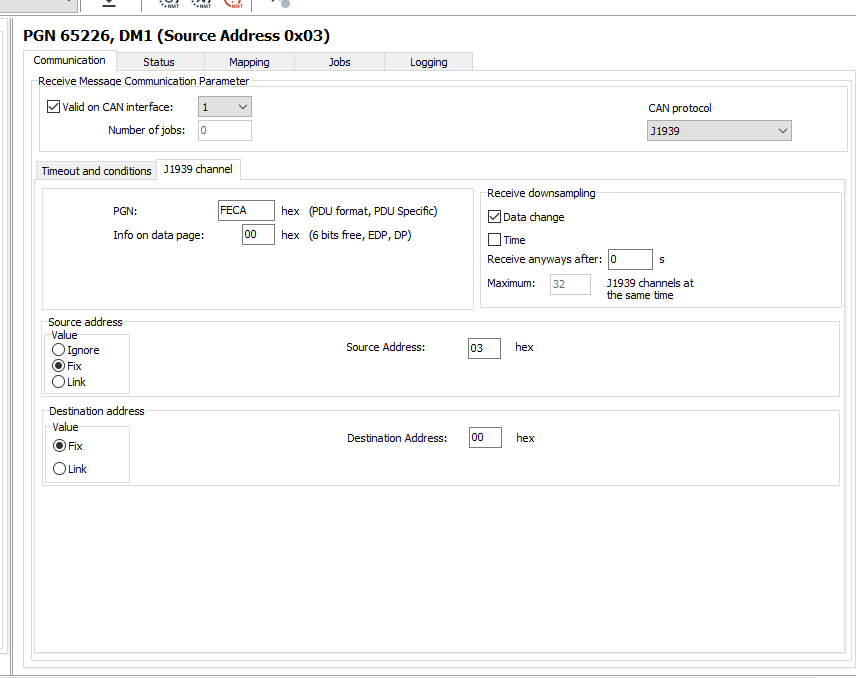
Figure 1: Communication tab - Example Source Address 0x03
In the Logging tab, proceed as follows:
-
Activate the check box Logging enabled.
-
Select the AND condition for logging period expired.
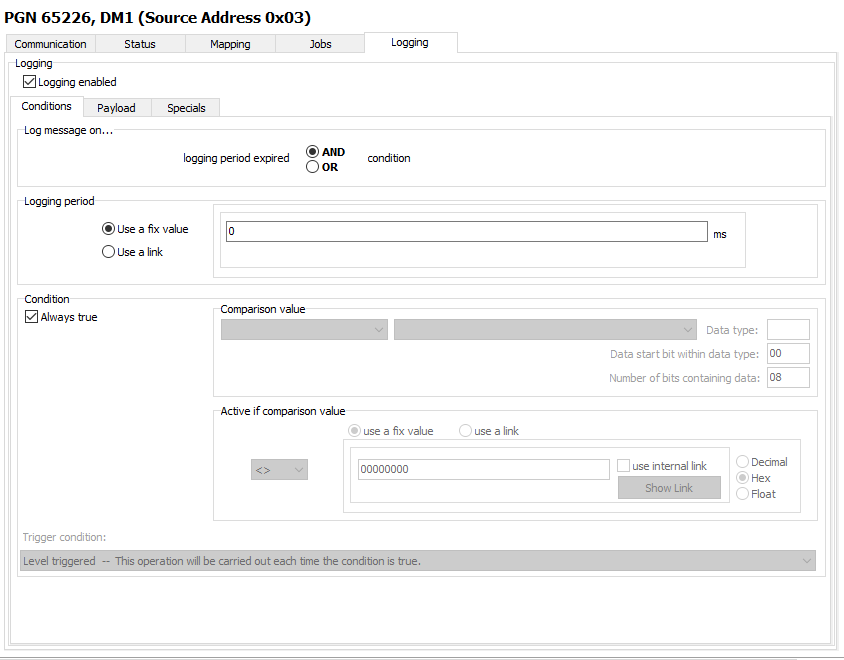
Figure 2: Logging tab