Geolocation Features
The CANlink® mobile 3600 provides two primary methods for tracking machine movements and operational areas: GeoLeash and GeoFence. Both functions allow monitoring of machine relocation, but they differ in configuration effort and specific use cases.
The following documentation explains how to configure and use the GeoFence and GeoLeash functions, describes the related variables, and provides guidance on using these functions.
GeoFence Mode
The device is provided with a geofence monitoring function. This allows you to monitor whether the device is located inside or outside a pre-defined “fenced” area and when the device crosses the fence.
There are three ways to define the fence:
- Define center and radius of a circle. The center of the circle is defined as a fixed point.
- Define center and radius of a circle. The current position on enabling the function is used as the center of the circle.
- Two opposite points are defined for a rectangle. The variables belong to the DEVICE VARIABLES > INTERNAL GEOFENCE object dictionary group.
| Variable | Function |
|---|---|
| GEOFENCE - MODE | 0 = Geofence disabled 1 = GeoFence enabled, circle center and radius defined 2 = GeoFence enabled, circle center, current position, and defined radius 3 = GeoFence enabled, rectangle 4 = GeoLeash enabled, location monitoring, COORDINATE 2 > LONGITUDE / RADIUS variable is a condition. |
| GEOFENCE - COORDINATE 1 > LONGITUDE | Longitude for center of the circle or first corner of the rectangle |
| GEOFENCE - COORDINATE 1 > LATITUDE | Latitude for center of the circle or first corner of the rectangle |
| GEOFENCE - COORDINATE 2 > LONGITUDE / RADIUS | GeoFence Mode Circle: Radius of the circle GeoLeash Mode: Line length (unit: meters)GeoFence Mode Rectangle: Degree of longitude of second corner (Unit: Decimal degree, -180 ... 180) |
| GEOFENCE - COORDINATE 2 > LATITUDE | Latitude for the second corner of the rectangle |
GeoFence Status
The GeoFence status can be used to trigger an event internally. The GeoFence status is updated every 2 seconds. Every time the GeoFence status changes, the time is written to a variable.
The variables belong to the object dictionary group DEVICE VARIABLES.
| Variable | Function |
|---|---|
| GEOFENCE STATUS | 0x00 = device is outside the fence 0x01 = device is inside the fence 0xFF = status unknown (e.g. because no position data is available) |
| GEOFENCE - STATUS CHANGE UTC TIME | Time of GeoFence status change |
For detailed information on creating objects, see Creating Object Dictionary Groups and Objects.
GeoLeash
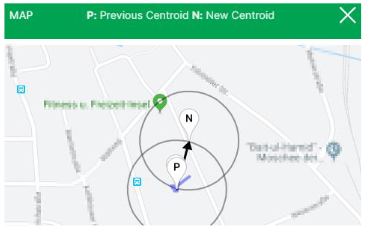
The GeoLeash function enables you to monitor and display the location of the machine.
In this case, the location offset is determined by an adjustable limit value. The minimum limit value for the tolerated location offset is 100 meters.
The DataPortal can be used to activate the GeoLeash function and define the area to be monitored.
Note
The GeoLeash and device internal Geofence functions cannot be used simultaneously.
Please be aware that the GeoLeash function must be supported by the installed firmware. In case of problems, update to the latest firmware.
Further information on the GeoLeash function is available in the DataPortal, see Widget Catalog > GeoLeash.