CAN logging Example 1 - Cyclic logging
In the following, the example of a J1939 message is used to explain the general procedure for configuring CAN reception messages. The procedure can also be applied to other CAN messages from other CAN protocols. For detailed information on creating objects, see Creating Object Dictionary Groups and Objects.
CREATING A PGN 61444
-
Create the object dictionary group CUSTOM CAN COMMUNICATION > RECEIVE CAN MESSAGES (PDOS) .
-
Create the RECEIVE MESSAGE PDO object in the RECEIVE CAN MESSAGES (PDOS) object dictionary group you have created.
-
Rename the RECEIVE MESSAGE PDO object to PGN 61444.
RECEIVE MESSAGE COMMUNICATION PARAMETERS
-
Select the COMMUNICATION tab
-
Make the following settings.
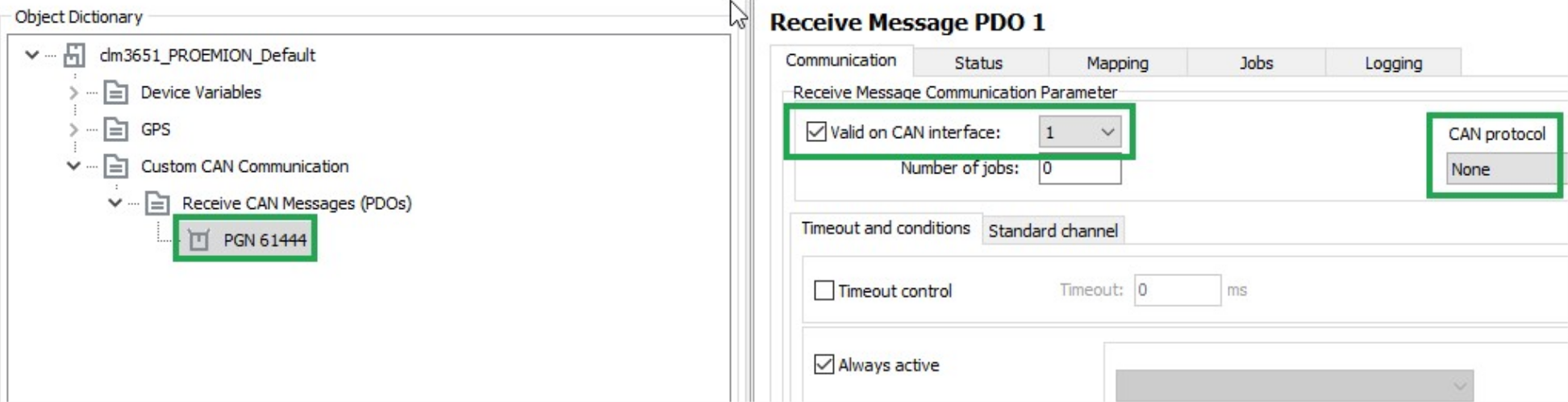
Description Selection Function VALID ON CAN INTERFACE Set Enabling the configuration, defining the CAN interface for reception (if_several_are_available). CAN PROTOCOL None The received CAN message is a single message (Layer_2). It is not treated according to a superordinate CAN protocol.
TIMEOUT AND CONDITIONS
Select the TIMEOUT AND CONDITIONS tab.
Make the following settings.
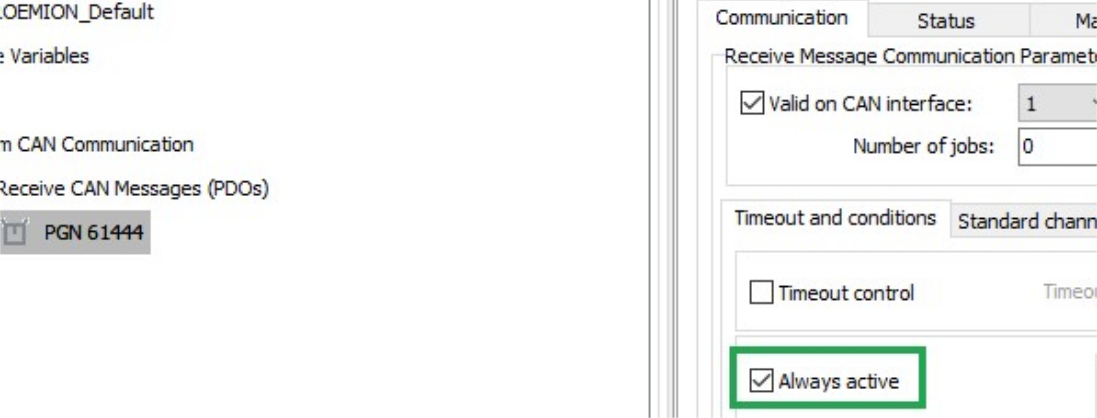
| Description | Selection | Function |
|---|---|---|
| ALWAYS ACTIVE | Set | The CAN message is received irrespective of events or conditions. |
STANDARD CHANNEL
Select the STANDARD CHANNEL tab.
Make the following settings.
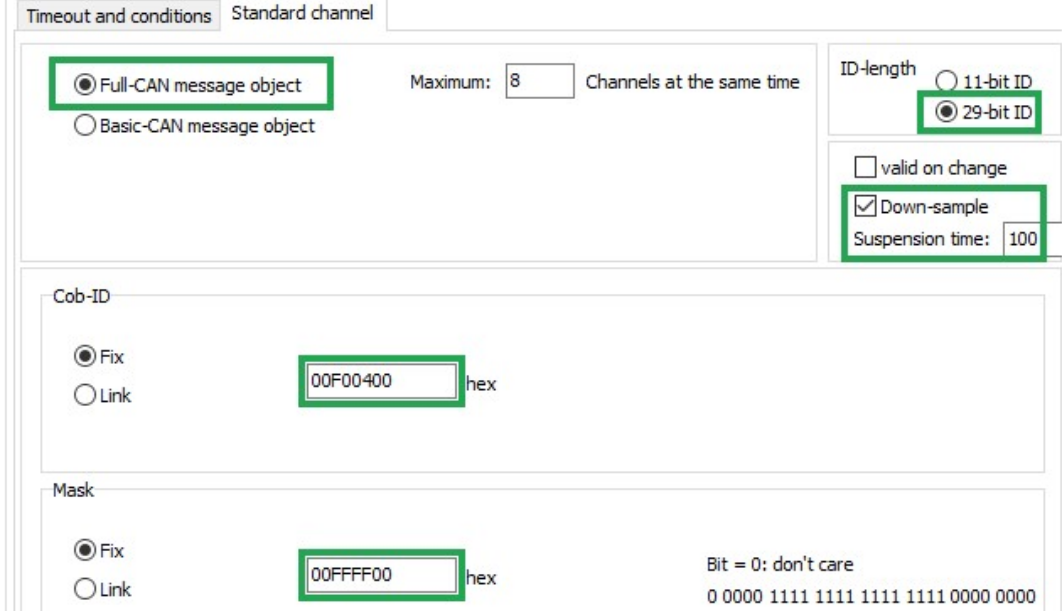
| Description | Selection | Function |
|---|---|---|
| FULL CAN MESSAGE OBJECT | Set | Assigns the receive message to a controller channel. |
| ID-LENGTH | 29-bit ID | ID length of the CAN message to be received. |
| DOWN-SAMPLE | Set | Receive message max. every 100 ms. |
| COB-ID | Fix (00F00400) |
Fixed identifier of the receive message (J1939_PGN_61444). |
| MASK | Fix (00FFFF00) |
Determines that bits 8 ... 24 of the identifier fixed in COB-ID must not vary in the identifier of the received message. In the J1939 protocol, the first bits of the identifier define the priority and the last bits of the identifier define the source address. These are ignored when the message is received. |
LOG ALL DATA BYTES EVERY 60 SECONDS
In this example, all data bytes are simply logged cyclically every 60 seconds. There are no additional conditions, and the data bytes are not checked.
LOGGING - CONDITIONS
Define the following settings for the PGN 61444 object.
Select the LOGGING tab.
Select the CONDITIONS tab.
Make the following settings.
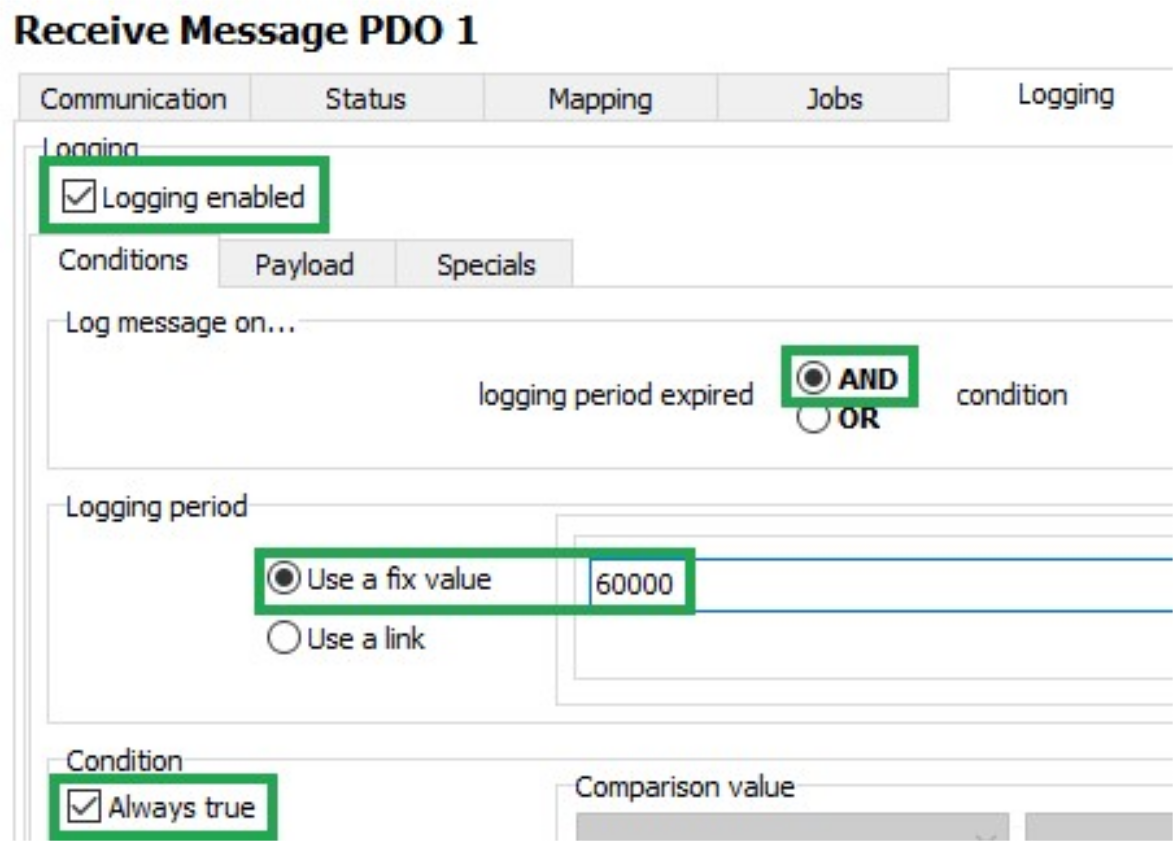
| Description | Selection | Function |
|---|---|---|
| LOGGING ENABLED | Set | Logging enabled |
| LOG MESSAGE ON | AND | The data is only logged when timeout is reached AND the condition is met. |
| LOGGING PERIOD | Use a fixed value (60000) |
Duration of the logging interval in milliseconds. |
| CONDITION / ALWAYS TRUE | Set | Logging takes place without prior checking of conditions. |
Payload
Select the PAYLOAD tab.
Make the following settings.
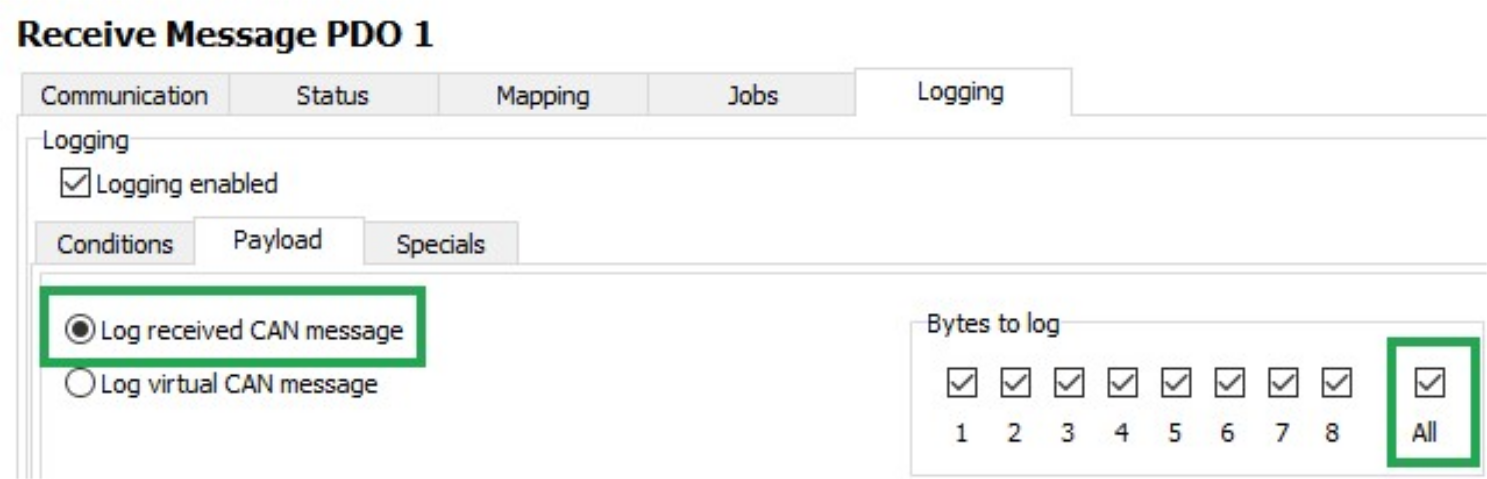
| Description | Selection | Function |
|---|---|---|
| LOG RECEIVED CAN MESSAGE | Set | Log data of the receive CAN message. |
| BYTES TO LOG | All | Log all data bytes. |
Click on the SAVE button.
Load the configuration to the device. See Loading the Configuration to the Device via CAN Interface.
✓ You have completed the configuration for logging of all data bytes of the J1939 PGN 61444 every 60 seconds.