Indicator Elements
Two LEDs are installed on the front of the device to indicate functions and status.
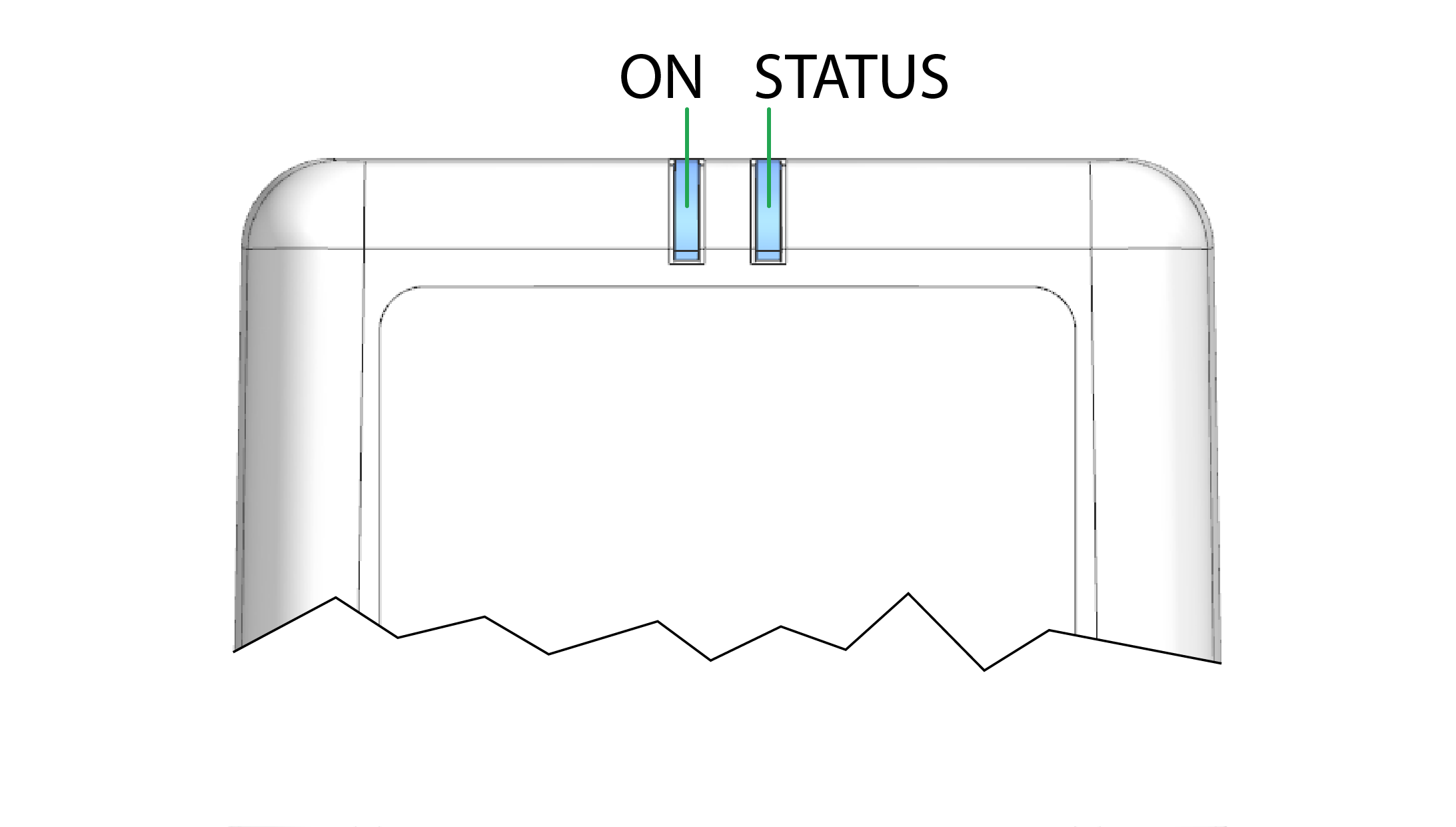
The LEDs have the colors red, green, and blue. When several colors are active simultaneously, the LEDs also light up in magenta, orange, or turquoise.
The following tables show possible LED statuses:
ON LED
The ON LED indicates the power supply status.
| Color | State | Meaning |
|---|---|---|
| - | Off | Device switched off or in sleep mode |
| Green | On | Device switched on, terminal 30 voltage in permitted range |
| Red | On | Device switched on, terminal 30 voltage outside permitted range |
| Green | Flashing | Device in diagnosis or update mode |
| Orange | On | Device is in device reset mode. See also LEDs during certain operating modes |
STATUS LED
The STATUS LED indicates the operating status of the active connections. The various colors reflect the respective priority, from 6 (low) to 1 (high). If several modes are active simultaneously, the STATUS LED always indicates the status with the highest priority (smallest number).
| Color | State | Connection | Priority | Meaning |
|---|---|---|---|---|
| - | Off | - | - | LED On is also off, the device is switched off. |
| Green | On | Various | - | No Error. Device is connected to the DataPlatform |
| Blue | On | Cellular internet | 1 | Not connected to the DataPlatform. |
| Orange | On | CAN 1 | 2 | Error on CAN 1 interface. |
| Red | On | CAN 2 | 3 | Error on CAN 2 interface. |
| White | On | CAN 3 | 4 | Error on CAN 3 interface. |
| Magenta | On | GNSS | 5 | No position / antenna recognized. |
| Color | State | Connection | Priority | Meaning |
| - | Off | Wi-Fi / Bluetooth | 6 | Not connected to any network / device. |
If there are no errors with the current connection (Cellular, CAN1/2/3, GNSS, wireless interfaces), the STATUS LED lights up green.
When the connection is active, e.g. communication with the DataPlatform, the STATUS LED flashes from time to time. ("Activity flash").
In the event of a fault, the STATUS LED only displays the status with the highest priority.
Example: The device does not recognize any GNSS position (priority 5 = magenta) and has no Cellular connection (priority 1 = blue). The STATUS LED lights up blue.
LEDs during certain operating modes
| LED | State | Meaning |
|---|---|---|
| ON / STATUS |  |
Configuration update in progress via the CAN interface. |
| ON / STATUS |  |
Active file transfer. A CAN message is received (flashes_orange) and sent to the DataPlatform (flashes_blue). |
| ON / STATUS |  |
Active data transmission. |
| ON / STATUS |  |
Device initializing after switching on. |
| ON / STATUS |  |
Configuration update in progress via the DataPlatform. |
| ON / STATUS |  |
Remote firmware update in progress via the DataPlatform. |
| ON / STATUS |  |
Reset (0x1011:0x64) the device via the CAN. |
| ON / STATUS |  |
Transmission of the GNSS position and the keep-alive message. Display varies depending on configured polling interval. |