CAN logging Example 3 - On Change Logging
On receipt of CAN messages whose content seldom changes, you can activate the VALID ON CHANGE option.
If the option is activated, a CAN message received is only recorded by the device if a value within the data bytes has changed.
This option can be activated for standard 11-bit and 29-bit CAN messages as well as for J1939 CAN messages.
High data volume
If the VALID ON CHANGE option is activated, the DOWN-SAMPLE option is automatically deactivated and no longer limits the frequency of recording. Each CAN message received with a modified content will be recorded by the device. This leads to high data volumes in the case of CAN messages whose content changes in the millisecond range.
- Only activate the VALID ON CHANGE option for carefully selected messages.
-
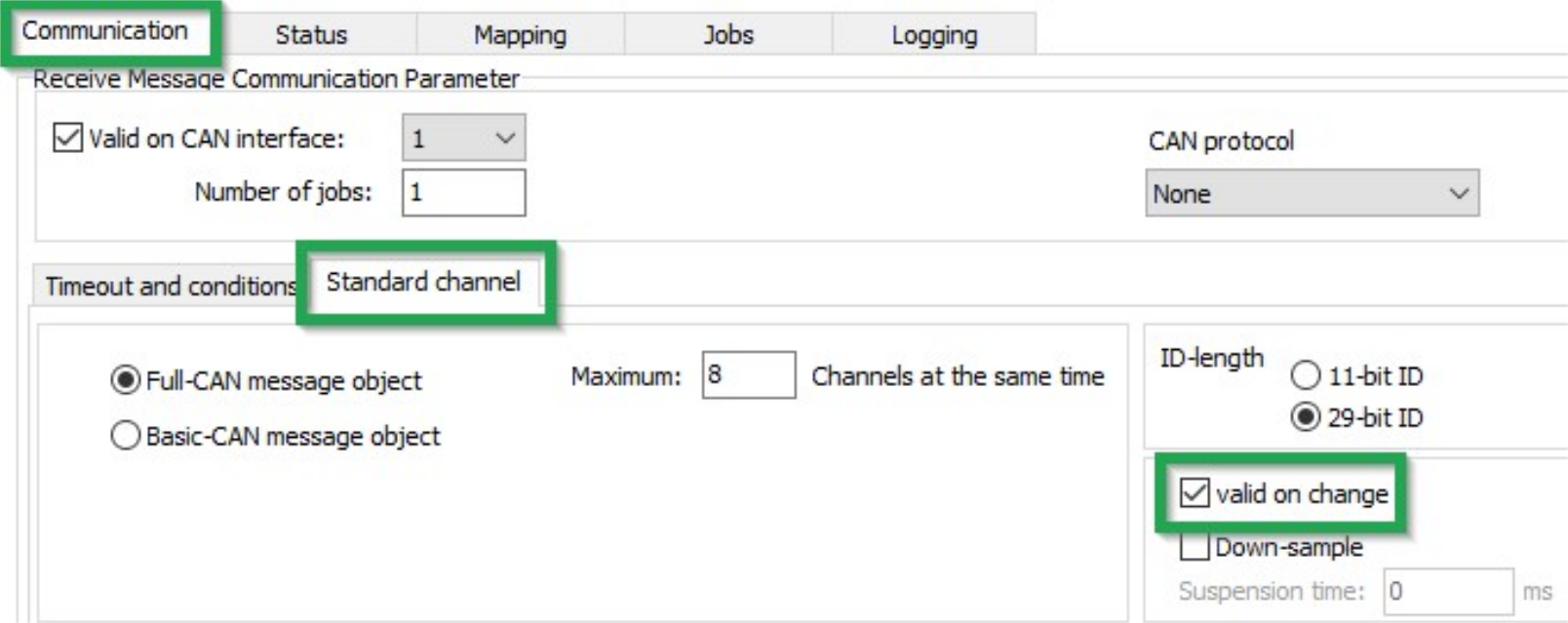
Navigate to the COMMUNICATION section.
-
Move to the STANDARD CHANNEL section and click to enable the VALID ON CHANGE option.
-
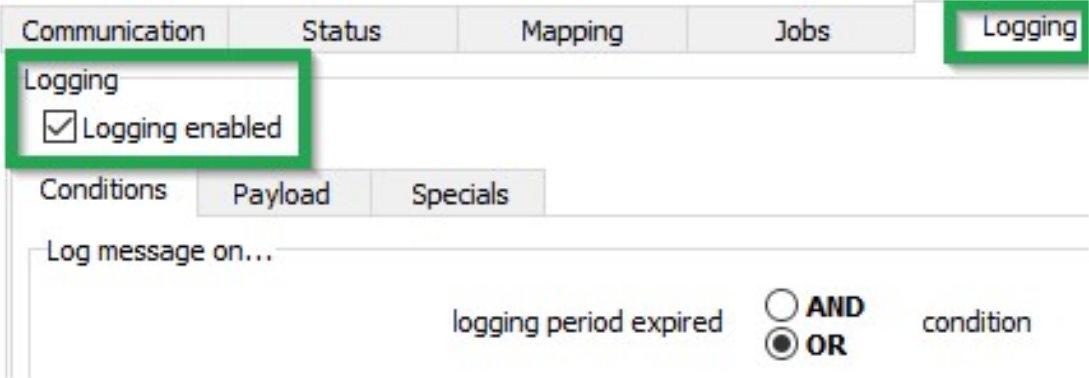
Navigate to the LOGGING section.
-
Move to the LOGGING section and click to tick the LOGGING ENABLED option.
✓ CAN messages received with a modified content are recorded.