Configuring the logging of internal variables
You can log various internal variables. Internal variables can be both device variables and interface variables.
To log internal variables, you need an ACTION - FUNCTION - OPERATION object in the OPERATION MANAGER object dictionary group. With the object ACTION - FUNCTION - OPERATION, up to 8 internal variables can be logged in one process as a virtual CAN message.
Note
Virtual CAN messages have been extended to log up to 32 variables. Read the note in Creating Object Dictionary Groups and Objects for more information.
-
Start the Proemion Configurator software.
-
Choose FILE > OPEN from the menu.
-
Open the desired configuration file.
-
Create an OPERATION MANAGER object dictionary group.
-
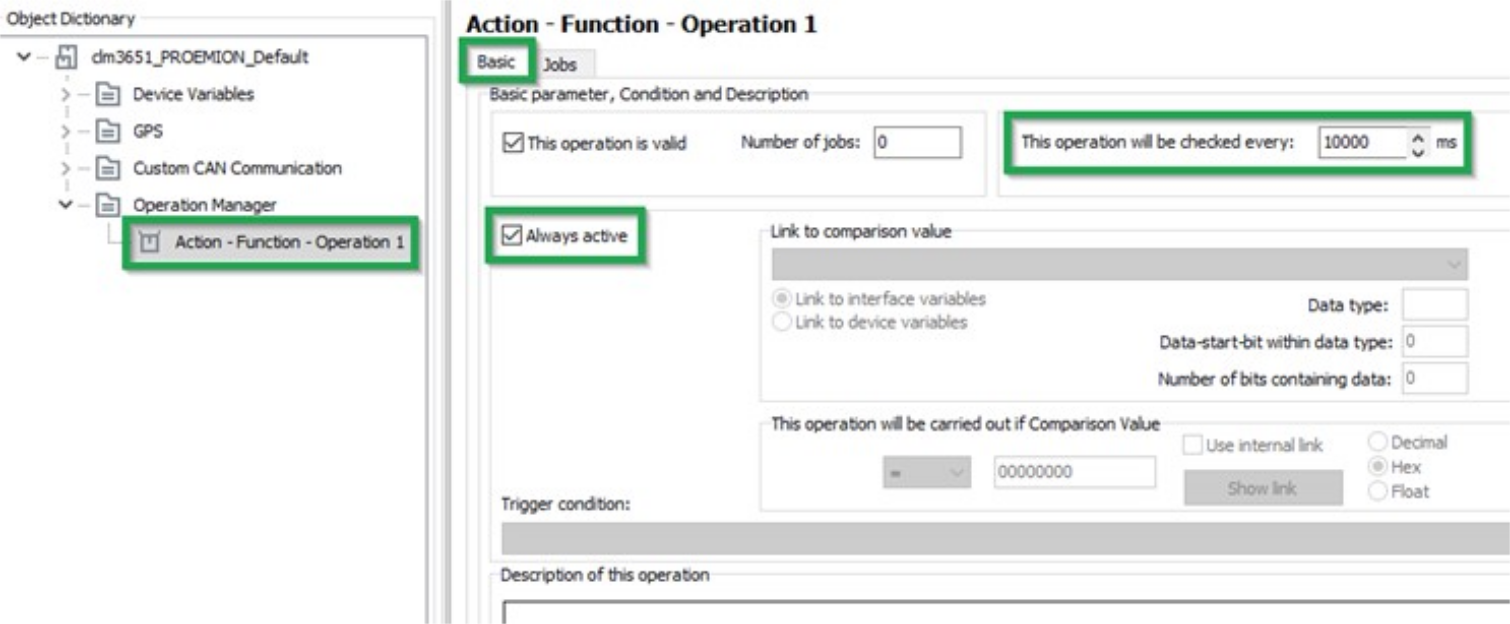
Create an ACTION - FUNCTION - OPERATION 1 object in the OPERATION MANAGER object dictionary group.
-
Select the BASIC tab.
-
Enter a value in milliseconds in the THIS OPERATION WILL BE CHECKED EVERY field. This value determines the intervals at which the variables are logged.
-
Check the ALWAYS ACTIVE box. Logging takes place irrespective of conditions. Alternatively, you can define conditions for logging.
-
Click on the SAVE button.
-
Select the JOBS tab.

-
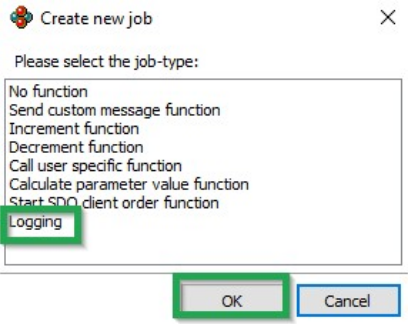
In the OVERVIEW field, click on the ADD button.
✓ The CREATE NEW JOB window opens.
-
Select the LOGGING job type.
-
Click on the OK button.
-
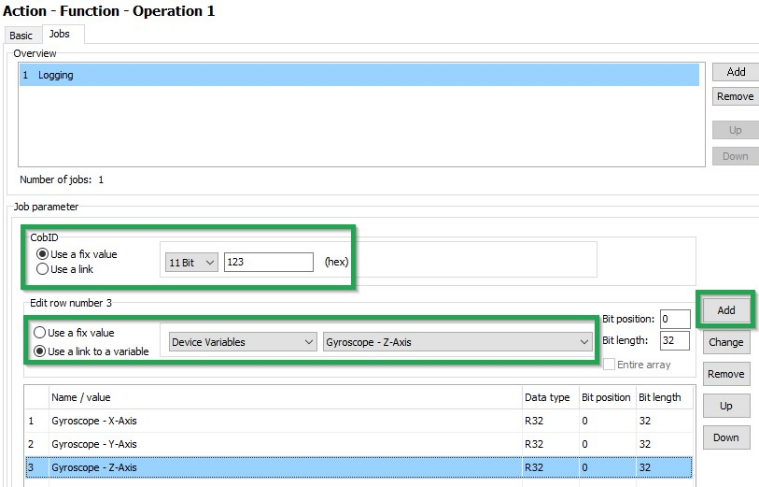
In the COBID field, enter the ID (hex) for the virtual CAN message. The ID must not be used by other CAN messages.
-
In the ADD NEW ROW field, select the variable type and the variable.
-
In the JOB PARAMETER field, click on the ADD button.
-
Add further variables if required.
-
Click on FILE > SAVE in the menu.
✓ You have completed the configuration for logging of internal variables.