Select machines dialog
You can select the machines by the following options:
By Model*:
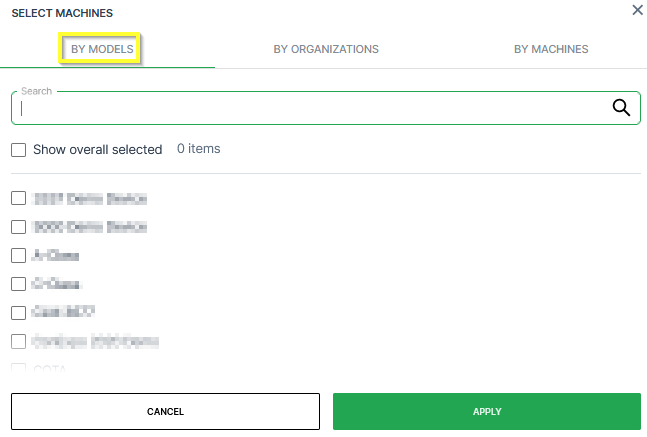
In the By Models tab, you can select the machines belonging to certain models:
-
Search: Search a specific model.
-
Models list: Select the models individually in the list of models.
-
Show overall selected: Display which models have been selected already.
By Organization:
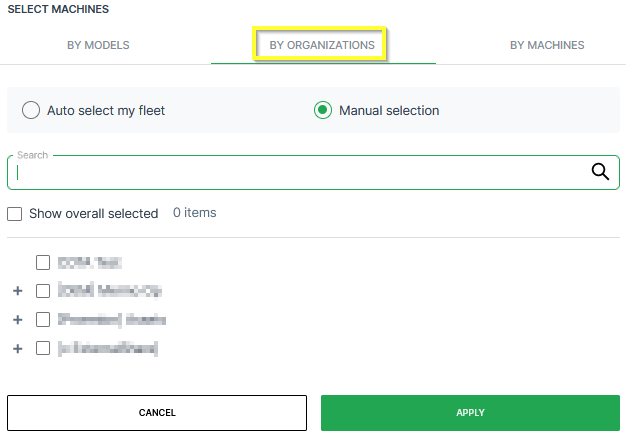
In the By Organizations tab, you can select the machines belonging to certain organization units:
-
Auto-select my fleet: Select all the organization units together with the sub-organizations that your user has access to.
-
Manual selection: Select individual organization units in the list of organizations. When selecting the top-level, all sub-organizations will be selected.
-
Search: Search a specific organization.
-
Show overall selected: Display which organizations have been selected already.
By Machine:
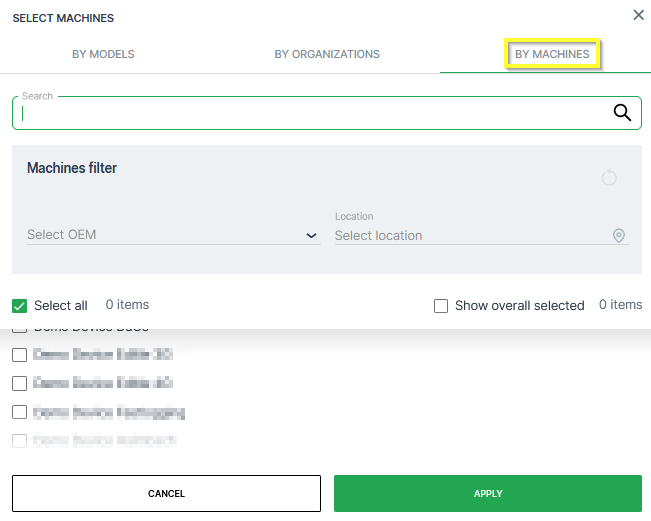
In the By Models tab, you can select the machines individually:
-
Search: Search a specific machine.
-
Machines filter: Filter the list of machines by OEM or Location.
-
Select all: Select all available machines that your user has access to.
-
Show overall selected: Display which machines have been selected already.
-
List of Machine: Select specific machines.