Remote Machine Tunnel
Note
The introduction and preconditions for the Remote Machine Tunnel feature are described in the main Remote Machine Tunnel documentation.
Configuration
Note
Endpoints should be configured here. The below described configuration option via the Manage Machine window is still available for compatibility reasons but should no longer be used.
To configure the endpoint, proceed as follows:
On the Machine Page, select the machine you want to manage and click the Manage Machine vehicle button in the top-right corner.
This opens the Manage Machine window.
-
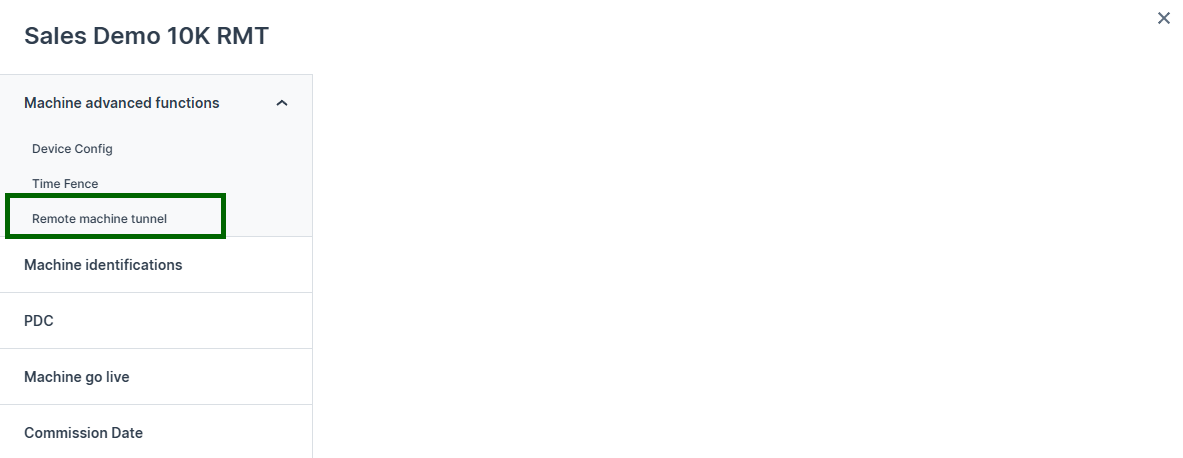
In the Manage Machine window, open the Machine advanced functions and select Remote machine tunnel.
-
Choose the endpoint types (HTTPS or TCP) and configure each endpoint by specifying the details of the service:
- Name: Mandatory. Unique name for an endpoint that is also visible locally on the CANlink® mobile 10000 Web UI Status page. No white space allowed.
- Address: Mandatory. IP address of the service that should be accessible via the Remote Machine Tunnel.
For services running on the CANlink® mobile 10000,
127.0.0.1can be used. If the service is running on a device connected to the same local network as the CANlink® mobile 10000, use the IP address assigned to that device. - Port: Mandatory. Port of the service that should be accessible via the Remote Machine Tunnel.
Examples for common ports:
443: HTTPS; e.g. a Web Server UI1217: TCP; CODESYS Edge Gateway8080: TCP; e.g. CODESYS WebVisu
-
Click the Create button.
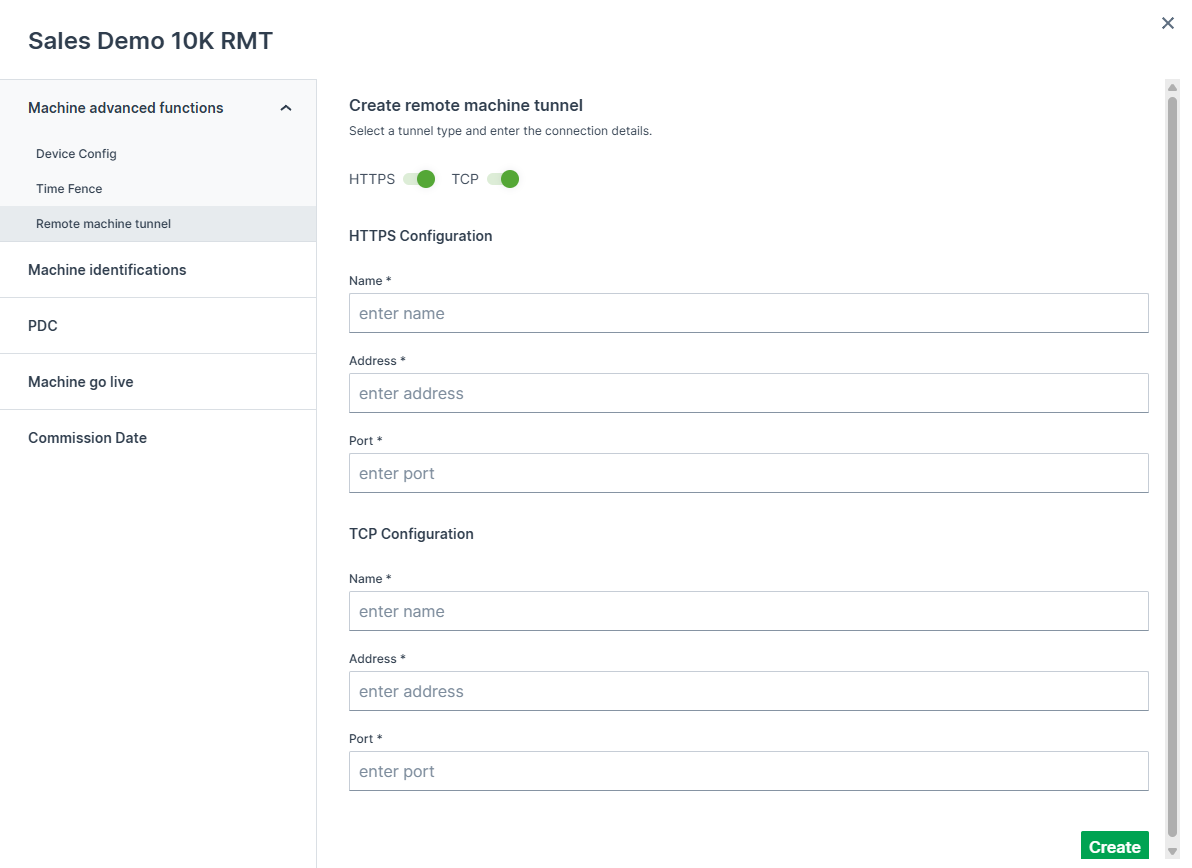
Figure 1: Configuration: Remote Machine Tunnel -
After a few seconds the Access URLs for all configured endpoints are provided; they are created in the background and forwarded to the target device. Each Access URL is randomly generated when the Remote Machine Tunnel is created and is changed for security reasons with every new session. By default, a session lasts up to 4 hours. After that, the Remote Machine Tunnel is deleted and access via the Access URL is revoked.
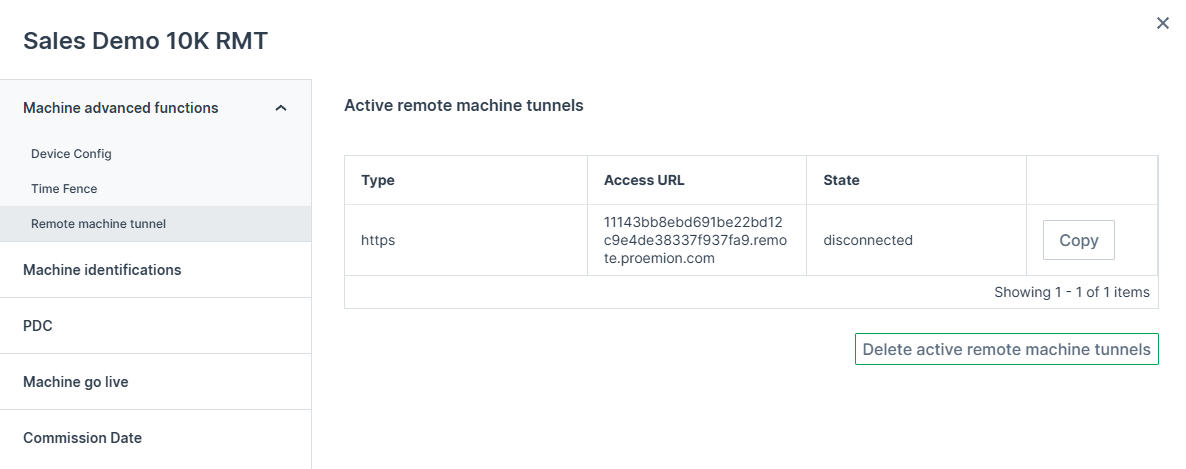
Figure 2: Access URL: Remote Machine Tunnel -
Click Delete active remote machine tunnels to remove all tunnels and revoke access.
Access URLs
As long as the Remote Machine Tunnel is active, the configured service can be accessed remotely via the Access URL.
- HTTPS: the Access URL can be entered directly into a web browser.
- TCP: the TCP traffic must first be encrypted with TLS on the client machine before it can securely be forwarded to the remote service via the Access URL.
This encryption is handled by the Remote Machine Client and is required to ensure secure communication over the Internet when using the Remote Machine Tunnel.