Status
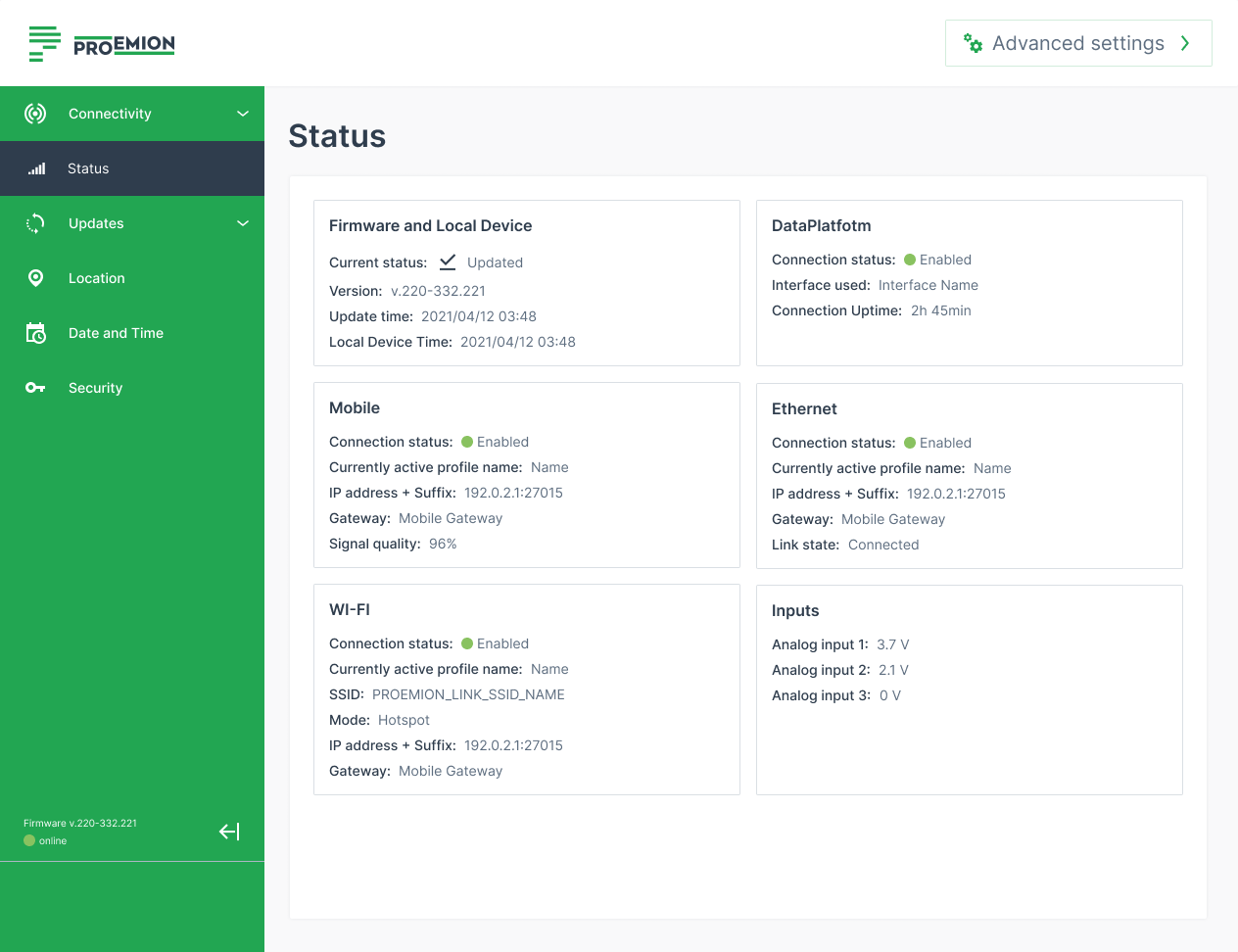
The Status page in the configuration web UI shows the device's status information about various interfaces and connections.
These can be used e.g. to check which of the configured connections are currently active and with which characteristics:
-
Firmware and Local Device: Check the current firmware version.
-
DataPlatform: Check which network interface is enabled to connect to the DataPlatform.
-
Mobile, Ethernet, Wi-Fi: Check the statically defined or dynamically assigned IP addresses of the active interfaces; check the signal strength of the cellular connection, etc. For more information, read Network.
-
Inputs: Check the analog inputs that measure the applied voltage.