Switching the Device On/Off
The device does not have an on/off switch.
The device can be powered on by each of the following conditions:
- Terminal 15 level is high
- Detection of a specific Acceleration Sensor Wake-up Force
- Cyclic wakeup time is elapsed
PC connection
When connecting the device to a PC (e.g., for configuration with the Proemion Configurator ) make sure that the ignition input signal (Terminal 15, red wire) is supplied with a voltage of at least 6 V (typically 12 V).
Without this signal, the device will not start completely, and the Proemion Configurator may not display full device information in the Node Scan.
If Terminal 15 is not connected, ensure that Enable sleep mode in the Power Management configuration is disabled via the Configuration Web User Interface to prevent automatic shutdown.
Note
Device defect due to power failure.
Destroyed hardware component on the device. Repair not possible.
Destroyed file system on the device. Repair by Proemion necessary.
- Permanently connect Terminal 30 to steady power supply (vehicle battery) to ensure that the required power management settings can be applied to the device in the right manner.
- Permanent disconnection from the power supply is only permitted when the device was set to sleep mode before.
- Connect Terminal 15 correctly and configure secure switching to sleep mode in the Power Management settings via the Configuration Web User Interface.
- Do not disconnect the device from the power supply until it has completely switched to sleep mode (all LEDs off).
Battery low voltage.
In the case of variants with an internal rechargeable battery and no Power Management configuration, the device continues to operate in Battery mode until it is switched off via the low voltage disconnect function.
- Permanently connect Terminal 30 to steady power supply (vehicle battery) to ensure that the required power management settings can be applied to the device in the right manner.
- Connect Terminal 15 correctly and configure secure switching to sleep mode in the Power Management settings via the Configuration Web User Interface.
In case the proper settings are not made, you can switch the device off via the Reset button:
Disconnect the main plug connector. Actuate the inlying button using an appropriate tool with a diameter of approx. 1mm.
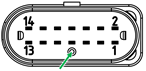
The LEDs and the device are switched off. Please be aware that this is an emergency procedure with the risk of device defect due to power failure!