Assign Task to User
Maintenance tasks can be assigned to other users, e.g. service technicians
For the prerequisites, see Permission Sets.
To assign a Maintenance Task, proceed as follows:
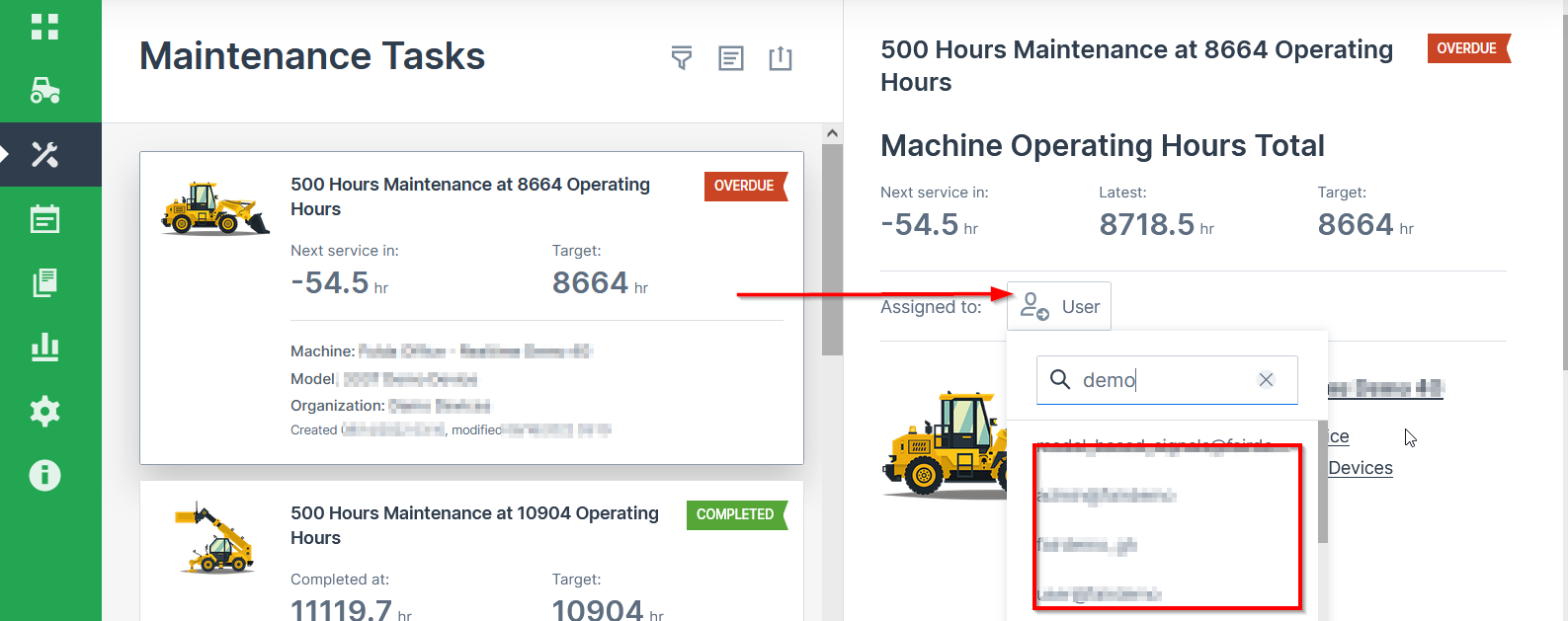
-
Open the desired Maintenance Task.
-
Choose from the list of eligible users in the User drop-down menu
You can also search by the name of the user.
The user is now assigned to the Maintenance Task. The initials will be displayed in the right bottom corner of the Maintenance Task.
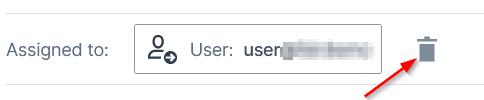
To unassign the user from the task, click the delete icon next to the name:
Note
In case the permission of the assigned users changes to a lower level, e.g. view for Maintenance Tasks Subject, the user will be automatically unassigned.