Use cases
Use Cases Overview
The CANlink® wireless 4000 is a CAN-to-wireless gateway.
The following table shows some possible applications with the device.
Point to point connections
A Point to Point connection transmits CAN data between only one device and another.
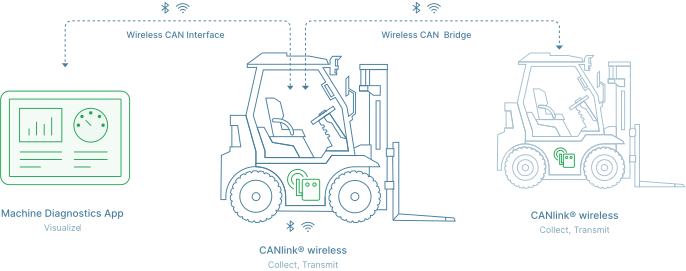
| Interface | Application | Remarks | Client Software |
|---|---|---|---|
| Bluetooth Classic | CAN - Mobile Device / PC Interface | - | Remote Service Tool, or a 3rd Party App for Android or iOS via Byte Command Protocol API. |
| CAN - CAN Bridge | Two CANlink® wireless 4000 devices communicating with each other. | n.a. | |
| Wi-Fi | CAN - Mobile Device / PC Interface | Wi-Fi Access Point mode. | Remote Service Tool, or a 3rd Party App for Android or iOS via Byte Command Protocol API. |
| CAN - Mobile Device / PC Interface | Wi-Fi Infrastructure mode. (Wi-Fi Infrastructure Mode requires an external Access Point) |
Remote Service Tool, or 3rd Party App for Android or iOS via Byte Command Protocol API. | |
| CAN - CAN Bridge | Two CANlink® wireless 4000 devices communicating with each other. Recommended communication technology for CAN-CAN bridge. |
n.a. | |
| BLE | CAN - Mobile Device / PC Interface | BLE 'Peripheral' role. | 3rd Party App for Android or iOS via Byte Command Protocol API. |
| CAN - CAN Bridge | BLE is not recommended for high-bandwidth application. See BLE Performance |
n.a. |
MultiPoint connections
Tip
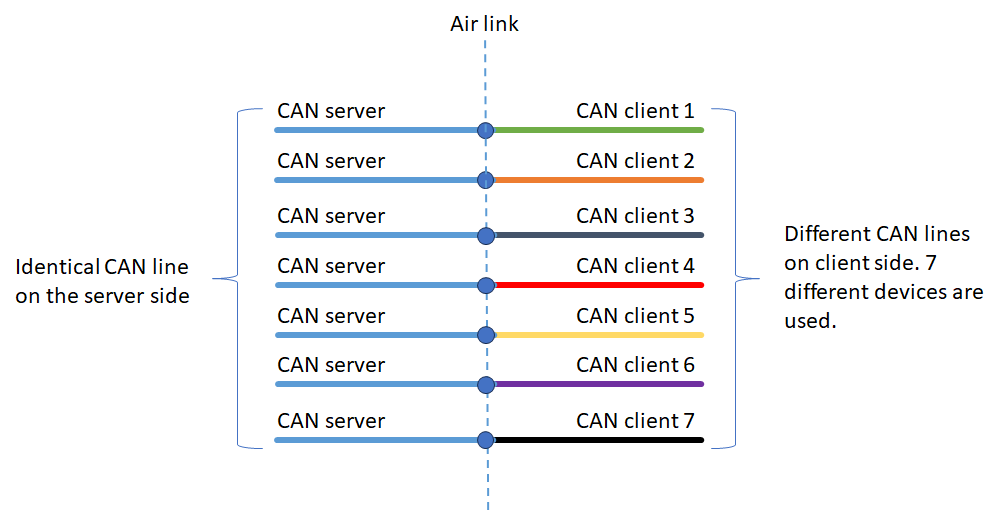
When considering this diagram, remember that data from both CAN buses connected to the CANlink® wireless 4000 source device are sent wirelessly and put on the bus(es) of the destination device.
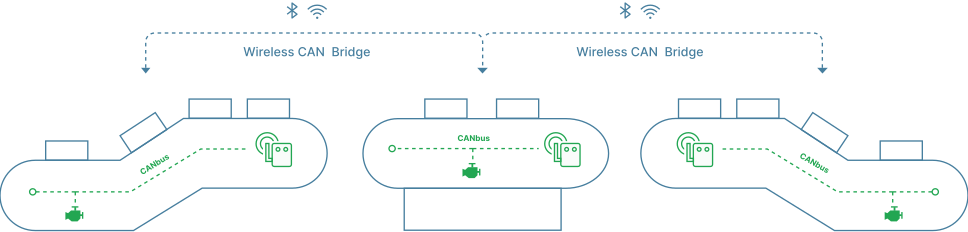
This configuration is where one CANlink® wireless 4000 is connected to, and shares CAN data with more than one other peer.
Each Client device receives all data present on the CAN bus of the Server, and puts it on their local CAN bus.
Each message on each of the Client's CAN bus is transferred to the Server.
A maximum of eight devices can be connected together: One Server with up to seven connected Clients.
Note
While each Client receives all CAN data present on the Server CAN bus, it will not receive data from other Client's CAN bus.
This is what MultiTalk is designed for.
MultiPoint is only available on the Wi-Fi interface.
See the MultiPoint documentation for instructions how to configure MultiPoint.
MultiTalk connections
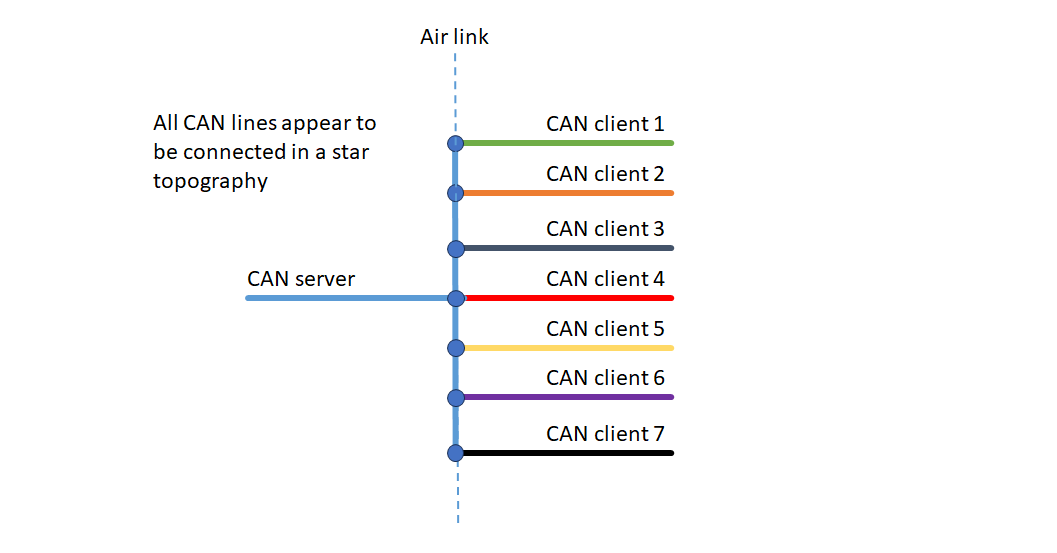
This is an extension of the MultiPoint configuration, where every device receives all CAN messages from every wirelessly connected device in the network.
The Server can be considered a Hub, distributing all messages to all peers.
For configuration, see MultiTalk configuration.
MultiTalk is only available on the Wi-Fi interface.
For an example of MultiTalk, see CTO Demonstration 1.