CTO / PDO
A Process Data Object (PDO) is used in CANopen for broadcasting high-priority control and status information, and consists of a single CAN frame and up to 8 bytes of pure application data.
This is one of the two primary modes of communication in CANopen: the other being SDO (Service Data Object).
Proemion has a proprietary and more flexible system for setting up PDOs - called a Custom Transmit Object (CTO) - for use with the Proemion Configurator.
Tip
CANopen standard PDOs cannot be configured using standard CANopen techniques for the CANlink® wireless 4000.
The more flexible CTO version is configured with the Proemion Configurator only.
Two Walkthroughs have been provided that demonstrate different possible uses for CTOs on the CANlink® wireless 4000.
CTO Demonstration 1
This demonstrates sending a PDO:
- On a Cyclic basis
- Cyclically if a condition is met
- On the occurrence of an event
- From one Client (Client2) via the MultiTalking Server to another Client (Client1)
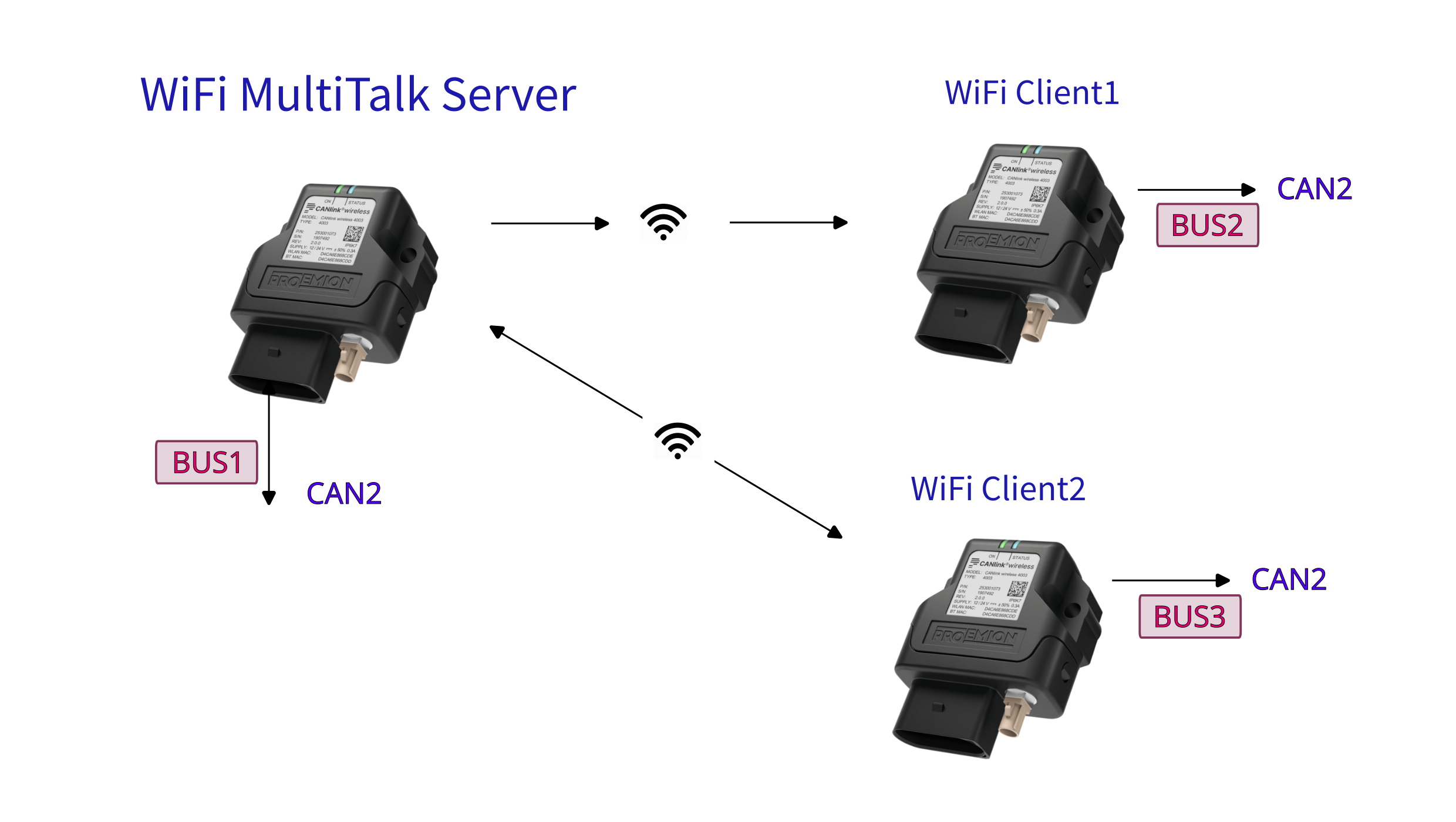
Follow the Walkthrough in the CTO Demonstration 1.
CTO Demonstration 2
This demonstrates sending a PDO:
- With Wi-Fi Automatic Channel Selection
- Switching the Digital Output of another device
- Sampling the device Analog Input
- Sending a PDO on State-Change of the Analog Input
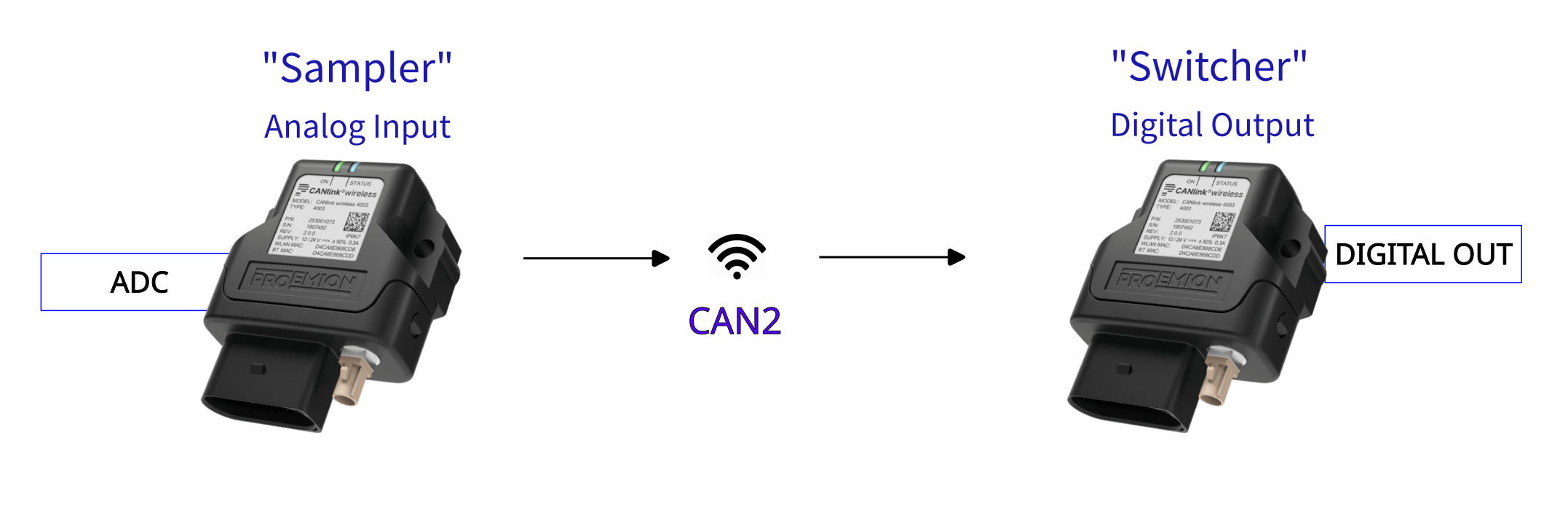
Follow the Walkthrough in the CTO Demonstration 2.
Disabling CTOs
To deactivate the CTO module, write 0x00 to object 0x2004:0x03 [Check Number].
A reboot is required to effect this change.
Enabling CTOs
If CTOs have been configured and disabled using the method described just above, the original CTO functionality can be restored by writing 0xFF to object 0x2004:0x03 [Check Number], and rebooting.