Client2 walkthrough
Client 2 Walkthrough
Client 2 connects to the Server on port 30001.
It sends its Serial Number as a PDO every 2s to Cob-ID 0x206.
Every device on the bus will receive this message, because the Server has enabled MultiTalk.
Device Variables
Add the following Device Variables, with the following settings (change highlighted objects as necessary):
| Object | Setting |
|---|---|
0x3000:0x01 [Wi-Fi Operating Mode] |
0x01 [Infrastructure] |
0x3000:0x10 [Enable 2.4GHz WiFi Band / Infrastructure only] |
0 Disabled |
0x3000:0x11 [Enable 5GHz WiFi Band / Infrastructure only] |
1 Enabled |
0x3008:0x03 [Bluetooth Enable] |
0 Disabled |
0x3008:0x09 [BLE Enable] |
0 Disabled |
0x3008:0x02 [WiFi Enable] |
1 Enabled |
0x3000:0x04 [WiFi Authentication Type] |
7 [WPA/WPA2 Mixed] |
0x3000:0x09 [WiFi DCHP Mode] |
1 [DHCP Client (WiFi infrastructure only)] |
0x3000:0x25 [WiFi Region] |
As Appropriate |
0x3000:0x02 [WiFi SSID] |
PDO_Server |
0x3000:0x05 [WiFi Authentication Key] |
ChocolateCake4Breakfast! |
0x3010:0x15 [Connection Direction Configuration/Server or Client 1] |
3 [Client enabled] |
0x3010:0x16 [Connect Type 1] |
1 [TCP Socket] |
0x3010:0x17 [URL Address/WiFi Client only 1] |
192.168.0.34 |
0x3010:0x18 [Socket Listen Port/WiFi only 1] |
30001 |
0x4050:0x03 [Node Id CAN 1] |
54 |
0x4050:0x04 [Node Id CAN 2] |
55 |
Also add 0x1018:0x04 [Serial Number] as a Device Variable in order to be able to send it in the next step configuring PDO.
| Object | Setting |
|---|---|
0x1018:0x04 [Serial Number] |
(Used for reading only) |
PDO configuration
Overview
- Add one PDO, rename as necessary
-
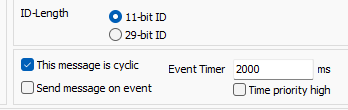
Setup a cyclic message, transmitting every 2 seconds to
0x206
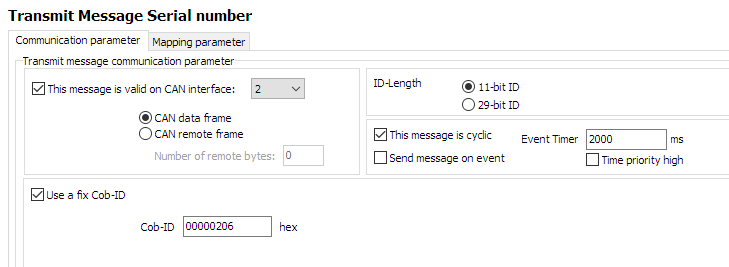
Figure 1: Client2 CTO Configuration -
Configure Mapping Parameter, using the
0x1018:0x04 [Serial Number]
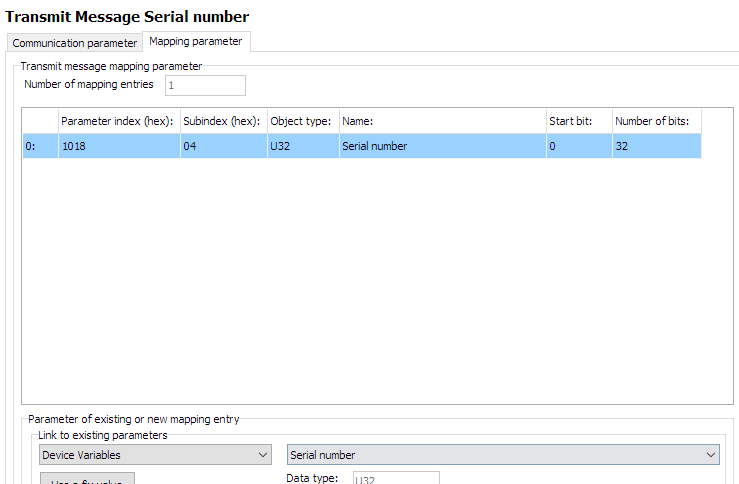
Figure 2: Client2 CTO Configuration
Steps
-
List is initially empty
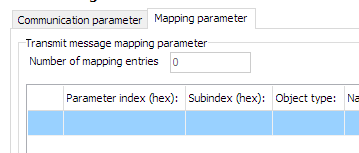
Figure 3: Client2 mapping -
Select 'Device Variables' for
Link to existing parameters
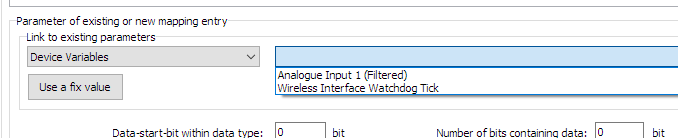
Figure 4: Client2 mapping -
Select appropriate Device Variable to transmit
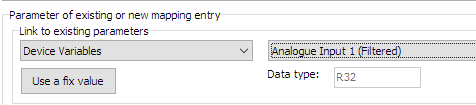
Figure 5: Client2 mapping -
Add number of databits as appropriate
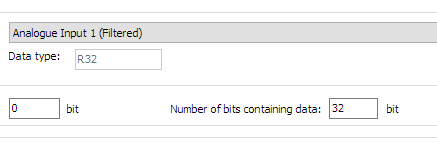
Figure 6: Client2 mapping -
Click "New" to add to mapping parameters
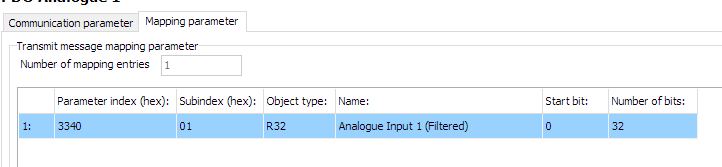
Figure 7: Client2 mapping
Set cyclic message
- Define period of message