Set the Resolution of the Software Interface
Select a resolution from the list, or customize the resolution of the software interface.
Select a Fixed Resolution
- Click Project > Fixed size in the menu bar.
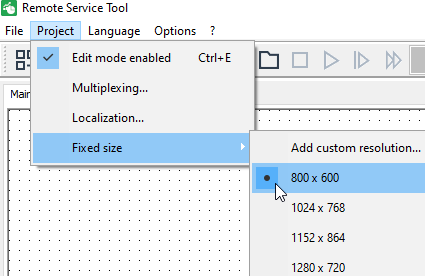
- Click a resolution, for example 800x600.
✓ Remote Service Tool displays the software interface in the selected resolution.
Set a Customized Resolution
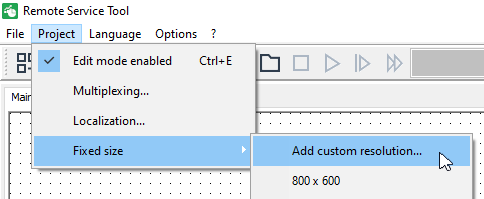
- Click Project > Fixed size in the menu bar.
- Click Add custom resolution.
- In the window that opens, enter the values for Width and Height.
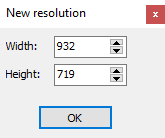
- Click OK.
✓ Remote Service Tool displays the software interface in the specified resolution.