Replay a CAN Trace
Replay a recorded CAN trace to verify a specific configuration file. You can also analyze the CAN trace with the CAN monitor element after stopping the session, once the machine is no longer online.
- Make sure that the latest version of Remote Service Tool from the Download Center is installed on your PC.
- Start Remote Service Tool.
✓ The software starts with a blank project.
- Click File > Open (
Ctrl+O). - Open the Remote Service Tool configuration file (
.dbs) that you want to verify.
!!! tip
Optionally, use a configuration file (.dbs) with the CAN Monitor element for the replay to analyze the CAN trace, see Create a Configuration with CAN Monitor.
- Click the folder icon
 .
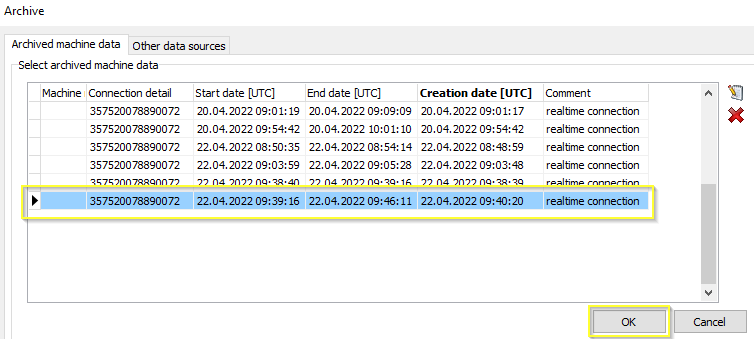
- Select the corresponding archive from the list.
- Click OK.
- Click Play
 .
✓ The replay of the CAN trace starts, and Remote Service Tool displays the values for the specific signals within the individual configuration elements.
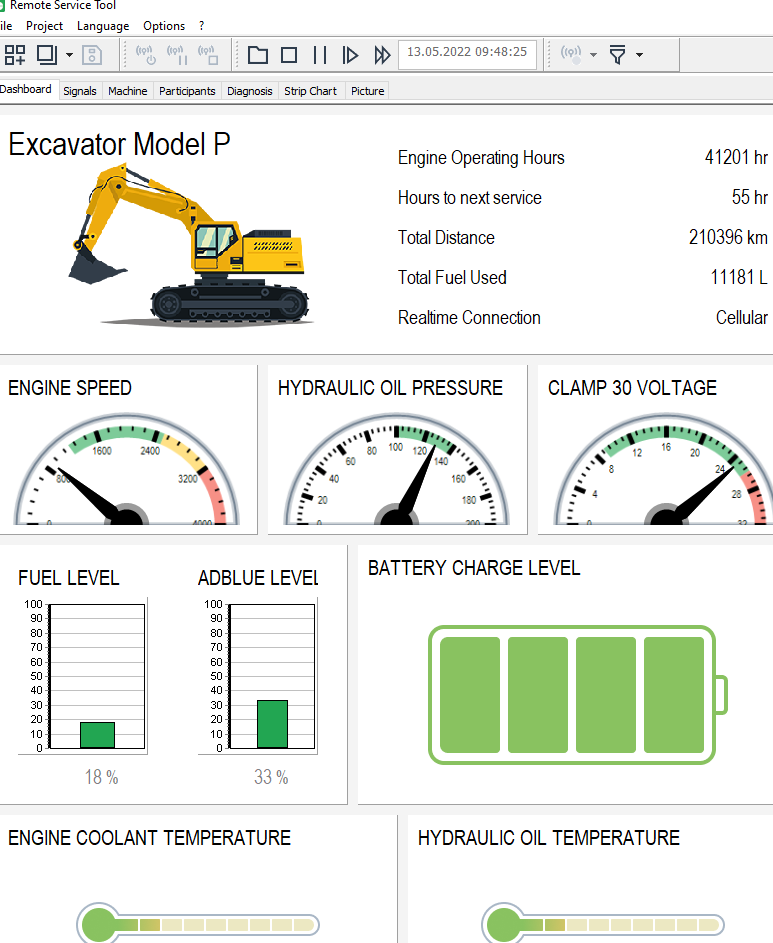
- Click Pause
 when a signal of interest appears in the dashboard.
- Optionally, use Step forward
 or Fast forward
 to get to the required range within the CAN trace.
- Click Stop
 to end the replay.