Enable the Edit Mode
To modify an existing or new configuration file, enable the Edit mode.
- Click Project > Edit mode enabled in the menu bar to enable edit mode.
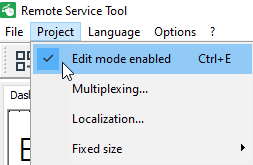
✓ In edit mode, you can customize the display interface using tabs and Dashboard elements.
| Depiction | Description |
|---|---|
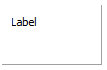 |
Edit mode is disabled. |
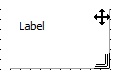 |
Edit mode is enabled. You can move  and resize  each element. |
- Click Project > Edit mode enabled again in the menu bar to quit edit mode.