Subscribe to DataPortal Notifications
The DataPortal has a number of features that allow you to subscribe to daily notification per email.
Note that for receiving notifications about Assignment Completion you must have at least maintain permission.
To access the subscription's settings page:
-
Select My Account in the upper right corner of the DataPortal Dashboard.
-
Select Notifications to open the notification settings page.
-
Depending on your assigned Permission Sets the dialog will appear as shown:
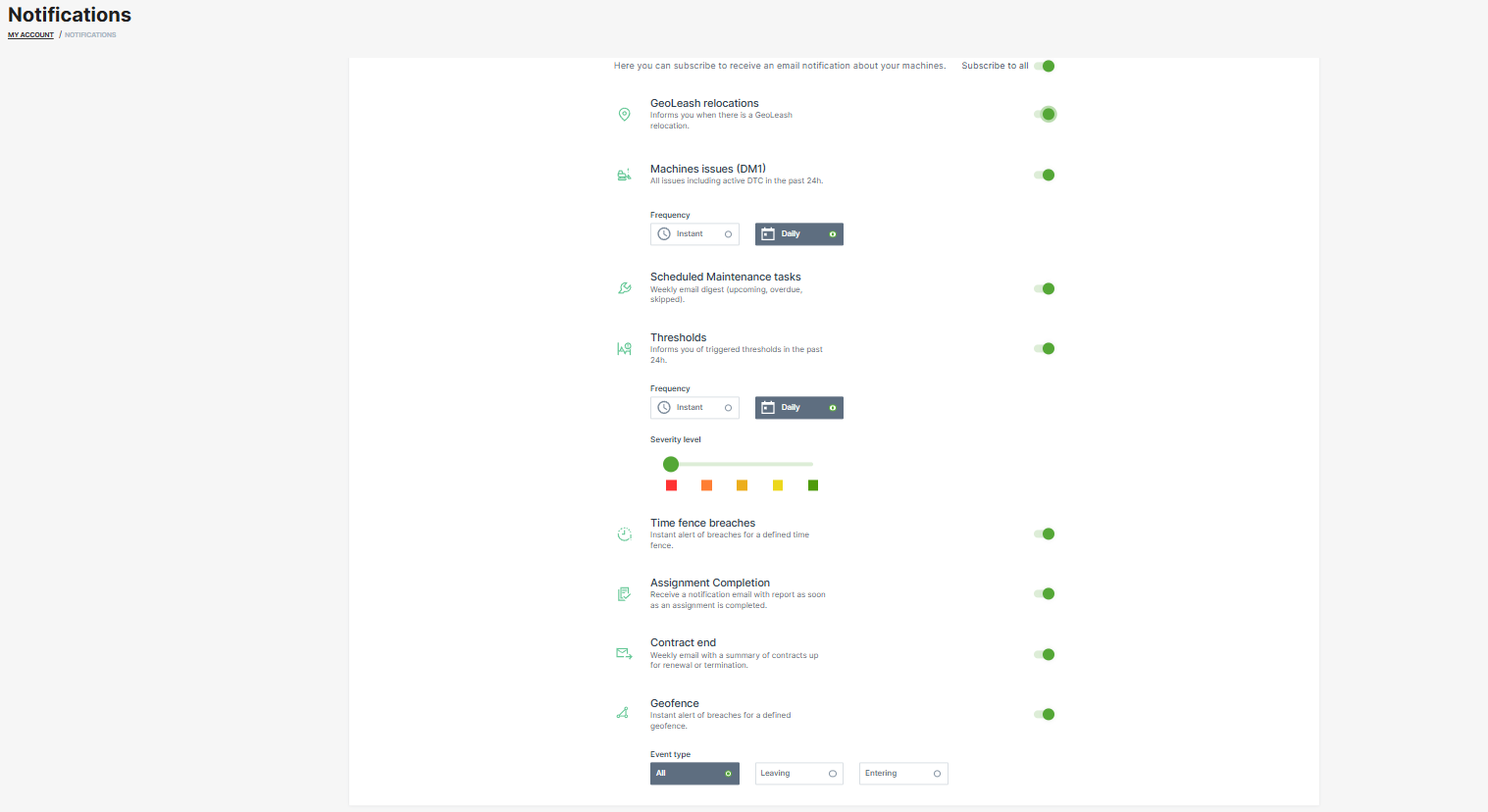
- You can now activate and configure the notifications for the following events:
| Notification | Description |
|---|---|
| GeoLeash | An email is sent immediately when a GeoLeash event occurs for a machine. |
| Machine Errors | You can choose from Daily or Instant (when the code is triggered) event notifications with a list of machines that have registered a DTC within the past 24 hours |
| NOTE: You won´t receive DTC or threshold notifications from machines which you can only access through a share. | |
| Maintenance Tasks | Receive a weekly summary of maintenance tasks and their current status for your machines |
| The email includes an Excel attachment containing the same structure as in exporting Maintenance tasks, and additionally the machine's location. | |
| Thresholds | You can choose from Daily or Instant event notifications that includes a summary of threshold breaches of the subscribed security level and the location of the machine of the past 24 hours |
| NOTE: You won´t receive DTC or threshold notifications from machines which you can only access through a share. | |
| Time Fence | An email is sent immediately when a Time Fence event occurs for a machine. |
| Assignment Completion | Receive a notification email with report as soon as an assignment is completed. |
| Contract end | Receive a weekly notification email about contracts ending soon. |
| GeoFence | Receive a notification email when a machine from the buisness unit enters or leaves a GeoFence; requires Location:Location history Permission Set. |
Note
Location data access (visibility) for notifications must be set by an organization admin.