Machine Quick Look
The Machine Quick Look is an enhanced view in the sidebar on the most frequently requested signal reports and machine activities like operating hours and/or ignition state and also shows the machine properties.
The Machine Quick Look provides trends and summaries of the selected machine in addition to the latest values shown in the (Signal) List.
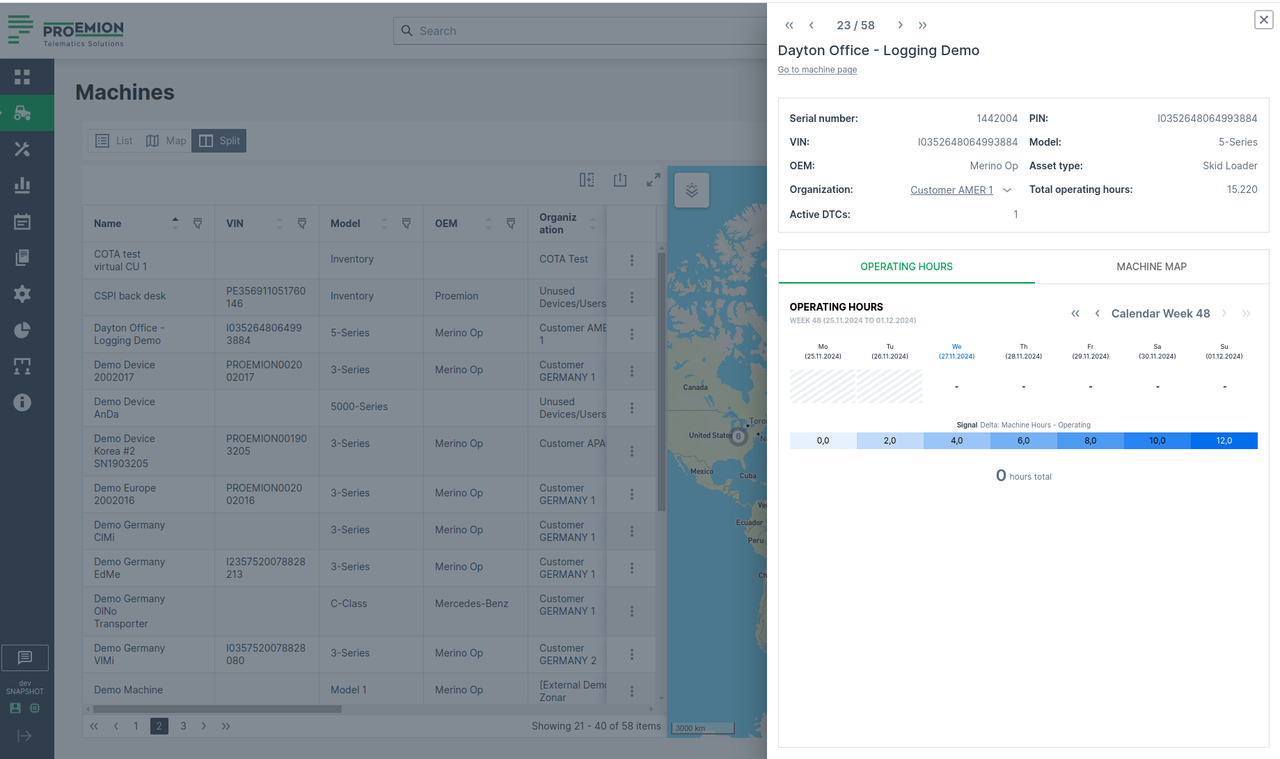
To open the Machine Quick Look sidebar, go to Machines Overview:
-
At the end of the line of the desired machine in the List view, you can select image:
 > "Open machine quick look panel":
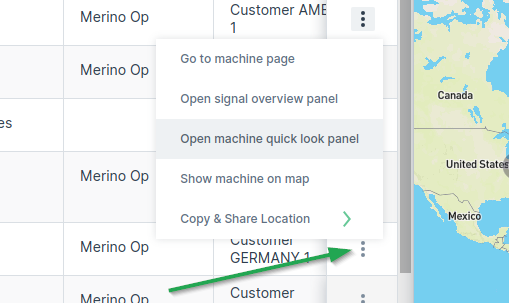
Figure 2: 3-dots -
You can also open the Machine Quick Look panel from the new quick look preview button when you hover over a machine row:
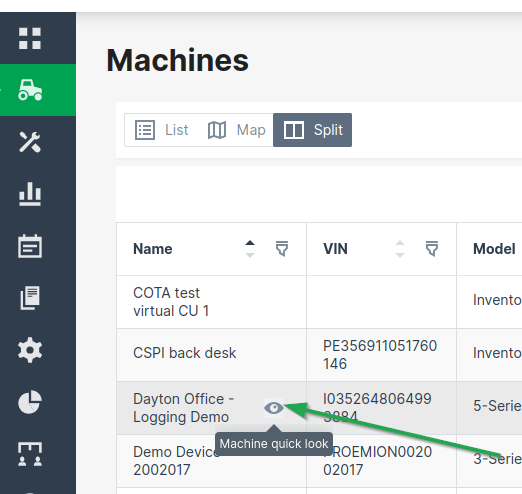
Figure 3: Machine Quick Look - Hover -
On the Map, find the desired machine and open the Machine Quick Look panel from the machine map tooltip.
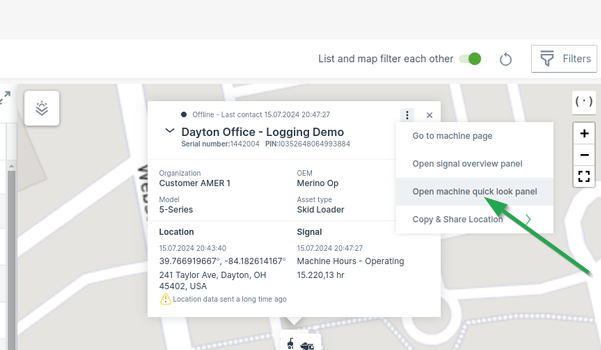
Figure 4: Machine Quick Look - Map