Machine Page
The Machines page is a representation of the data of a particular machine.
You can open the Machines Page via the Machines Overview, the Signal Overview Panel or searching the machine.
The navigation buttons in the top-right corner allow you to switch between the Machine Pages of your organization's machines (not shown when more than 12 machines are available)
Hovering over the navigation buttons shows the name of the next/previous machine.
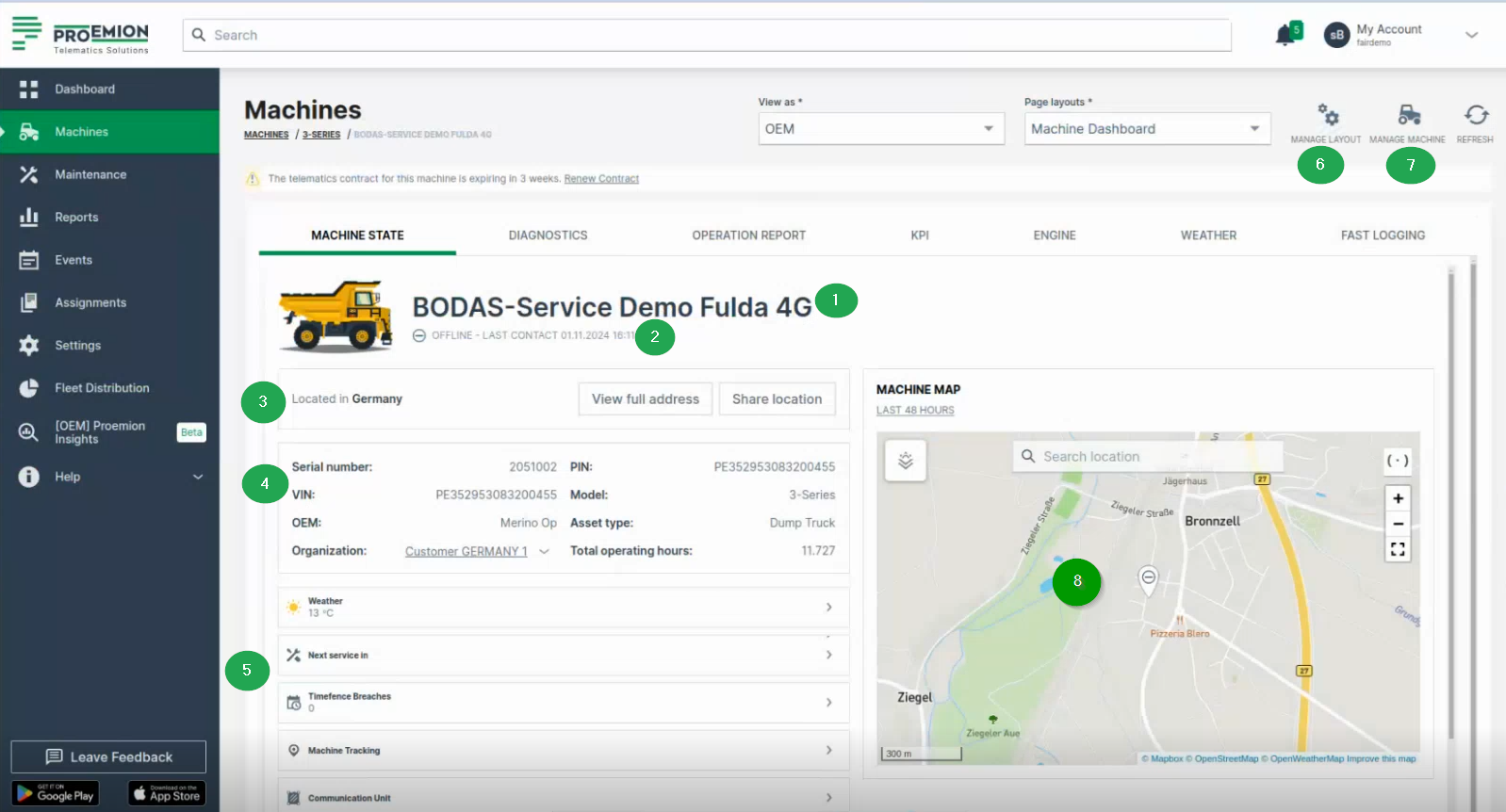
The content is defined for the machine, i.e. model. The visualization setup is configured by an Administrator.
The Machine Page panel will then display the following information:
| Item | Description |
|---|---|
| Connection Status | Current state (online/offline) since a particular date. |
| Machine Name | - |
| Organization | The organization that created the machine and share details. |
| Machine Model | - |
| Serial number | Serial number for the machine. |