Filters and Options
The filters and options described below are to be found on the Machines Overview.
List and Map Synchronization
The List and map filter each other toggle is active by default.
By switching it off, the map and list are not linked and can be used independently. That means, you can filter the list without affecting the map, or zoom in the map without the list being filtered by the machines visible on the map.
Reset Icon
Use the Reset icon to globally reset both Map and List views to default state or to reset filters only.
Filters
Filtering has moved from individual table columns to the Filters menu. This enables filter options that a simple column filter could not support, such as filtering by an organization and all its child organizations at once.
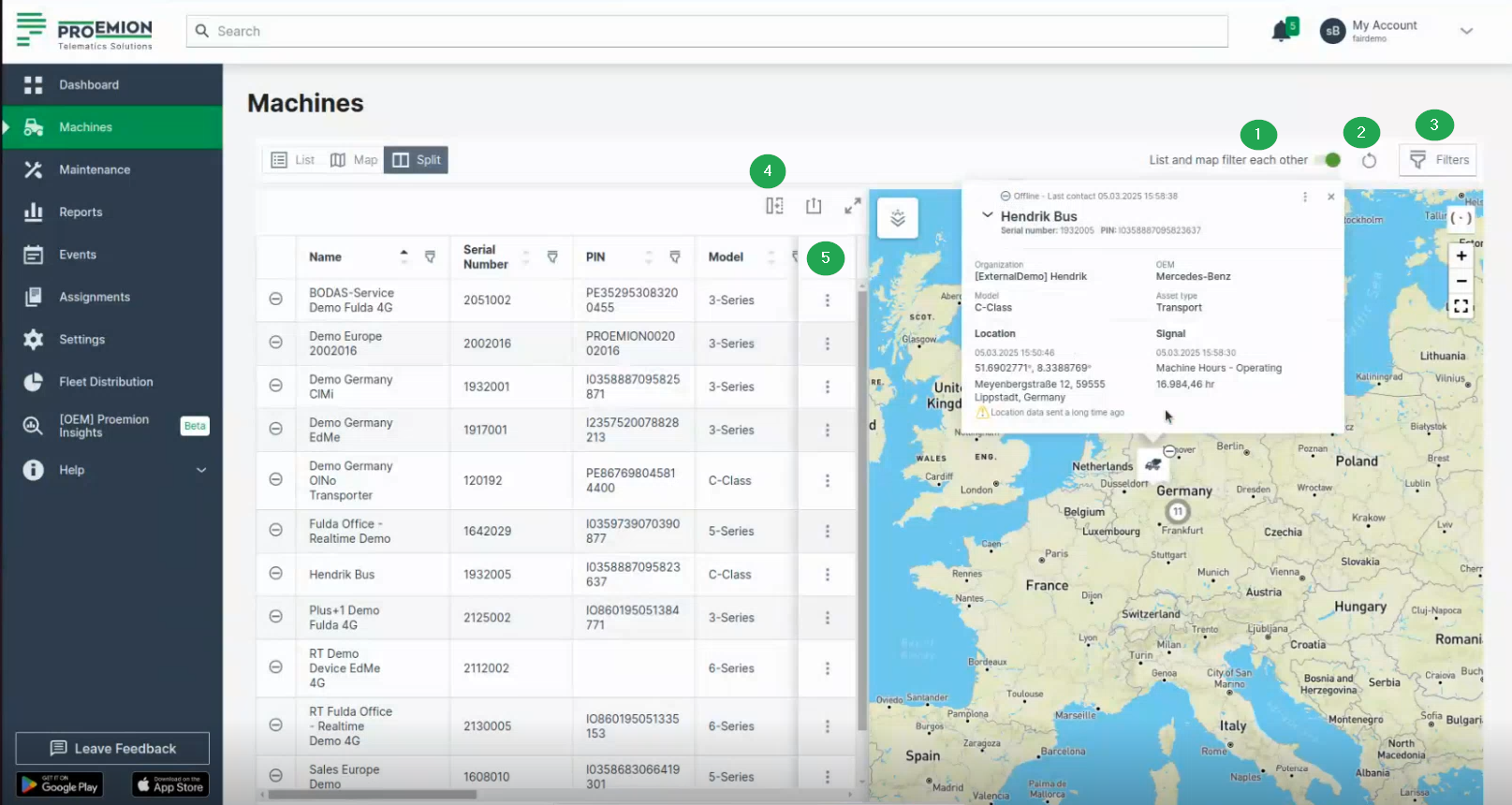
The following filter categories are available:
- Connection status: e.g. online status.
- Asset types: filter by the asset types assigned to the models.
- Data source: filter by the CU hardware type, e.g. CANlink® mobile 10000, CANlink® mobile 3600.
- Model
- OEM
- Organization: select an organization to filter by. The filter includes both the selected organization and its child organizations.
- Maintenance deadline: filter by Upcoming and/or Overdue maintenance status.
- Maintenance progress: filter by Unplanned, Planned, Skipped last week or Completed last week maintenance task status.
- Location: filter by Continent or Country.
Once applied, a filter is displayed as a tag with its name and value above the list table. Select the close icon on the tag to remove that filter.
Table Options
Adapt the list and export it, see also Table Options.
The options regarding the table are available in List and Split view only.
Unlike other tables in the DataPortal, the machine table does not offer column-level filtering. Use the Filters menu instead.
Use the search field above the table to search machines by name, serial number, PIN or VIN.
3-dots Menu
The drop-down menu can be opened via the 3-dots by the end of each row in both the List and Map views and offers the following options:
- Go to Machine Page
- Go to Maintenance Task (only in Map view; if the maintenance filter is applied).
- Open Signals Overview Panel.
- Show machine on map (only in List view) Zooms to the location of the machine on the map. This option is useful when the List and map filter each other toggle is deselected.
- Open in Google Maps. Opens Google Maps in a new tab with the static location/coordinates of the machine.
Tip
All filters and options applied (apart from visible columns) will be included in the URL.