Overview
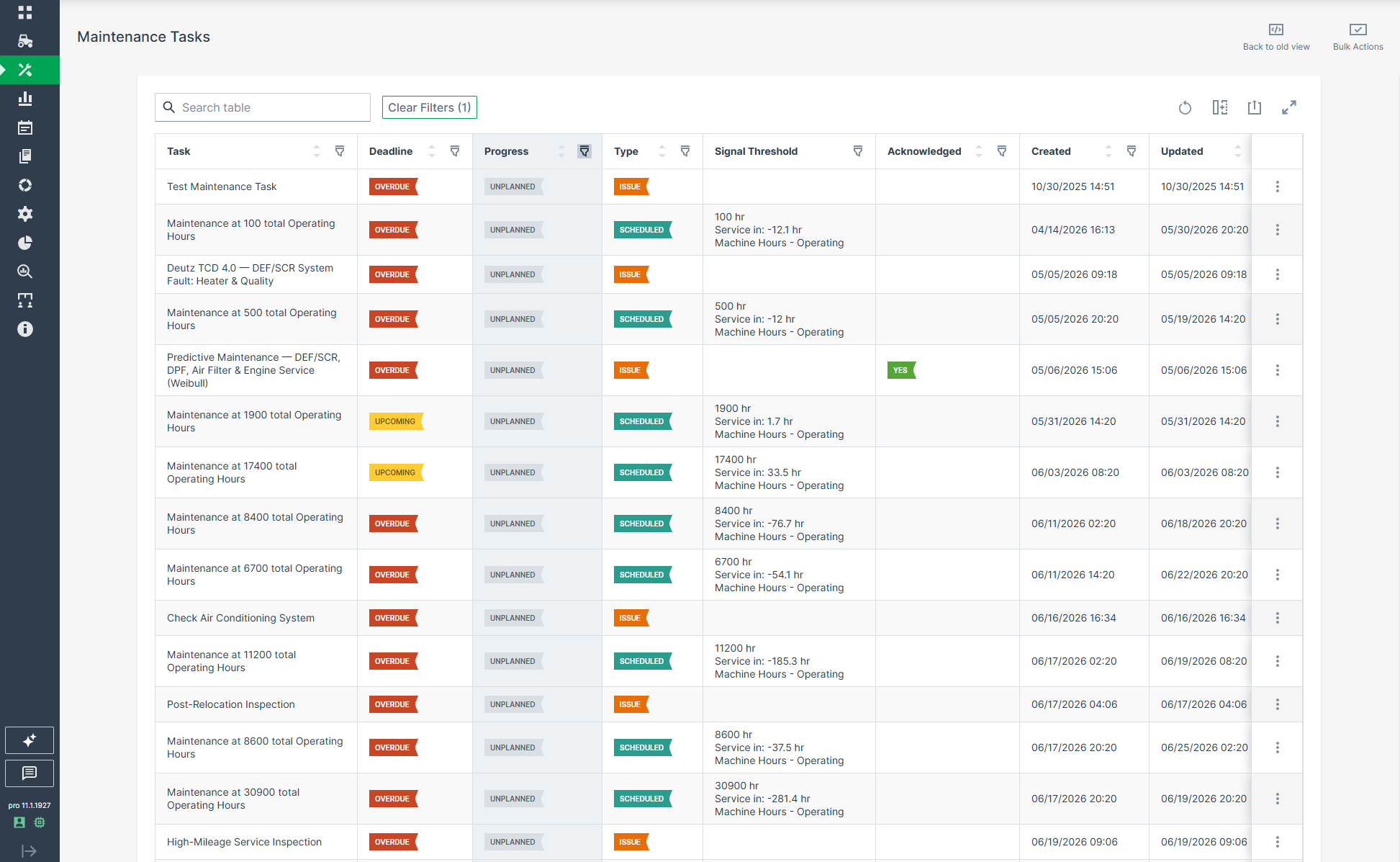
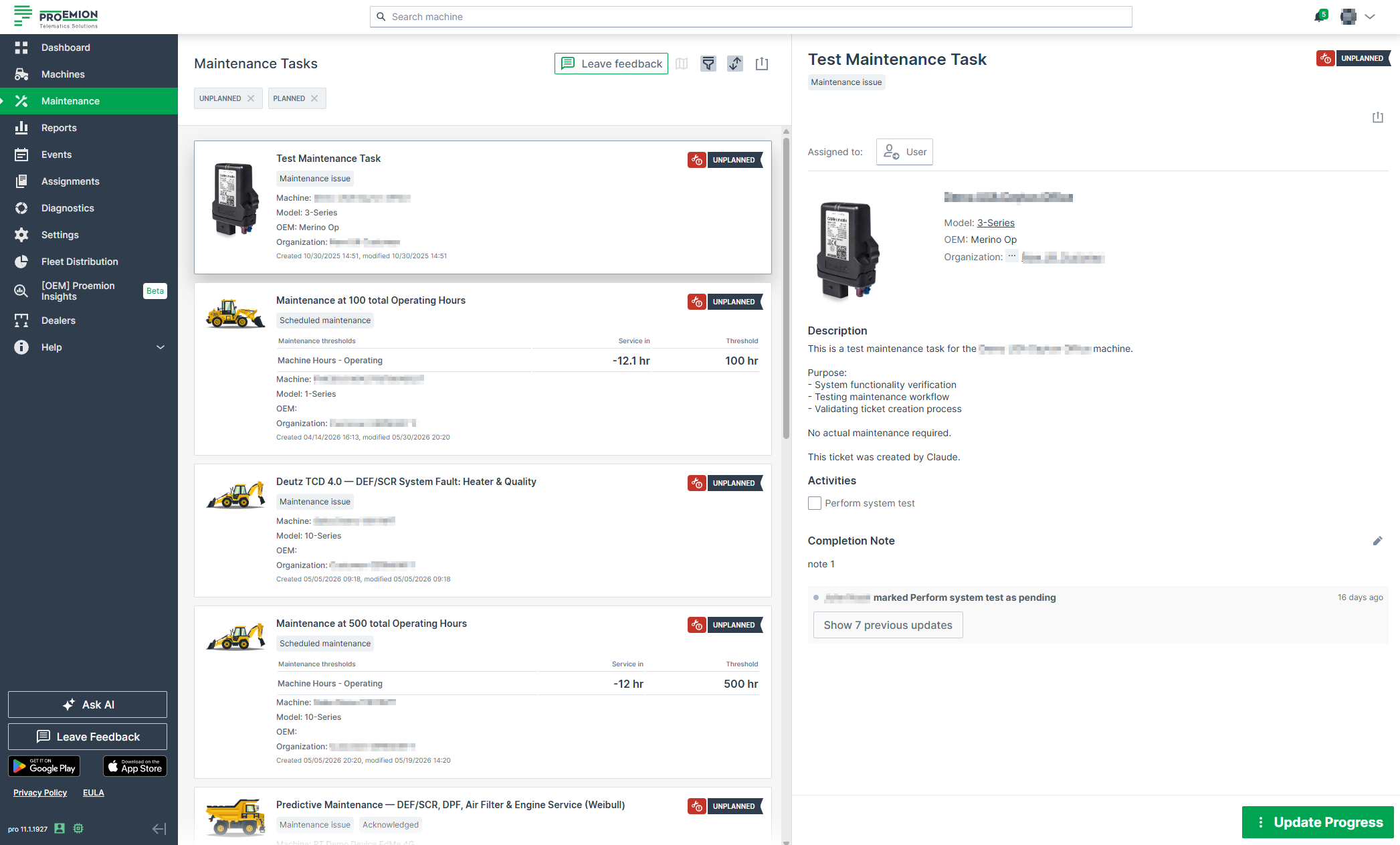
Maintenance Tasks provides an overview for tracking and planning machine service from the DataPortal.
Note
The parameters of this feature have a high degree of variance depending on the manufacturer's requirements and implementation
They can be created based on operating hours or self-defined maintenance cycles or service to next operating hours, etc.
Thus, the feature description in the following section is intended to demonstrate basic functionality.
Note
In order to use Maintenance Tasks, it is recommended to use standardized and harmonized metrics in the PDC files. Please refer to the Signal Catalog, the Proemion Standard Metrics and the PDC Manual for further details.
Note
Users with language other than English can see maintenance tasks in that language, if that particular maintenance task was supplied in that language, otherwise the task is shown in English by default.

| # | Item | Description |
|---|---|---|
| 1 | Map | View Map of Services. |
| 2 | Filter | Allows you to filter tasks by Type, Progress and Deadline, Organization/Machine/Model, Assigned to, Total service cycle or Time, see Filters. |
| 3 | Sort | Allows you to sort tasks according to the Newest, Oldest or Last Modified. |
| 4 | Export to CSV, XLSX/Print list of tasks | Allows you to either print a list of tasks or export them as a comma separated values list or in the xlsx format to a spreadsheet. |
| 5 | Maintenance type indicators | Shows the type of maintenance, can be either Scheduled maintenance or Unscheduled maintenance. |
| 6 | Deadline indicators | Maintenance tasks can have the deadline state of either Upcoming and Overdue depending on the due time of the maintenance task |
| Depending on the defined maintenance workflow, these states might be set by the Maintenance Planner, see Maintenance YAML configuration explanation. | ||
| 7 | Progress indicators | Maintenance tasks can have the progress state of either Unplanned, Planned, Skipped, Completed |
| Depending on the defined maintenance workflow, these states might be set by the Maintenance Planner, see Maintenance YAML configuration explanation. | ||
| 8 | User | Assign Task to User. The user's initials will be then added to the Maintenance Task. |
| 9 | Description | List of the maintenance tasks for this Service Cycle |
| Activities can be activated instead, see below. | ||
| 10 | Activities | Optional. Activities can be activated instead of the Description list |
| It shows the activities to be completed regarding the maintenance task as checkboxes. | ||
| 11 | Completion Note | Allows you to add information regarding the Maintenance Task, see Completion Note. |
| 12 | Acknowledgement | Shows who has acknowledged the completion of the maintenance task, see Acknowledge Maintenance Tasks. |
| 13 | Document links | Add links to web pages, e.g. to service documentation or spare parts |
| Links can be added via the Maintenance Planner. | ||
| 14 | History | Lists all actions performed on the Maintenance Task, see History. |
| 15 | Update Task | When a Maintenance Task is completed, click the Update Task button. |
| 16 | Contact Dealership | Contact the service location of your Dealer, see Dealers. |
View Map of Services
The map icon
forwards you to the Machines Overview where you can view machines with upcoming and overdue Maintenance Tasks displayed on a map.