Print Maintenance Tasks
You can print individual tasks, a collection of tasks by using the filters beforehand, or all displayed tasks (without filters).
The prints include the Activities, the Completion Note and their state, and the full History of the task.
You must have the Maintenance Tasks:View Permission Set to use the print feature.
Table View
To print task(s) from the Table View, proceed as follows:
-
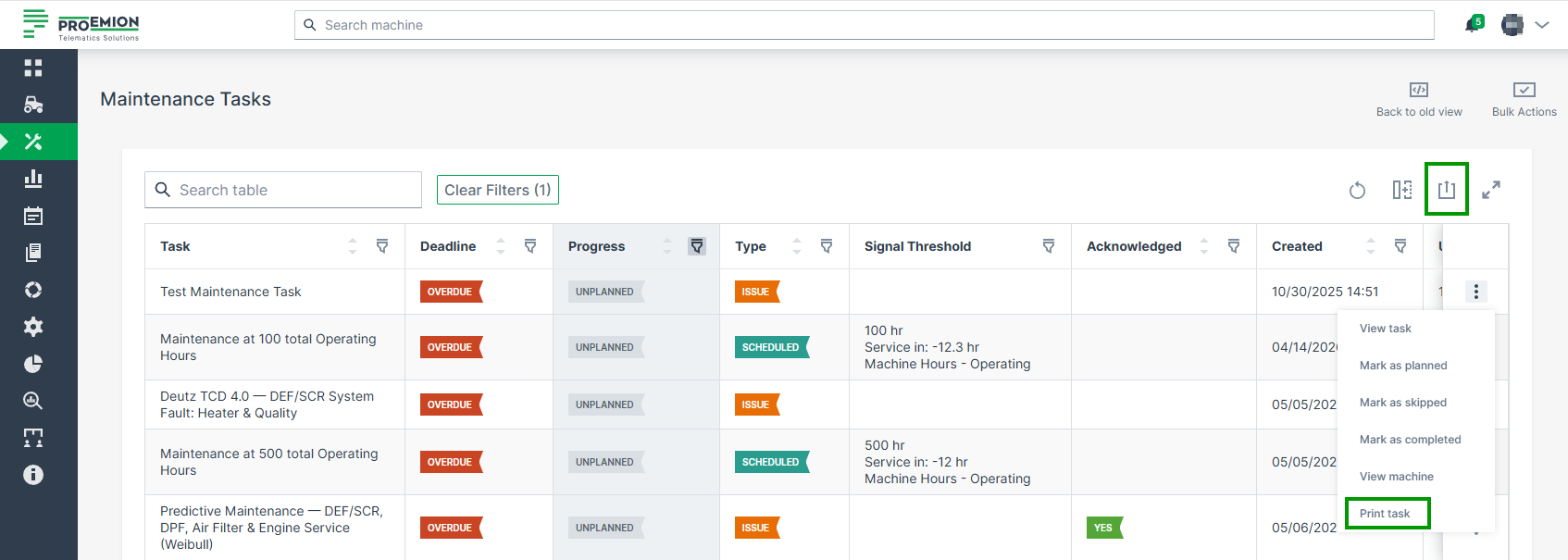
Use the Filters to display only the desired tasks, or select an individual task.
-
Print the task(s) using one of the following options:
- Click the
 export icon above the table to print all displayed (pre-filtered) tasks.
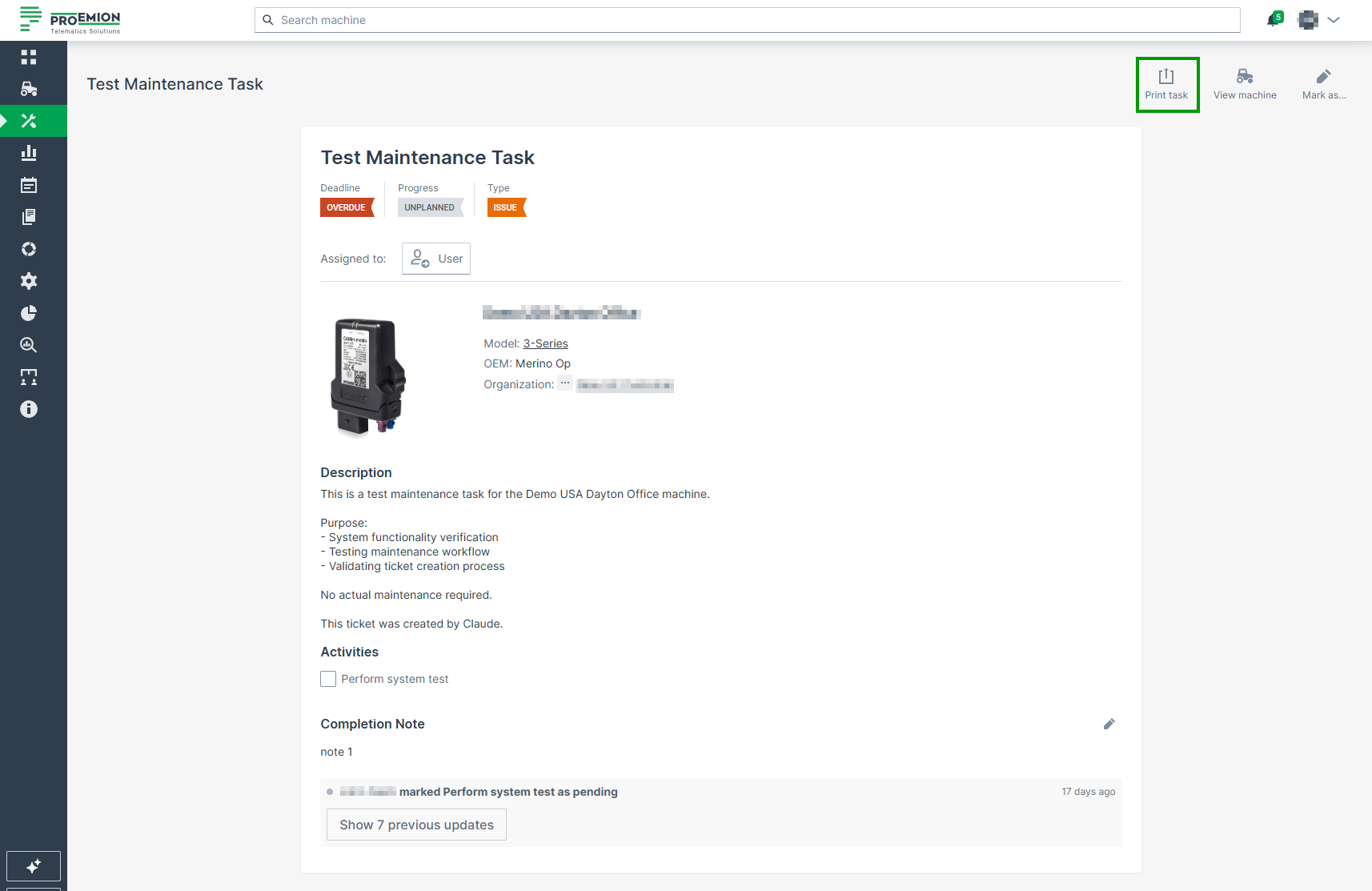
 - Click Print task in a row's three-dot menu, or Print task in the task detail view, to print an individual task. The print dialog of your system opens where you can proceed to print the maintenance tasks.
- Click the
Card View
To print task(s) from the Card View, proceed as follows:
-
In the Maintenance Task menu, select the individual task or use the Filters to display only the desired tasks.
-
Click the
export icon:- On the left side, to print all displayed (pre-filtered) tasks.
- On the right side, to print the individual task.
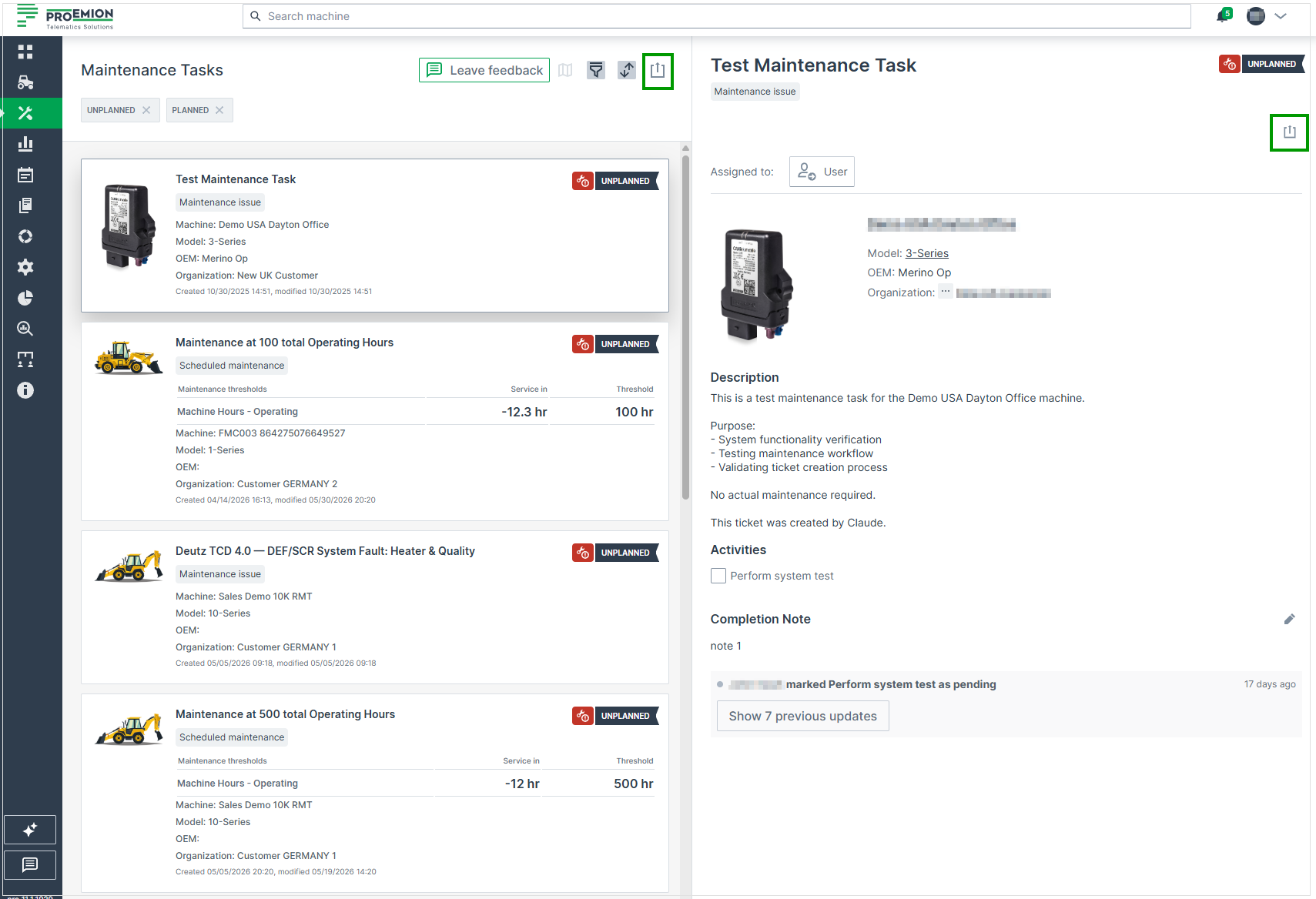
Figure 1: Maintenance Task Print -
Select Print list of tasks/Print task
The print dialog of your system opens where you can proceed to print the maintenance tasks.