Filters
Filtering options depend on the view you are using, the Table View or the Card View.
Table View Filters
Most table columns support the standard column filter, including text search and date-time/numeric range filters, see Table Options.
Maintenance-specific columns that can be filtered include Deadline, Progress, Type (see Maintenance Task Types), Acknowledgement, and Signal Threshold.
The Date Threshold column does not currently offer a filter.
The Organization column filter also includes machines shared into the selected organization.
Card View Filters
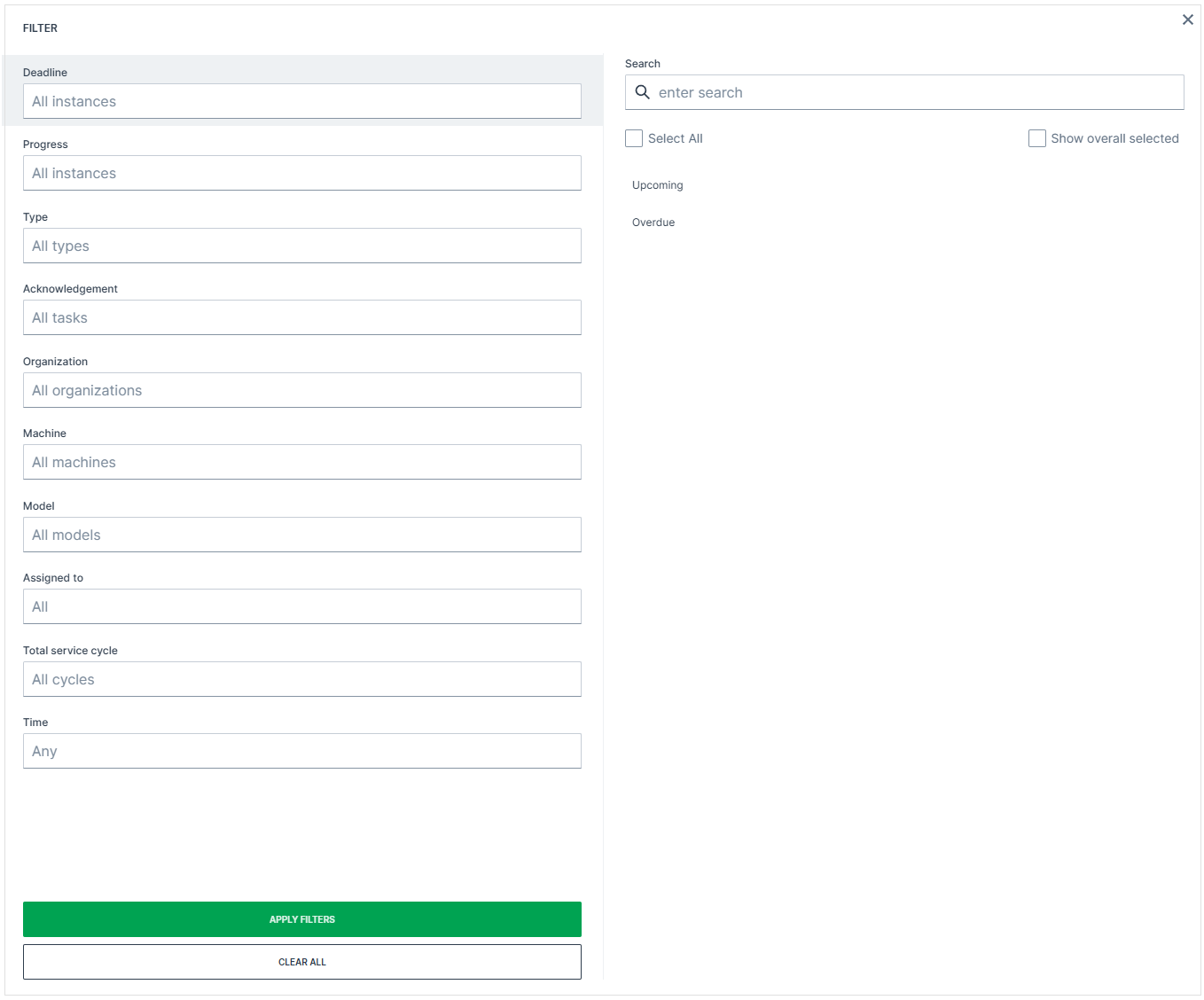
Click the filter icon to open the filter dialog. Select the desired filters and click Apply Filters to apply them, or Clear All to reset all filters.
| Filter | Options |
|---|---|
| Deadline | Upcoming, Overdue |
| Progress | Unplanned, Planned, Skipped, Completed |
| Type | Scheduled maintenance, Maintenance issue |
| Acknowledgement | All tasks, Acknowledged only, No acknowledgement |
| Organization | Select by organization. Also includes machines shared into the selected organization. |
| Machine | Select by machine, see Machine Selector |
| Model | Select by model |
| Assigned to | All, or select a specific user |
| Total service cycle | All cycles, or select a specific cycle |
| Time | Filter by Created or Updated date |
These filters are also useful when exporting or printing maintenance tasks.