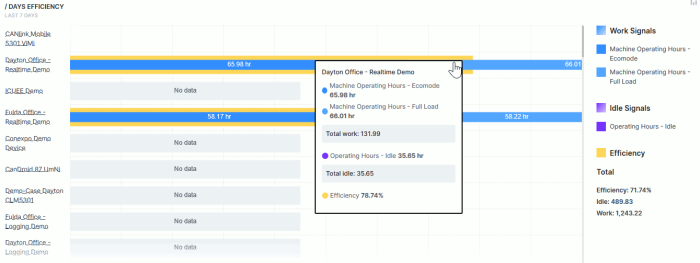
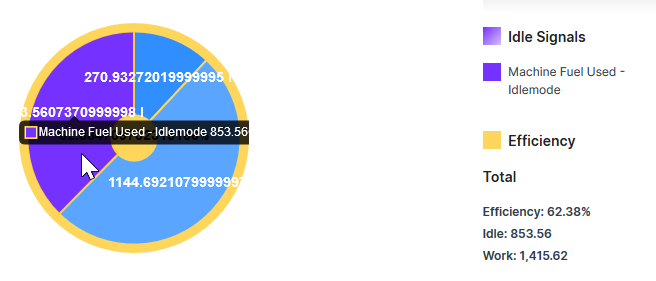
Efficiency
The Efficiency Snapshot and Efficiency History widgets enable machine owners to calculate and track efficiency for individual machines or for your fleet. The functionality enables the following:
-
Compare efficiency for individual machines or an entire fleet
-
View efficiency for an individual machine or an aggregated set of machines (i.e. organization)
-
Visualize the data as a chart, graph or table.
Note
To configure the efficiency widget you must first create an Efficiency Definition.
Configuration
Once you have configured the efficiency definition, Configure the widget and put it on the Organization Dashboard and/or the Model Dashboard by following the steps below:
It is highly recommended to adapt a Machine Page (Model Dashboard) centrally via the Machine Page Layout. If you need to configure the Machine Page for the selected machine only, proceed as follows:
-
In the selected Machine Page, select Manage Layout > Add widgets.
-
Select the desired widget. A preview will be shown.
-
Click Apply. This forwards you to the widget configuration dialog with the options described below.
If you need to adapt the Organization Dashboard, select the desired dashboard configuration and click Edit > Add  to open the widgets catalog, see also Add Widgets to the Organization Dashboard.
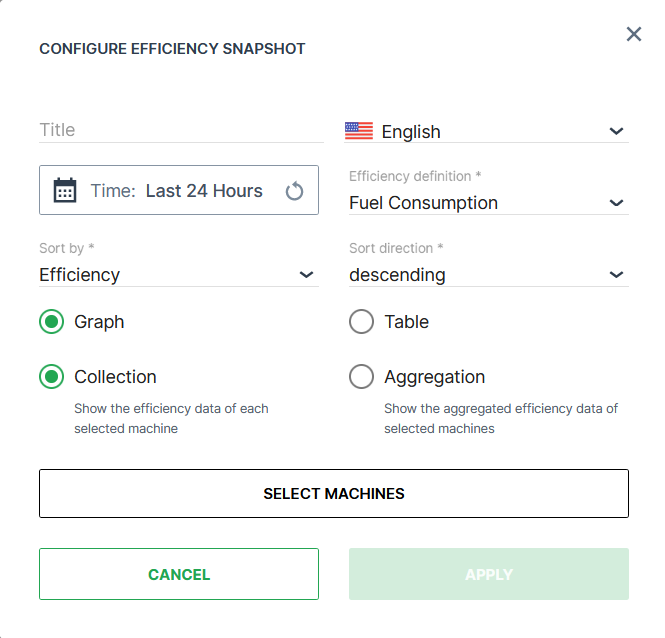
| Item | Description |
|---|---|
| Title | The title for the widget (English is the default, additional languages must be configured. See Language below). |
| Language | Select the language for configuring the title of the widget. |
| Time | Select a predefined, relative time range, e.g. Last 24 hours or select a custom one, e.g. This last 5 Days, see Time selection. |
| Sort | Choose between sorting by efficiency or by name, ascending or descending. |
| Efficiency Definition | The signals that are applied to the efficiency calculation and the purpose of the definition. |
| Bucket* | Choose the time intervals between data points in the report from *minute, hour, day*. |
| Display Form | Visualize the data as either a bar graph or a table. |
| Type * | Choose between Collection (efficiency for each selected machine) or Aggregation (cumulative efficiency data of selected machines). |
^^ Bucket is only available if Efficiency History* is selected.
^^ Type is only available if Efficiency Snapshot* is selected.
Select the options for the calculation in the Configure Efficiency Snapshot dialog
Click Select Machines to filter and select the machines that will be listed in the widget.
You can select the machines by the following options:
By Model*:
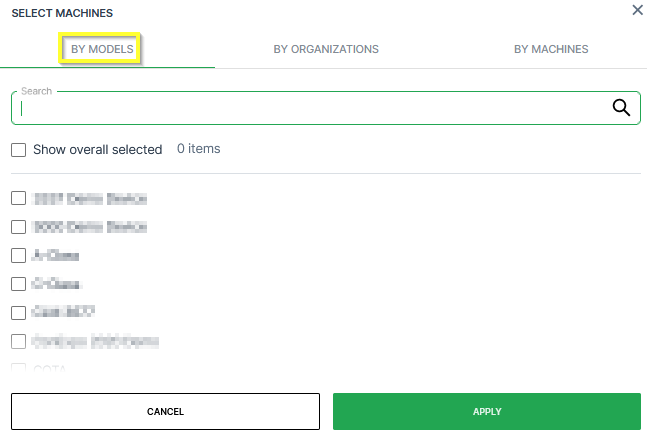
In the By Models tab, you can select the machines belonging to certain models:
-
Search: Search a specific model.
-
Models list: Select the models individually in the list of models.
-
Show overall selected: Display which models have been selected already.
By Organization:
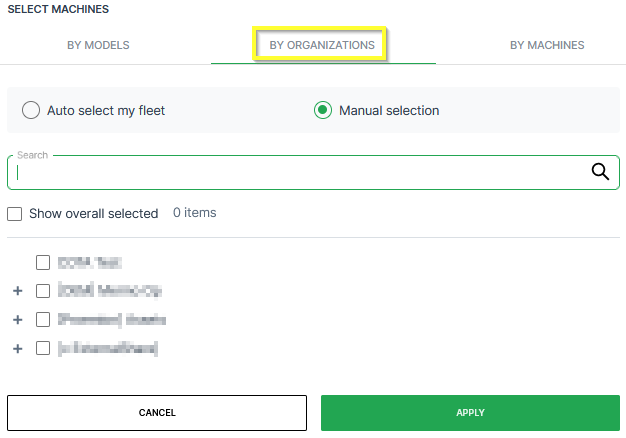
In the By Organizations tab, you can select the machines belonging to certain organization units:
-
Auto-select my fleet: Select all the organization units together with the sub-organizations that your user has access to.
-
Manual selection: Select individual organization units in the list of organizations. When selecting the top-level, all sub-organizations will be selected.
-
Search: Search a specific organization.
-
Show overall selected: Display which organizations have been selected already.
By Machine:
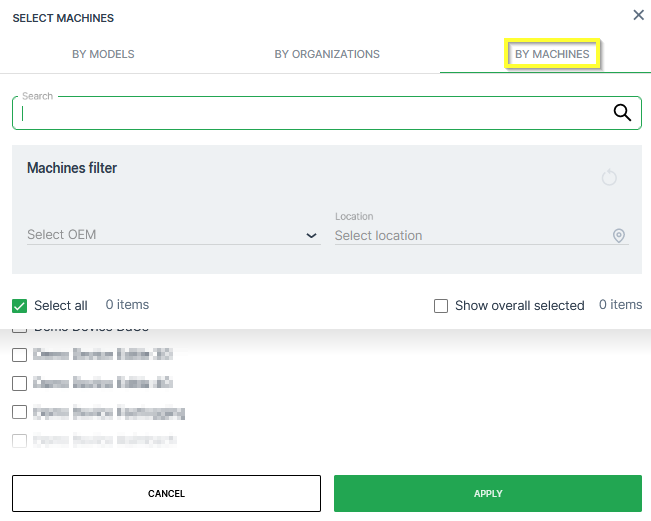
In the By Models tab, you can select the machines individually:
-
Search: Search a specific machine.
-
Machines filter: Filter the list of machines by OEM or Location.
-
Select all: Select all available machines that your user has access to.
-
Show overall selected: Display which machines have been selected already.
-
List of Machine: Select specific machines.
Once you have selected the machines for the calculations, click Apply to see the efficiency calculated on the dashboard.