Model Dashboard
The model associated dashboard displays the required datasets and information for specific machine models and herewith for all machines which are assigned to this model. The dashboard is displayed in a dedicated Machine Page for each machine belonging to this model.
A user viewing a machine page gets a widget layout based on the template assigned to the model of the machine. Depending on user permission sets, users are able to adjust the layout of this page.
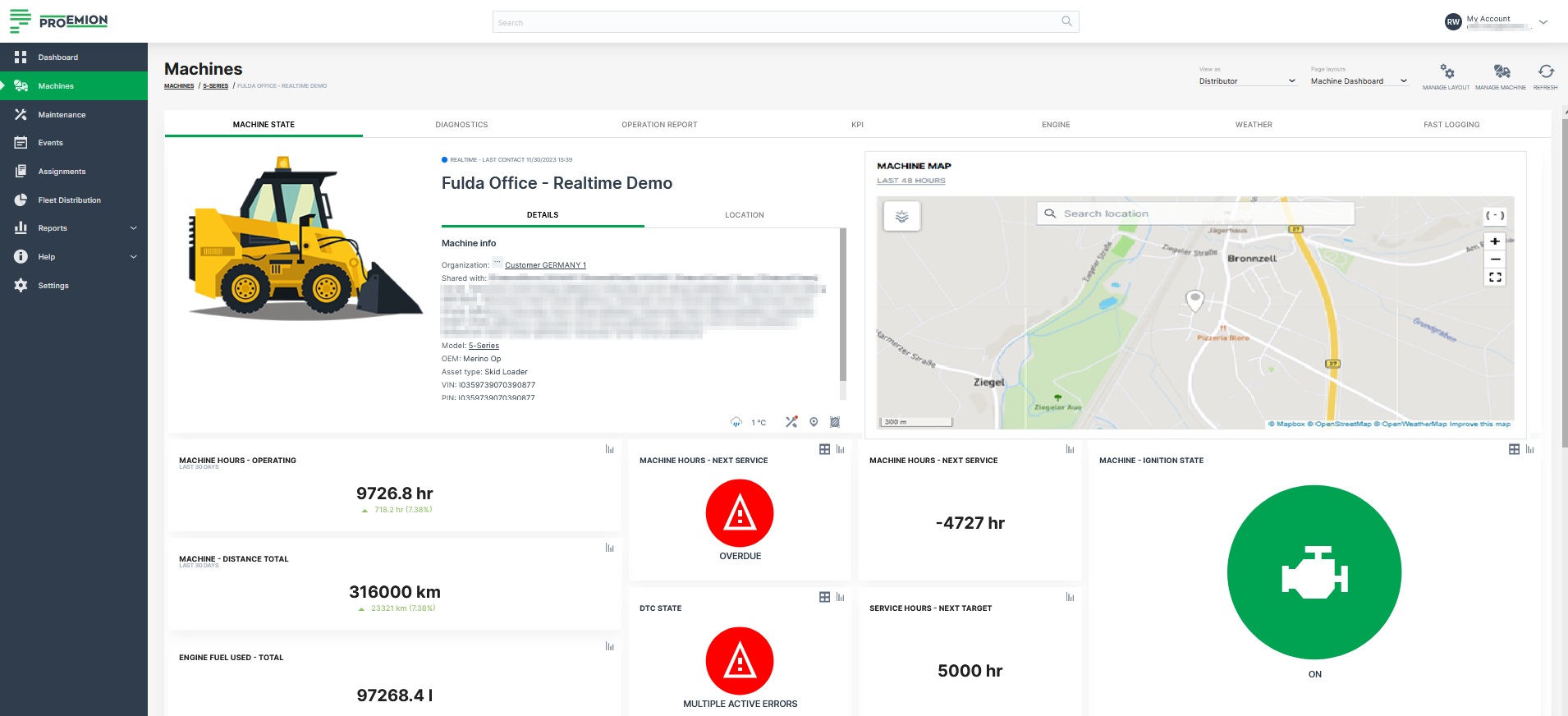
Machine Model
The model describes the type of machine as a set of attributes and is assigned to the parent org unit (typically OEM or manufacturer) within the organization. An example is a dump truck or shredder. The machine model concept places management (configure features, edit attributes, assign to a list of machines) at manufacturer (OEM) level, and visibility is restricted to the currently selected organization.
By default, the admin for a model created in the Proemion DataPortal is the user that created it.
Concept
Model represents a type of machine, and can also be understood as the class, while machine is an instance of that class.
Model Management on the DataPortal enables the following:
-
Grouping machine types (such as small, medium or large), or machine model series (e.g. Shredder 7 series, Dump Truck XR series)
-
Entry point for feature enabling and configuration for a type or series
-
Handling identical machines in a uniform manner
-
Base widget layouts on the model and organizational unit
-
Add links to documentation and brochures in multiple languages. Links added here will be visible in the widget layout of all machines of this model.
A common application in the DataPortal is the execution of data operations/ comparisons and calculations for one or more machine types.