(5) 3-dots
The 3-dots are to be found on the Machines Overview.
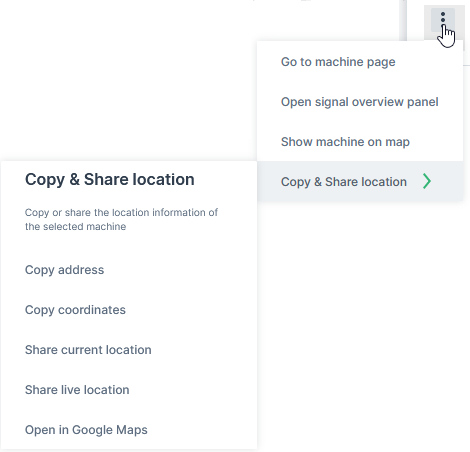
The drop-down menu can be opened via the 3-dots by the end of each row in both the List and Map views and offers the following options:
-
Go to Machine Page
-
Go to Maintenance Task (only in Map view; if the maintenance filter is applied).
-
Open Signals Overview Panel.
-
Show machine on map (only in List view) Zooms to the location of the machine on the map. This is option is useful when the option List and map filter each other is deselected (see (1) in Machines Overview).
-
Open in Google Maps. Opens Google Maps in a new tab with the static location/coordinates of the machine.
Tip
All filters and options applied (apart from visible columns) will be included in the URL.