Firmware Management
The Firmware menu lists the currently available firmware versions for your machines and allows to update the new firmware versions (firmware over the air - FOTA).
Go to Settings > Communication Unit Management > Firmware.
Note
You can check the status of the firmware version for each machine in the Firmware and Configuration Updates:

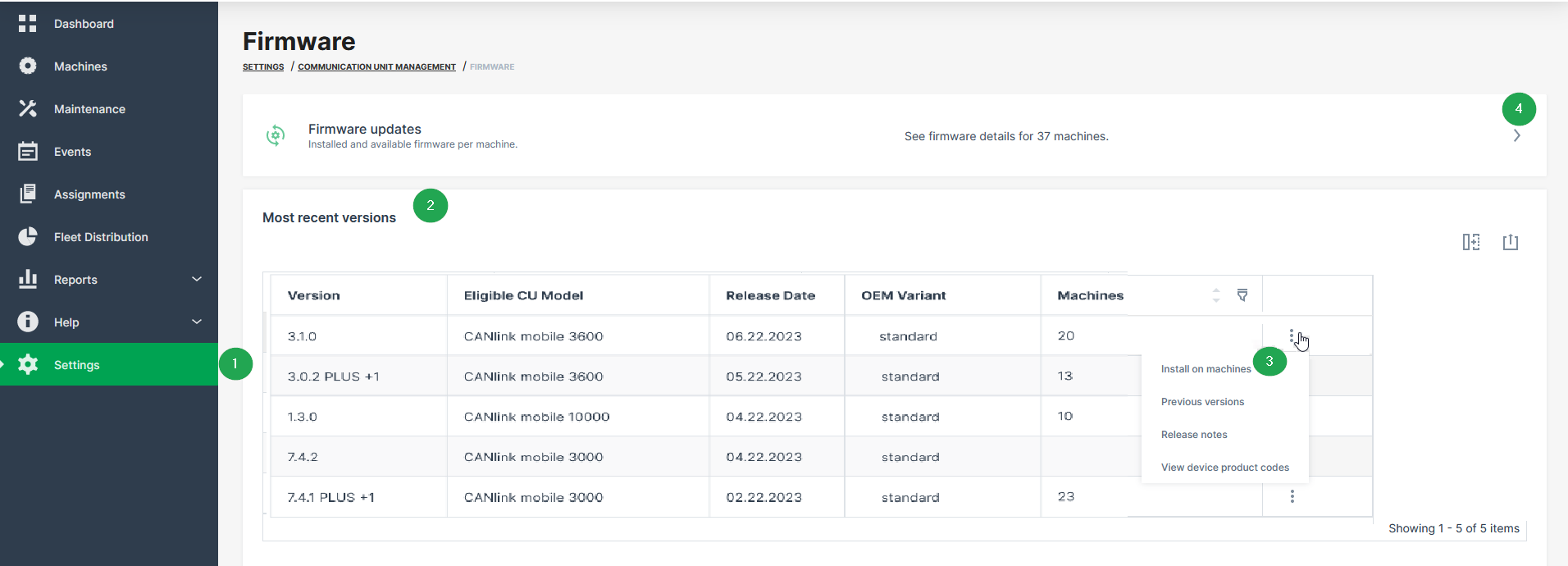
| # | Description |
|---|---|
| 1 | Firmware menu in the sidebar to be opened via Settings > Communication Units Management. To activate the menu, see Requirements. |
| 2 | View the latest official firmware release for the eligible CU models within the organization tree. The Machines column shows the count of machines that are updated to the firmware version. |
| 3 | Update the communication units by the selected firmware version. |
| 4 | Check status of installed and updated firmware versions for each communication unit in the Firmware and Configuration Updates menu. |
Requirements
In order to have the firmware update option available within the DataPortal, the following preconditions must be fulfilled:
| Permission Set Name | Level |
|---|---|
| Machines | Admin |
| Models | Admin |
| Feature Name | Status |
|---|---|
| Firmware Management | ON |
Note
For more information on requirements refer to Available Features and Permissions.
Select Firmware Version for Update
You can select the specific firmware version to update all eligible machine(s):
-
Go to Settings > Communication Unit Management > Firmware.
-
In the Communication unit - Firmware, open the context-menu via the
 3-dots by the end of the line of the desired firmware version.
 -
Select Install on machines.
Note
When there are no eligible machines for this update, the Install on machines option will not be displayed.
The Select machines page opens in the Firmware and Configuration Updates menu.
-
Choose all or specific machines for the firmware update and Continue.
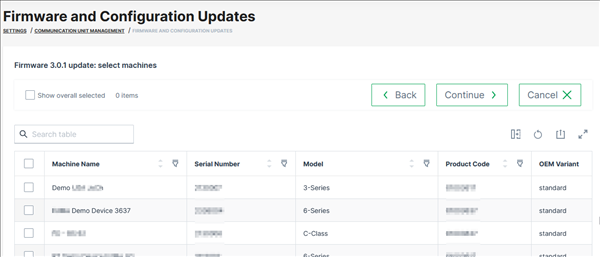
Figure 3: Choose machines The Firmware update page opens. In case there are conflicts for the selected machines, e.g. pending firmware update, the information is displayed here, too:
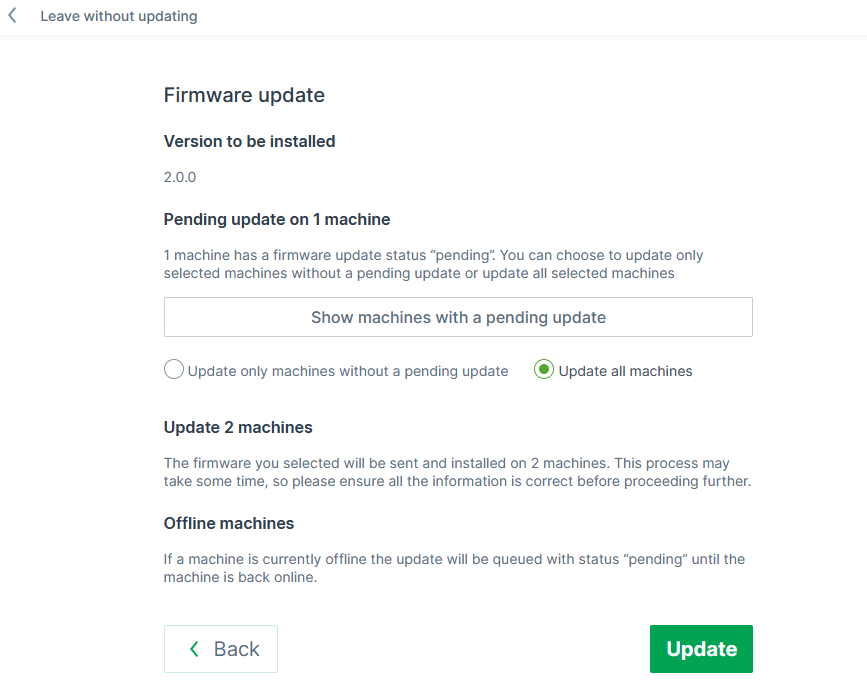
Figure 4: Firmware update information page You can then proceed with the firmware update for all machines or only those without a pending update.
-
Click Update to start the update of the firmware on the selected devices. ✓ The firmware update runs in the background.