Permissions level smb
Levels
The level defines which actions the user can perform for a given subject.
Beginning with level View, each successive level contains the capability provided for in the previous level.
| Hierarchy (1 < 2 < 3) |
Level | Description |
|---|---|---|
| 1 | View | The user can consume the subject data but cannot remove or change the configuration. The account is limited to read access. |
| 2 | Diagnostics | The user can sign in to the DataPortal and can perform Realtime sessions. |
| The user however usually cannot perform create/delete operations. | ||
| 3 | Admin | Full operation capability including create/delete for a given subject in all visible organizations. The account is able to perform CRUD (create, read, update and delete) operations for users and subjects for all visible organizations for the subject. |
When selecting a level, e.g. "View", it is applied to all subjects, see the following example:
-
Select the user role, e.g. View.
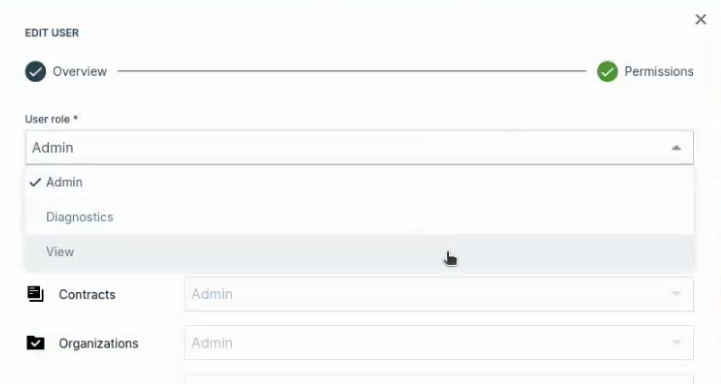
Figure 1: Select Level -
All subjects will be then automatically set to the permissions according to the user role "View":
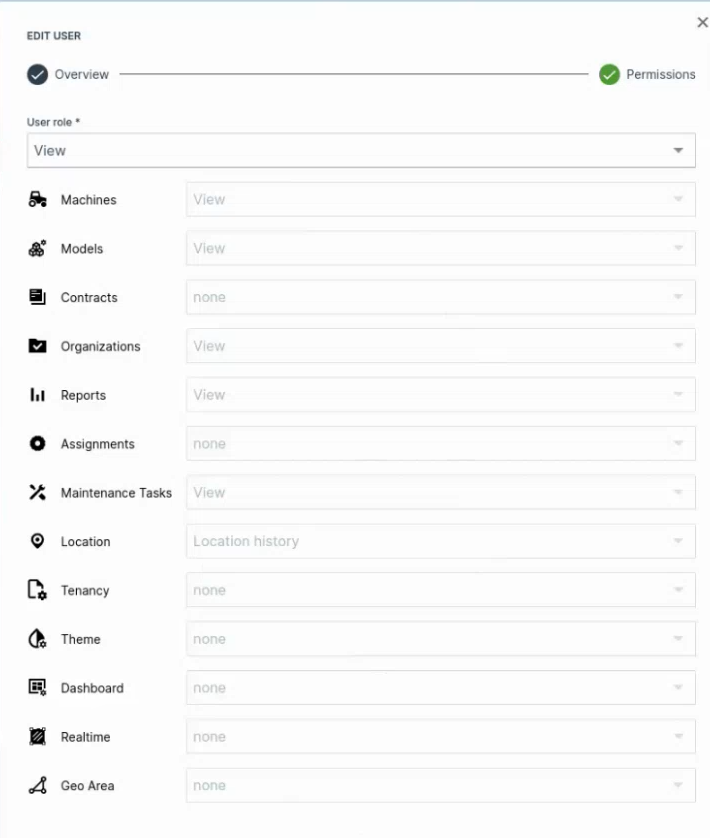
Figure 2: User Role "View"
Note
Keep in mind that Permission Set Levels are applied across all child organization units.