Data Analytics
Data Analytics are an additional option to assist in various kinds of data exploration.
For further information on Data Analytics refer to the DataScience Manual → "Data Analytics".
Note
The Data Analytics tab is not enabled by default and require specific setup and configuration for your organization. For instruction on how to enable it for your account, please contact your Proemion representative.
Note
Only users with at least Organization:Maintain Permission Set have access to the DataPortal Analytics tab.
Note
Please make sure that the correct organization unit within the organization tree is selected to display the available Data Analytics.
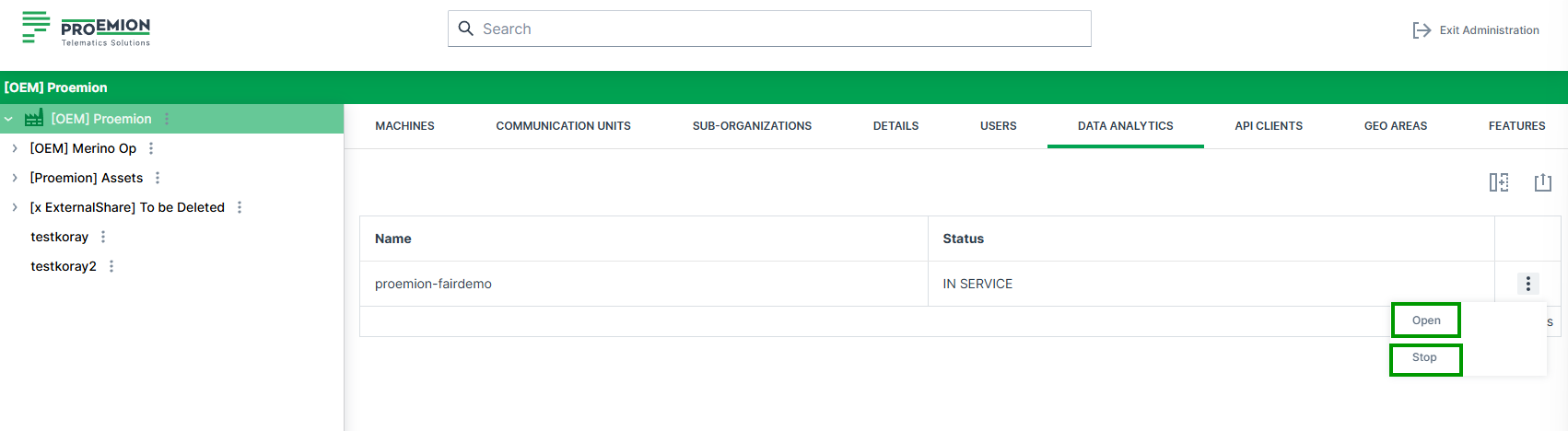
| Item | Description |
|---|---|
| Name | The specific name of the available data analytics instance. |
| Status | Current status is displayed. (STOPPING, PENDING, IN SERVICE) |
| Start | Button to start the predefined data analytics instance. |
| Open | Button to open the latest instance of the data analytics instance. |
| Stop | Button to stop the latest instance of the data analytics instance. |
Start Data Analytics Instance
As the instances run on flexible computing resources, the instance needs to be built everytime it shall be used.
To build an instance, hit the Start button.
After a start it takes approx. 10 minutes until the instance is built and available for the requester.
After this time the instances is IN_SERVICE service state and can be accessed via the Open button.
Note
After > 1 hour not being used, the data analytics instances are shut down automatically and need to be restarted in case of further use.