Install CODESYS
Install the latest CODESYS IDE from https://store.codesys.com/de/codesys.html.
A CODESYS account is needed, you can create one or contact your CODESYS administrator.
-
Create a new project by choosing "New Project" to start:
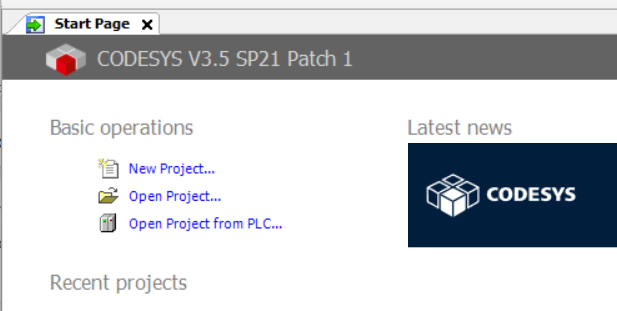
Figure 1: New project -
Choose a standard project to get the tree structure with relevant folders and features and confirm:
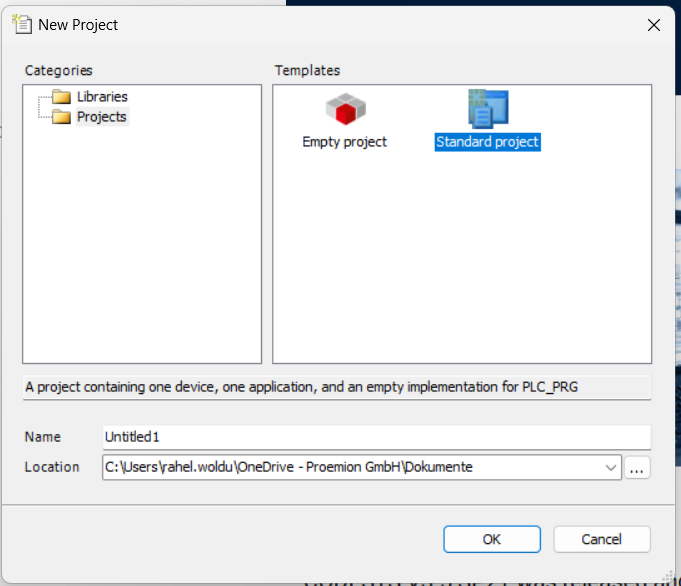
Figure 2: Select Standard Project 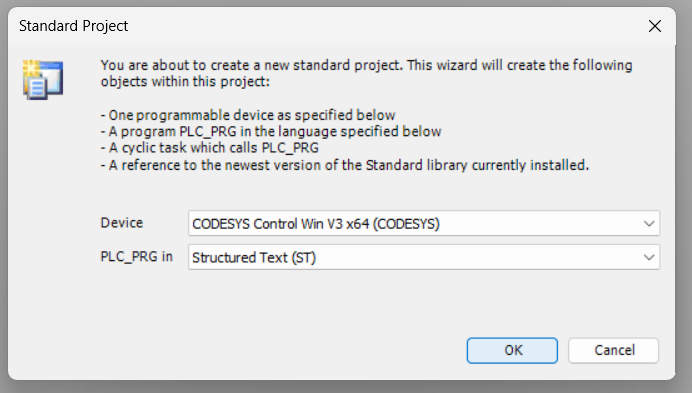
Figure 3: Confirm
Install Linux ARM Add-on
In order to work with CODESYS, you must install the CODESYS Control for Linux ARM SL dependency.
The specific version of the CODESYS Control for Linux ARM SL depends on the firmware version of the CANlink® mobile 10000.
The version running on the device must be the same as or newer than the one used in your CODESYS project.
Projects created with a newer version than the device supports will not run correctly.
To determine the correct version:
- Refer to the firmware release notes; view available versions under Firmware Management in the DataPortal
- You can also verify the version directly in CODESYS when connecting to the device (see screenshot below).
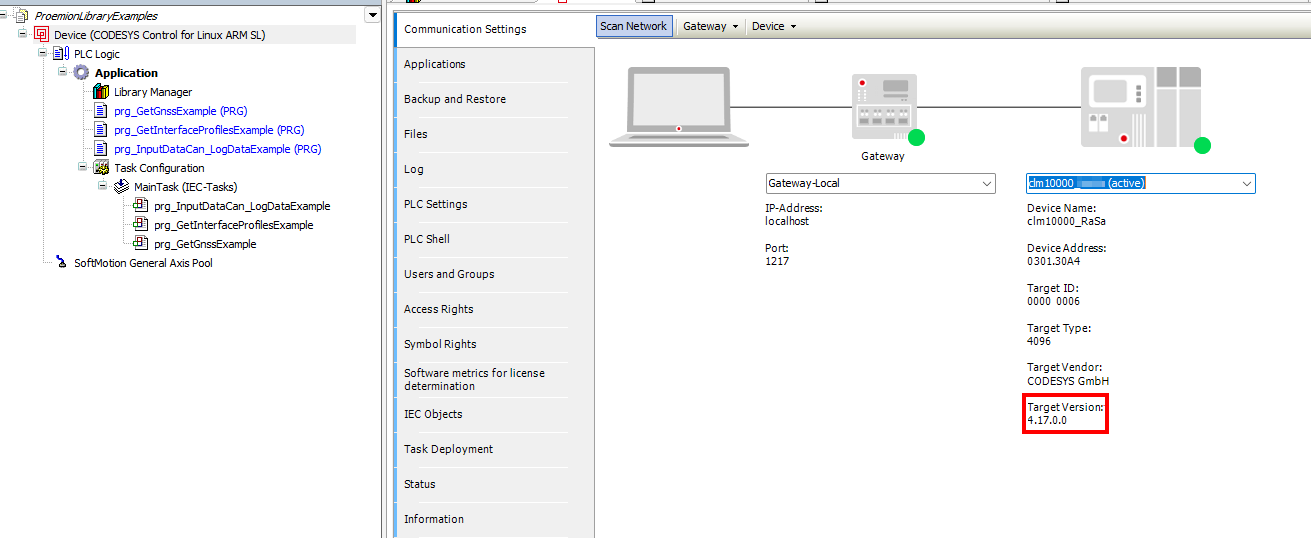
To install the dependency, proceed as follows:
- Start the CODESYS Development System.
-
Open the CODESYS Installer via Tools > CODESYS Installer:
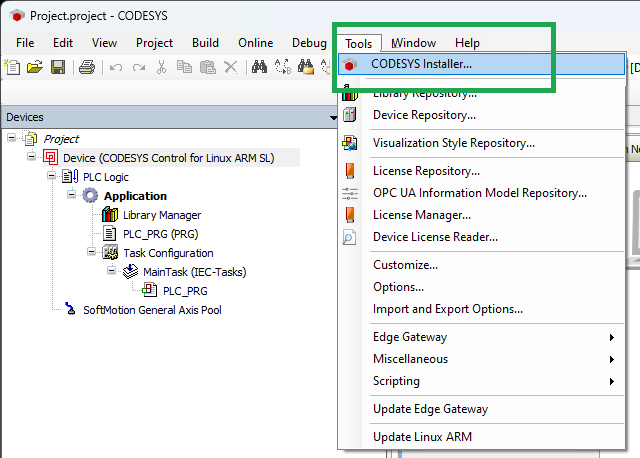
Figure 5: CODESYS Installer -
Search for CODESYS Control for Linux ARM SL and install the correct version.
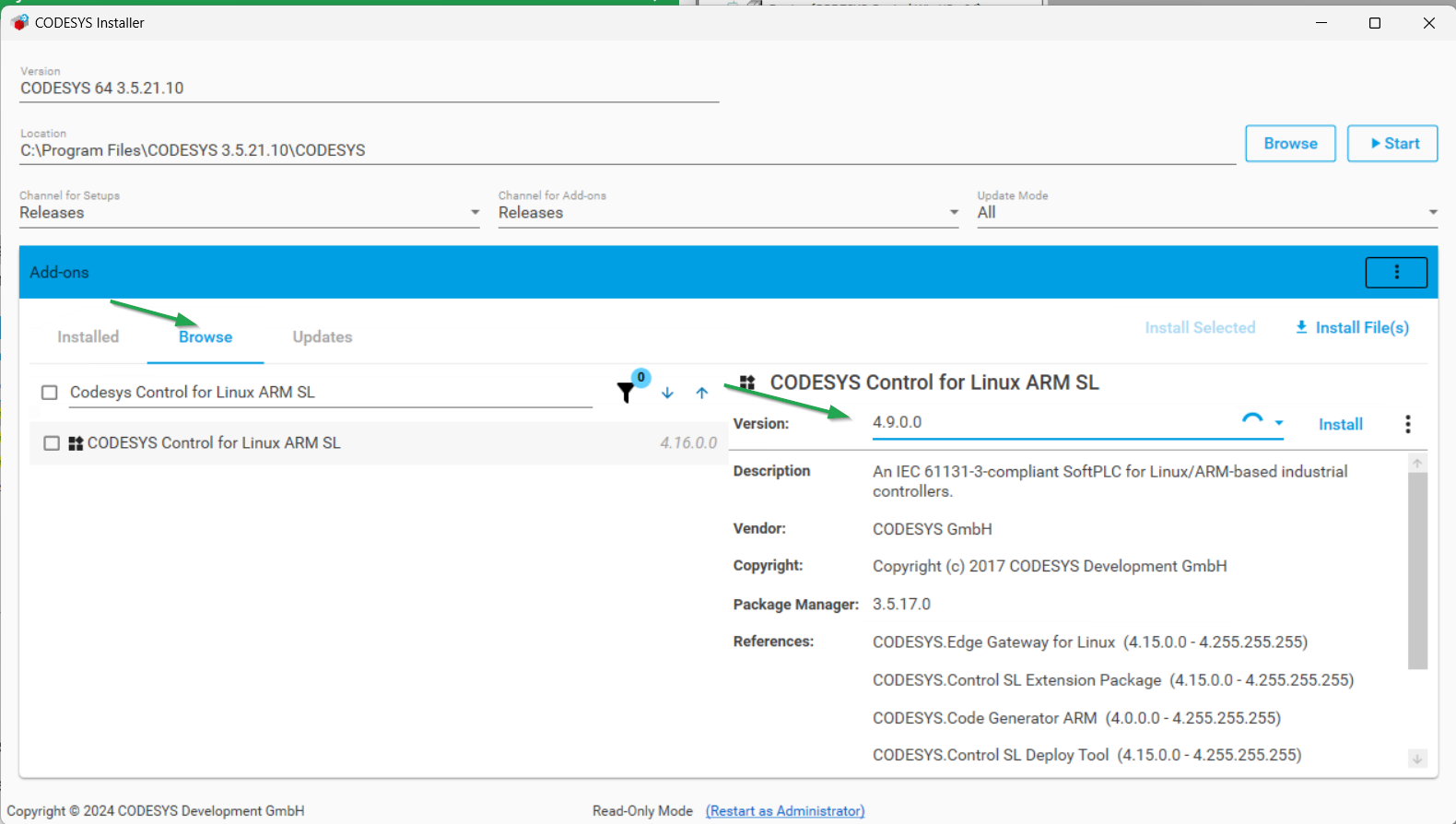
-
After successful installation, close the CODESYS Installer. You might need to close the CODESYS Development System application to complete the installation process.
- Restart the CODESYS Development System to apply the changes.
Install IIoT Libraries SL Add-on
The IIoT Libraries SL Add-on ensures compatibility with modern IIoT protocols and simplifies secure, standardized communication.
Starting with version 2.0.0 of the Proemion CANlink® mobile 10000 library, features like JSON handling and Web HTTPS communication are used as dependencies. These are provided by the IIoT Libraries SL Add-on, which is therefore mandatory for all projects using version 2.0.0 or higher.
To install the CODESYS IIoT Libraries SL dependency, proceed as follows:
- Start the CODESYS Development System.
-
Open the CODESYS Installer via Tools > CODESYS Installer:
Figure 6: CODESYS Installer -
Search for CODESYS IIoT Libraries SL and install the latest version.
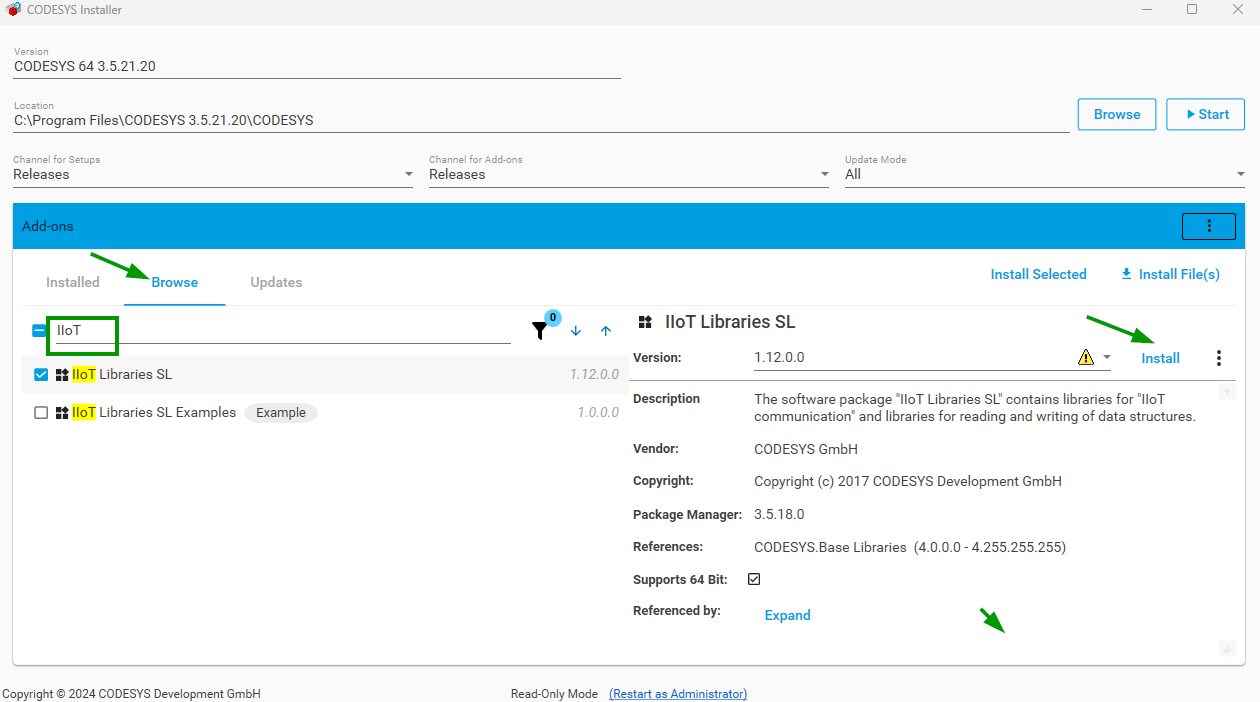
-
After successful installation, close the CODESYS Installer. You might need to close the CODESYS Development System application to complete the installation process.
- Restart the CODESYS Development System to apply the changes.