Mount the Device
Mount the device using two socket-head screws (M5). Insert the screws into the mounting holes on the sides and fasten them to the mounting surface. Tighten the screws with a torque of 2.2 Nm.
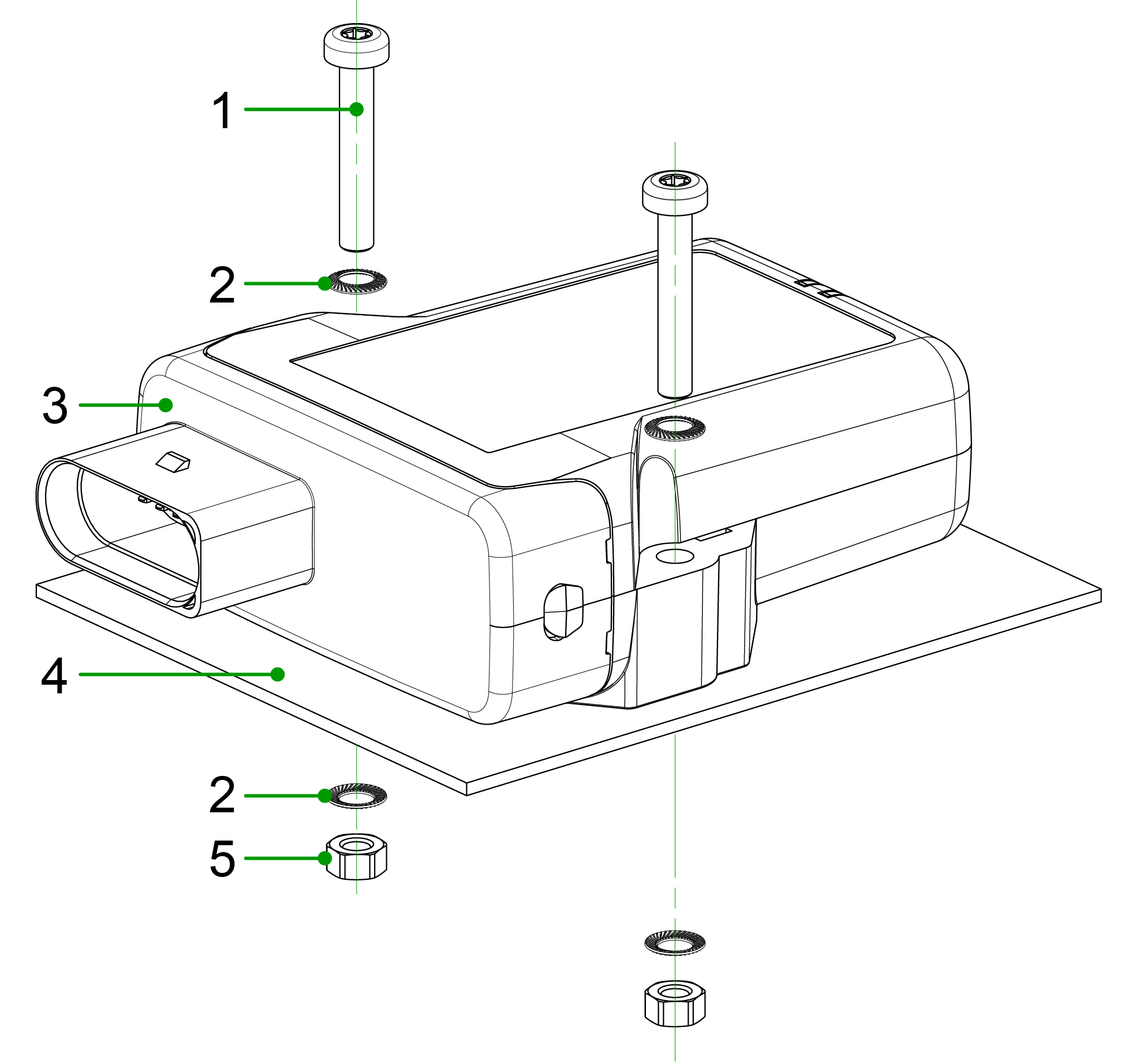
- Socket-head screw
DIN 912 – M5 x 30 mm - Lock washer
M5, di/da = 5.3 / 9 mm - CANlink® mobile 3600
- Mounting surface
D = 3 mm - Hexagon nut
DIN 934 / ISO 4032 – M5
Mounting Orientation
Follow these guidelines to ensure correct mounting orientation for proper functionality, environmental protection, and radio signal reception.
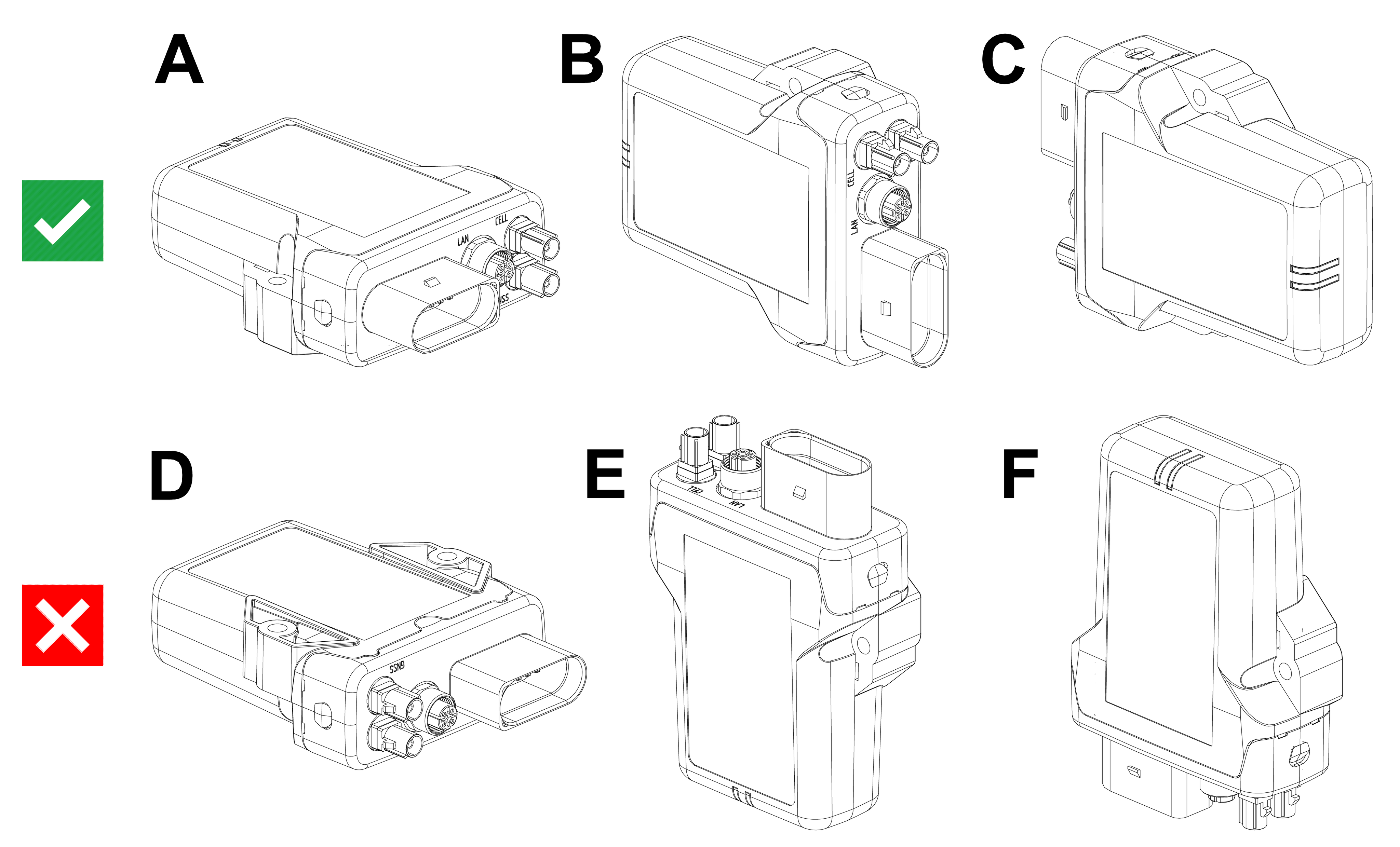
The illustration below shows the mounting orientations of the device:
- A–C: Allowed, ensures water ingress and fire protection
- F: Conditionally allowed, fire protection only; no water exposure permitted
- D–E: Not allowed, no water or fire protection
Only use the mounting orientations shown here.
Fire Protection
The LED view elements do not comply with the flammability class required for a fire protection housing.
Plug Orientation
- Plugs must point to the left or right
- Do not mount with plugs pointing upwards
- Avoid mounting with plugs pointing downwards (risk of water ingress)
Mounting in Wet Environments
For installations exposed to weather or other sources of water, ensure that the mounting prevents water ingress and accumulation.
- Ensure a gap of ≥ 5 mm between the housing and the mounting surface to prevent capillary action
- Select a mounting orientation that allows water to drain and prevents water retention
- Ensure that no water accumulates around the pressure-compensation element
If exposure to water cannot be avoided:
-
Install protective covers or shrouds if the device is exposed to water1.
-
Use nonmetallic materials (e.g. plastic) to avoid interference with radio signal reception
- Use spacers or a mounting plate if required
Additionally:
- Ensure that cable ends are properly sealed to prevent water ingress due to capillary action
Avoid mounting the device in positions directly exposed to rain or intense sunlight, as this may affect the ingress protection.
-
Protective covers are not distributed by Proemion. They must be obtained directly from manufacturers (e.g., Schlemmer; minimum order quantity may vary). ↩