Basic Configuration - TCU
In this chapter you will learn how to:
- configure the CANlink® mobile 10000's basic Web UI settings
- create your first CODESYS program that receives a CAN message
- get to know Proemion's open-source codesys-examples repository, which provides CODESYS examples and open-source libraries, open for collaboration
- log the payload from the received CAN message to the DataPlatform using the open-source
CANlink_CANlibrary from that repository
Preparation
Complete the following steps before continuing:
- Ensure the CANlink® mobile 10000 is connected, activated, and mounted, see CANlink® mobile 10000 Device Manual - Getting Started.
- Install CODESYS and its dependencies, see Install CODESYS Dependencies.
- Add the CANlink® mobile 10000 library, see Add Proemion CANlink® mobile 10000 Library.
- Activate the CODESYS license, see Activate CODESYS Licenses.
The Setup
The PCAN-USB interface is connected to CAN interface #1 of the CANlink® mobile. The controller CAN baud rate is 250 kbit/s.
Don't forget the 120 Ω terminator resistor between the PCAN-USB interface and the CANlink® mobile.
The following signal will be transmitted from the PCAN-USB interface.
| ELEMENT | VALUE |
|---|---|
| ACRONYM | fuel_level |
| LABEL | Fuel Level |
| INTERFACE | CAN1 |
| FORMAT | STANDARD_11_BIT |
| CAN ID | 0x200 |
| START BIT | 0 |
| BIT-LENGTH | 8 |
| DATA TYPE | UNSIGNED_INT |
| SCALING | None |
| OFFSET | None |
| UNIT | PERCENTAGE_POINT |
| MIN VALUE | 0 |
| MAX VALUE | 100 |
| CAN TX RATE | 1/sec |
Analysis
The fuel level signal is transmitted on the CAN bus once per second. Sending every single value transmitted onto the CAN bus to the DataPlatform would result in 1 byte per sec x 60 sec x 60 min = 3,600 byte per hour. Assuming a machine works for 250 hours a month, this results in
3,600 bytes per hour x 250 hours per month = 900,000 bytes per month.
This amounts to almost a megabyte of data per month for a single machine. Adding a timestamp (which is mandatory), 50 more signals, some of which have very high transmission rates (e.g. engine speed every 50ms typically), and multiplying by 1000 machines (or the size of the fleet), the data volume requirements become astronomical.
This not only results in very high cost for data transmission to and storage at the DataPlatform (or any server for that matter), but it also makes it very slow to process the data, e.g. displaying a graph or feeding it into a data science pipeline.
For this reason, it is very important to carefully consider how much data to actually transmit to the DataPlatform. The right answer for this is found by understanding the behavioral profile of each signal and keeping only the data that is actually valuable.
Cyclic Downsampling
One method of reducing the amount of data transmitted to the DataPlatform is by applying downsampling at the CAN input, such that only a single CAN message is accepted every x milliseconds.
Since fuel level doesn't change very rapidly, downsampling it to one message per minute is sufficient. That results in 1 byte per min x 60 min = 60 bytes per hour x 250 hours per month = 15,000 bytes per month, a reduction by a factor of 60 compared to the non-downsampled fuel level.
TCU Configuration
To configure the CANlink® mobile, build and download a CODESYS application using the CODESYS Development System.
Basic configuration of the Web UI
The CANlink® mobile 10000's basic settings, e.g. network interfaces, GPS logging period, CODESYS upload period, and power management (sleep mode), are not part of the CODESYS application - they are configured via the Web UI. Read Configuration Web UI to learn how to connect to it and which settings the device provides.
This example assumes the PC is connected to the CANlink® mobile 10000 over an Ethernet cable. If not, adapt the network settings accordingly.
Note
The CANlink® mobile 10000 can also connect to the DataPlatform over WiFi or Ethernet if those interfaces have internet access. During testing or application development, configure one of these interfaces (e.g. the WiFi Network Profile as a client with the company WiFi SSID and password) to avoid consuming SIM data traffic.
Check which interface the device currently uses to connect to the DataPlatform on the CANlink® mobile 10000 Web UI Status page.
Enable CODESYS Runtime on the CANlink® mobile 10000
Before adding the CANlink® mobile 10000 library or programming, ensure the CODESYS Runtime is enabled on the device:
- Open a web browser and access the device's IP address.
- Log in to the web interface.
- Navigate to the CODESYS section.
-
Enable the option Enable CODESYS Runtime:
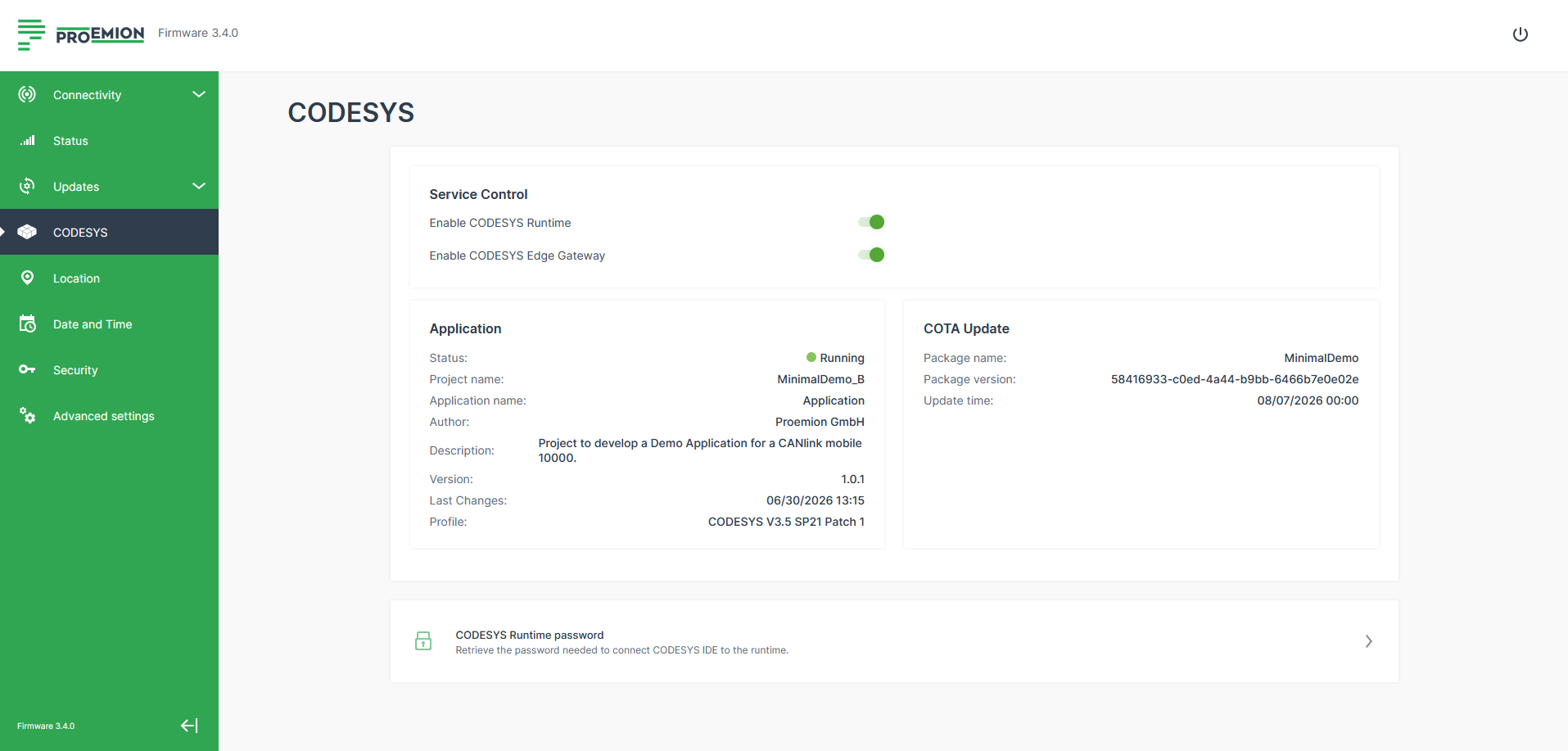
Figure 1: CODESYS settings -
Save the settings (restart the device if required).
Once enabled, the device is ready for CODESYS connection and library integration.
Adjust the CODESYS Data Upload Frequency
Adjust the CODESYS upload settings to upload .clf files every 30 seconds:
- Navigate to Advanced Settings.
- Select Logging settings.
- Enable Cyclic upload of CODESYS log data.
- Set Upload collected CODESYS log data every X seconds to
30. -
Click Save configuration.
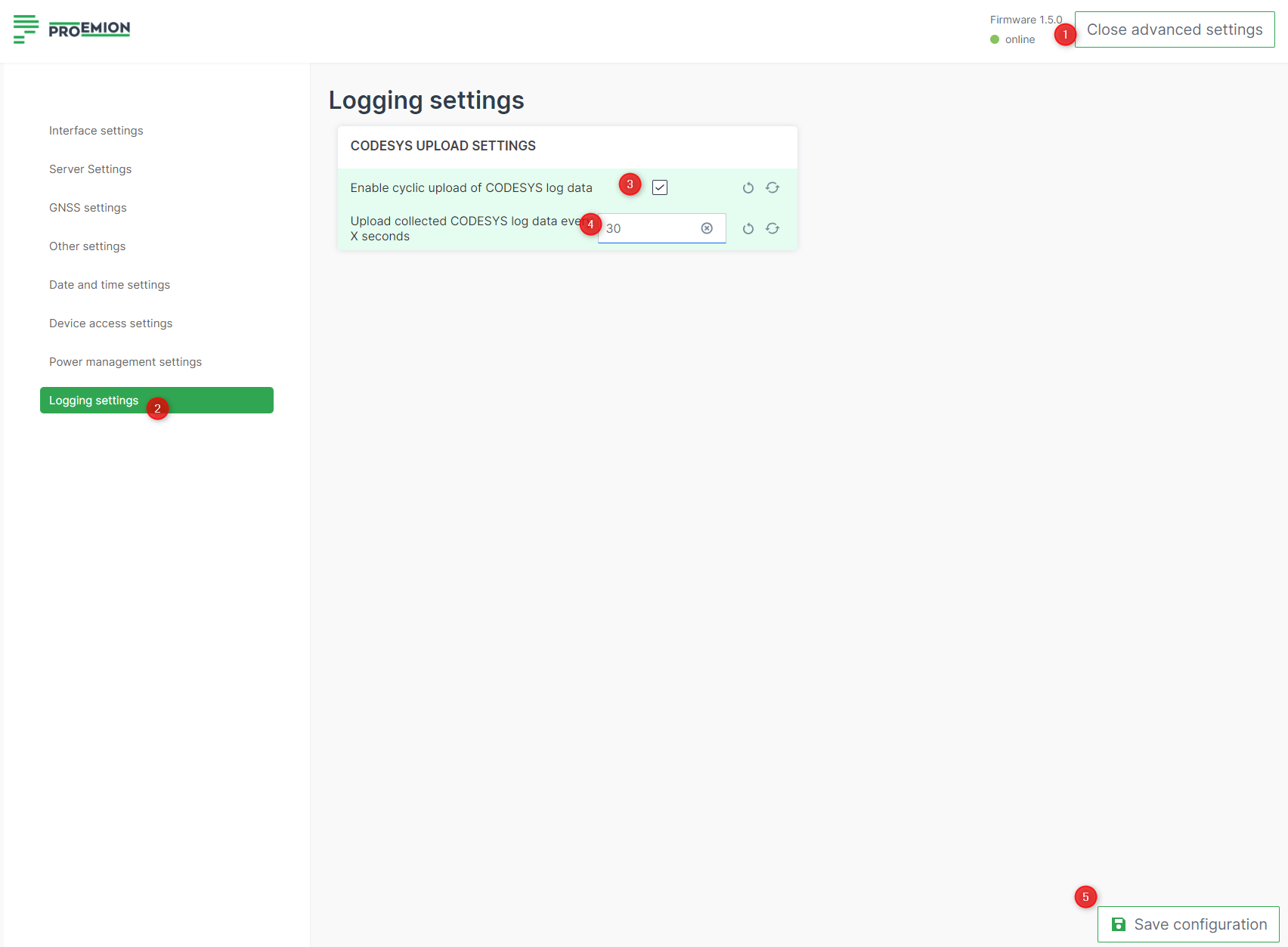
Figure 2: CODESYS upload settings
The device now uploads CODESYS log data every 30 seconds.
Note
For production, an upload frequency of around 5 minutes (300 seconds) is recommended. The data is always safe on the device - this setting only controls how often the data is prepared and pushed to the cloud, not the logging and save period, which is configured in CODESYS.
Create a new CODESYS Project
Open the CODESYS IDE, create a new project via File > New Project > Standard Project and choose a Name and Location for your project.
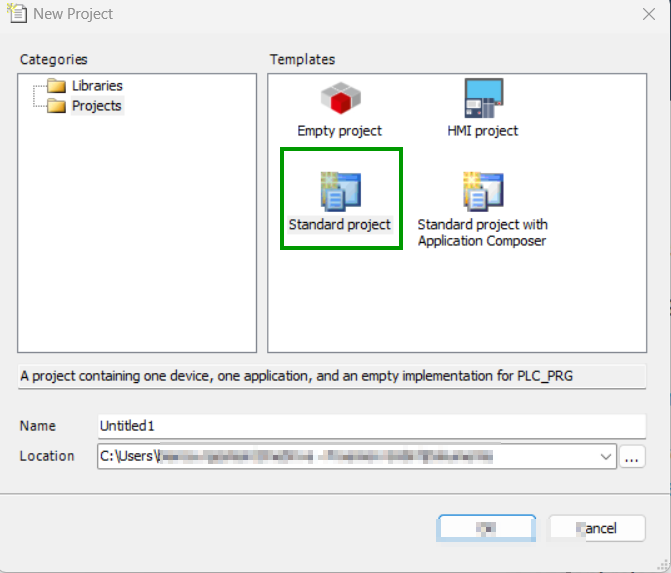
Select Device and Programming Language
Select Device and PLC_PRG in.
- Select Device: CODESYS Control for Linux ARM SL
- Choose programming language for PLC_PRG: Structured Text (ST)
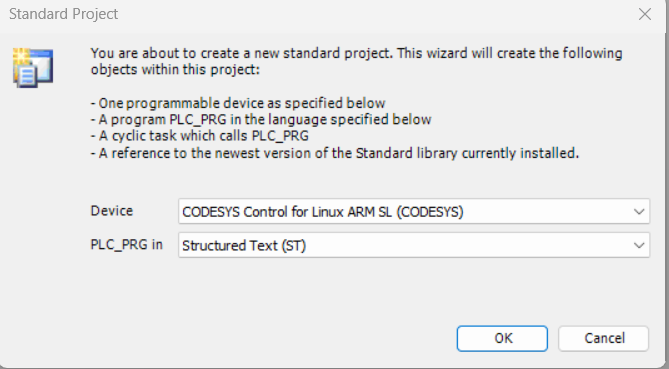
If the device CODESYS Control for Linux ARM SL is not available, it may not be installed. Read Install CODESYS dependencies for installation instructions. An empty project similar to the following screenshot should be created.
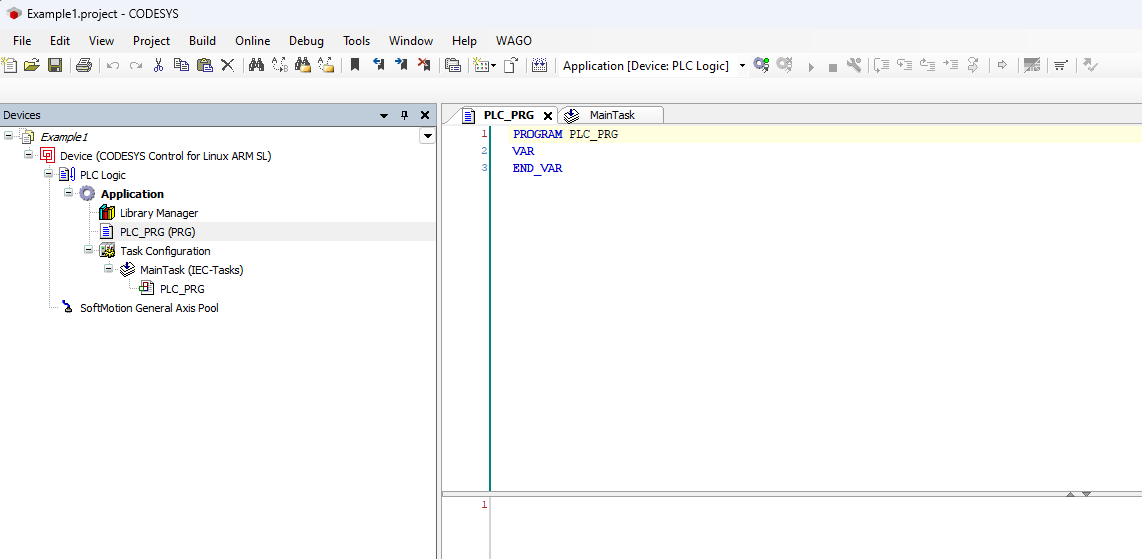
Add the CANlink® mobile 10000 CODESYS Library
Add the CANlink® mobile 10000 CODESYS library to your project.
- Open the Library Manager in the Devices tree on the left side of the CODESYS IDE, expand the Application node under your device and double-click on Library Manager.
- Click the + Add library button in the Library Manager toolbar at the top of the screen. This opens the Add Library window, allowing you to search and add new libraries to your project.
- Search and select the CANlink® mobile 10000 library.
- Click OK in the bottom-right corner of the window to confirm your changes.
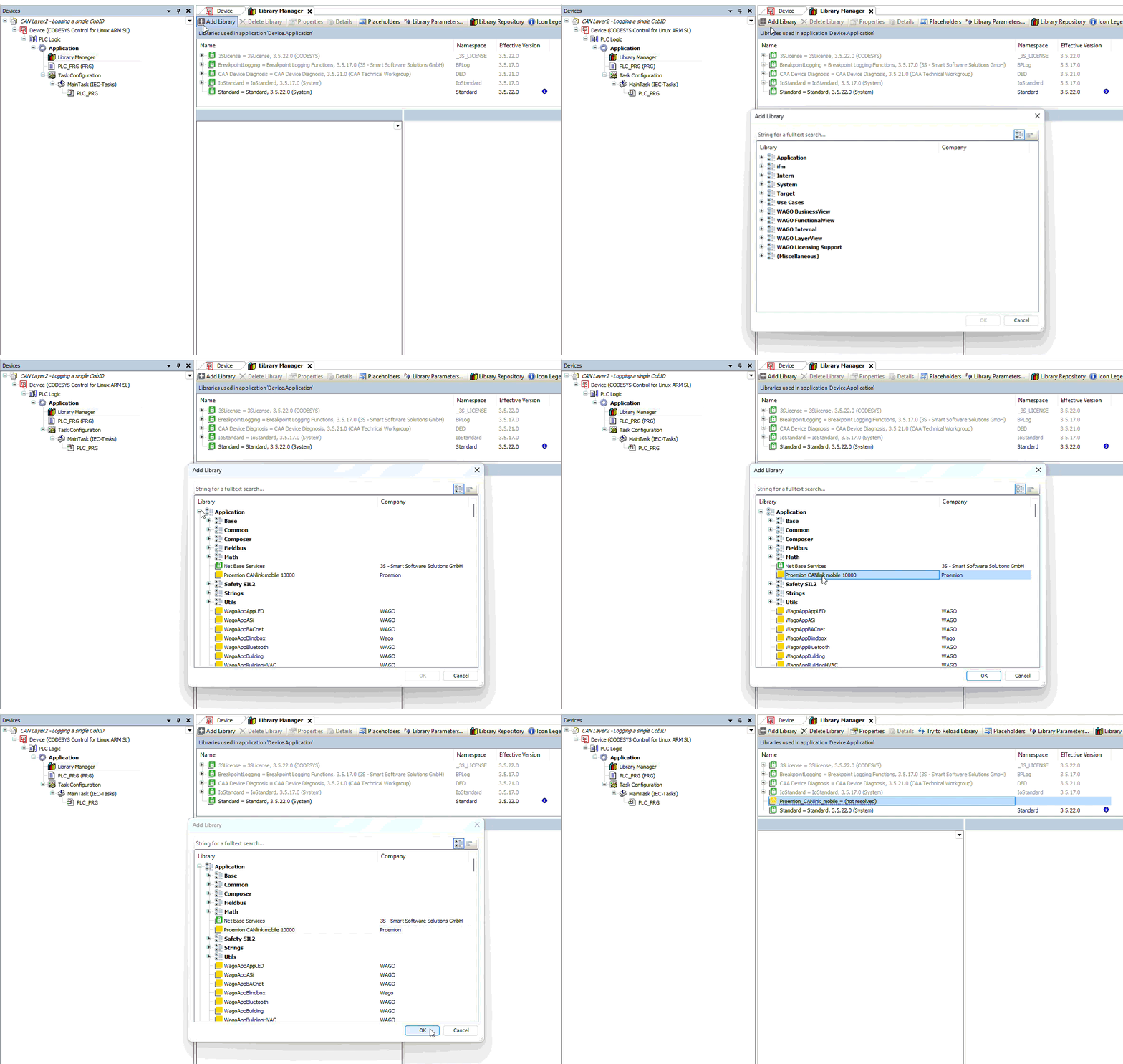
If you can not find the CANlink® mobile 10000 library, it may be not installed. Read Add Proemion CANlink® mobile 10000 Library for installation instructions.
Set Up the Example Project
To set up the example project, open the ready-to-use CAN Layer2 - Logging a single CobID.projectarchive from the Telematics Configuration Guide Examples folder directly in the CODESYS Development System.
The following sections explain how this project was built, in case you want to build it yourself or adapt it to a different CAN message.
Working with CAN Layer 2 directly in CODESYS can be difficult: the function blocks provided by CODESYS are low-level, offering flexibility at the cost of a steep learning curve for a task as simple as logging a single CAN message.
This example therefore uses an abstraction layer for CAN Layer 2, the open-source CANlink_CAN library.
Read the README in that repository folder to understand how to install the library.
The project should look like this after adding the CANlink_CAN library:
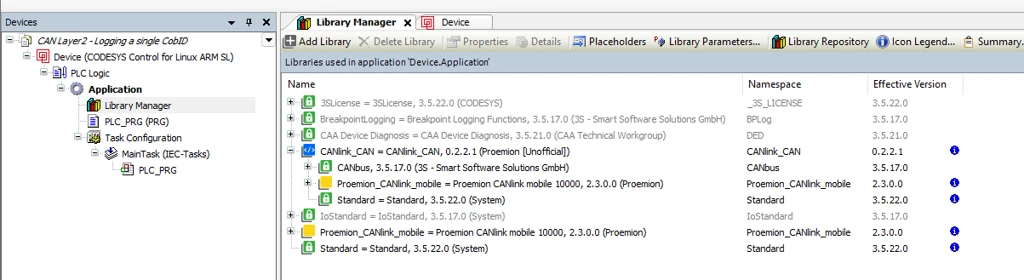
Create the CODESYS POU to Configure and Read from CAN
Create an instance of FB_CAN_Setup:
CAN1 : CANlink_CAN.FB_CAN_Setup;
Configure it:
CAN1(
    xEnable        := TRUE,
    usiNetwork     := 0, // Note Net 0 --> CAN1; Net 1 --> CAN2; Net 2 --> CAN3
    uiBaudrate     := 250,
    xSupport29Bits := TRUE,
    ctMessages     := 100);
To receive the CAN message, create an instance of FB_CAN_Rx:
Rx_0x200_fuel_level : CANlink_CAN.FB_CAN_Rx;
Note
Create one instance per message. The code structure is very similar for each, so a DBC or any other requirements source can be used to auto-generate this common logic.
Configure the instance. The function block has several other optional arguments, not needed for this simple example:
Rx_0x200_fuel_level(
    xEnable:= TRUE,
    hDriver:= CAN1.hDriver,
    udiCANid:= 16#200,
    xIs29Bit:= FALSE);
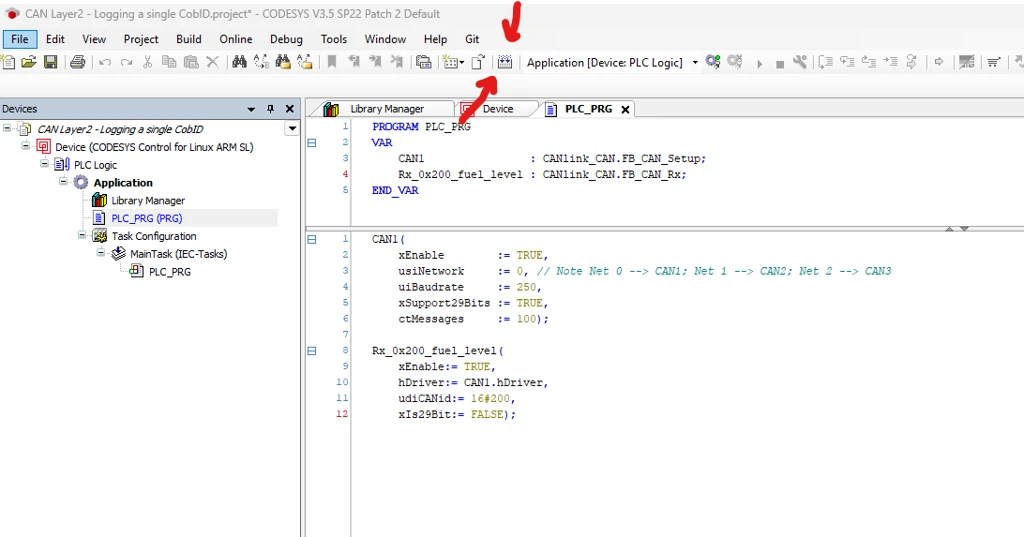
The project should look like this after configuring the Rx instance:
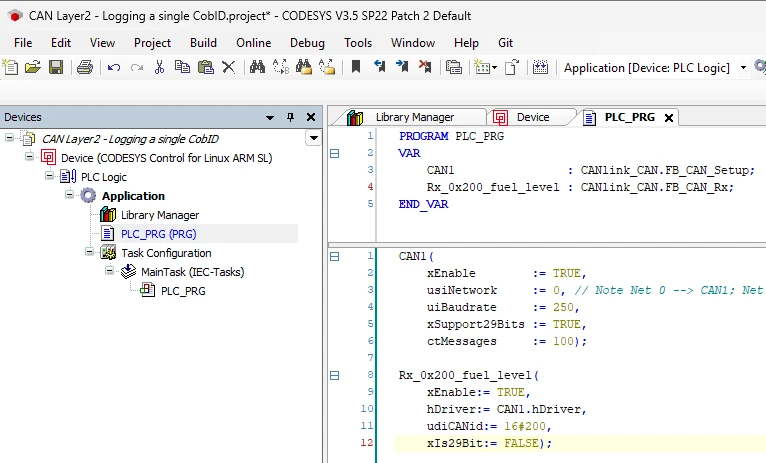
The code generates without errors:
Log the Raw CAN Message
Use FB_CAN_RawLogger to log the payload received by the Rx_0x200_fuel_level instance.
Log_0x200           : CANlink_CAN.FB_CAN_RawLogger;
Log_0x200(
    xEnable       := TRUE,
    abyData       := Rx_0x200_fuel_level.abyData,
    usiLength     := 1,
    xNewData      := Rx_0x200_fuel_level.xNewData,
    now_ms        := uliNow_ms,
    Ib_Source     := 0,
    Idi_MsgId     := 16#200,
    Ix_Is29Bit    := FALSE,
    CLM10k_handle := ADR(SaveFile.O_CLM10k_handle));
Two variables are new here: uliNow_ms and SaveFile.O_CLM10k_handle.
The library needs a timestamp to log the signal with, provided via uliNow_ms. Add the SysTimeRtcHighResGet library (Add Library) to read it from the device:
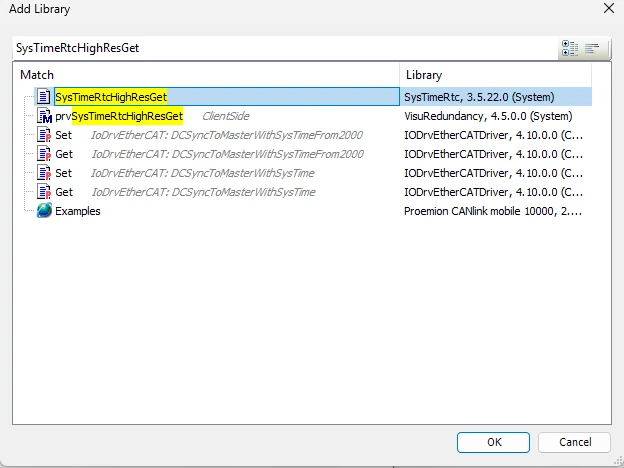
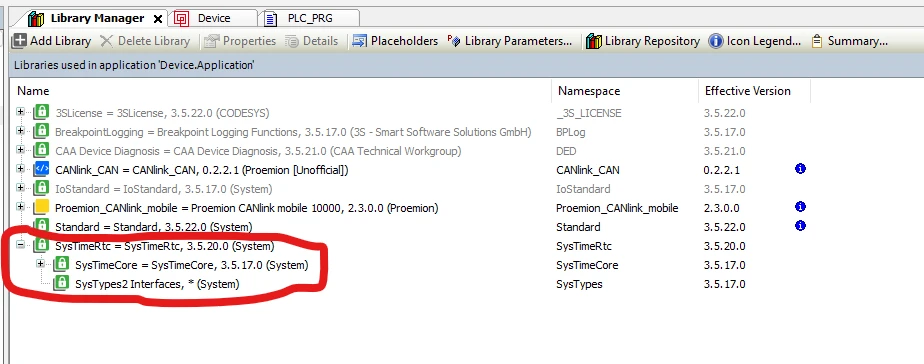
The project should look like this after adding the SysTimeRtcHighResGet library:
The final project looks like this:
Full PLC_PRG example
PROGRAM PLC_PRG
VAR
    CAN1                : CANlink_CAN.FB_CAN_Setup;
    Rx_0x200_fuel_level : CANlink_CAN.FB_CAN_Rx;
    Log_0x200           : CANlink_CAN.FB_CAN_RawLogger;
    uliNow_ms           : ULINT;
    SaveFile            : Proemion_CANlink_mobile.LogData;
END_VAR

SysTimeRtcHighResGet(pTimestamp := uliNow_ms);

CAN1(
    xEnable        := TRUE,
    usiNetwork     := 0, // Note Net 0 --> CAN1; Net 1 --> CAN2; Net 2 --> CAN3
    uiBaudrate     := 250,
    xSupport29Bits := TRUE,
    ctMessages     := 100);

Rx_0x200_fuel_level(
    xEnable:= TRUE,
    hDriver:= CAN1.hDriver,
    udiCANid:= 16#200,
    xIs29Bit:= FALSE);

Log_0x200(
    xEnable       := TRUE,
    abyData       := Rx_0x200_fuel_level.abyData,
    usiLength     := 1,
    xNewData      := Rx_0x200_fuel_level.xNewData,
    now_ms        := uliNow_ms,
    Ib_Source     := 0,
    Idi_MsgId     := 16#200,
    Ix_Is29Bit    := FALSE,
    CLM10k_handle := ADR(SaveFile.O_CLM10k_handle));

SaveFile(
    Ix_Execute    := TRUE,
    It_CyclicSend := T#20S); // To avoid wearout of the NvM it is recommended to flush no faster than 20s
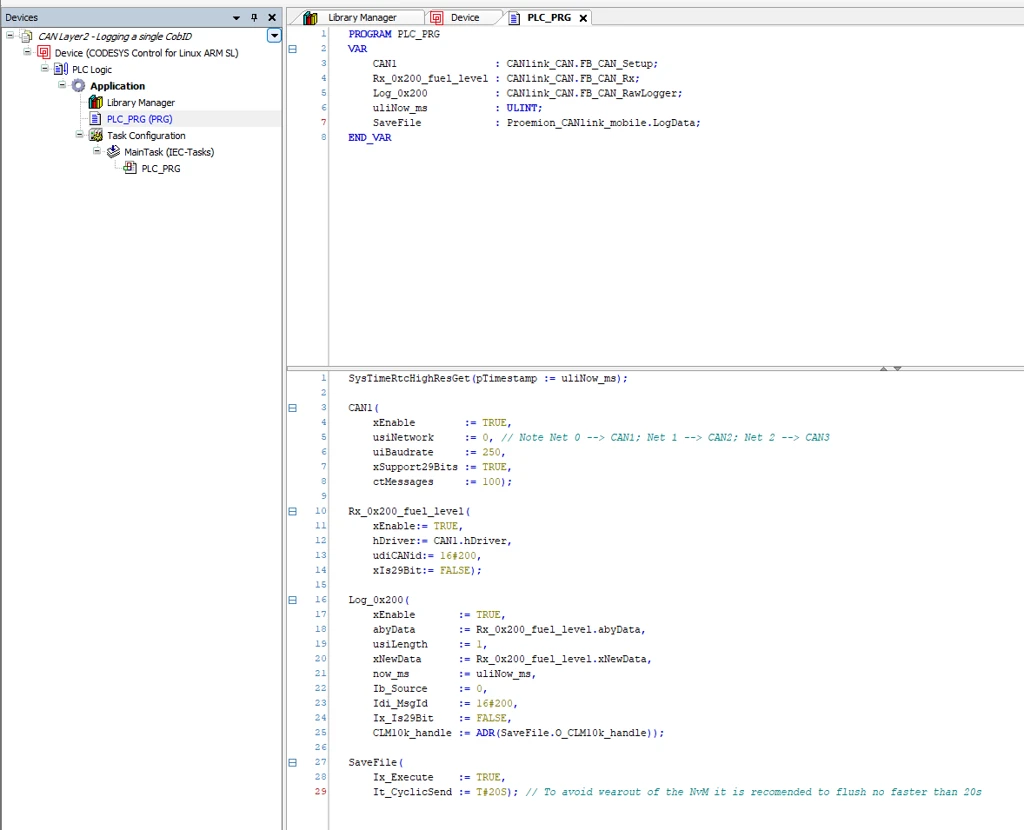
This logs the message 0x200 every time it receives new data. usiLength := 1 logs only the first byte of the payload; set it to the full message length if more bytes are needed.
Download the Program to the Device
- Generate the code: F11 or Build > Generate Code.
-
Scan the network and select the device.
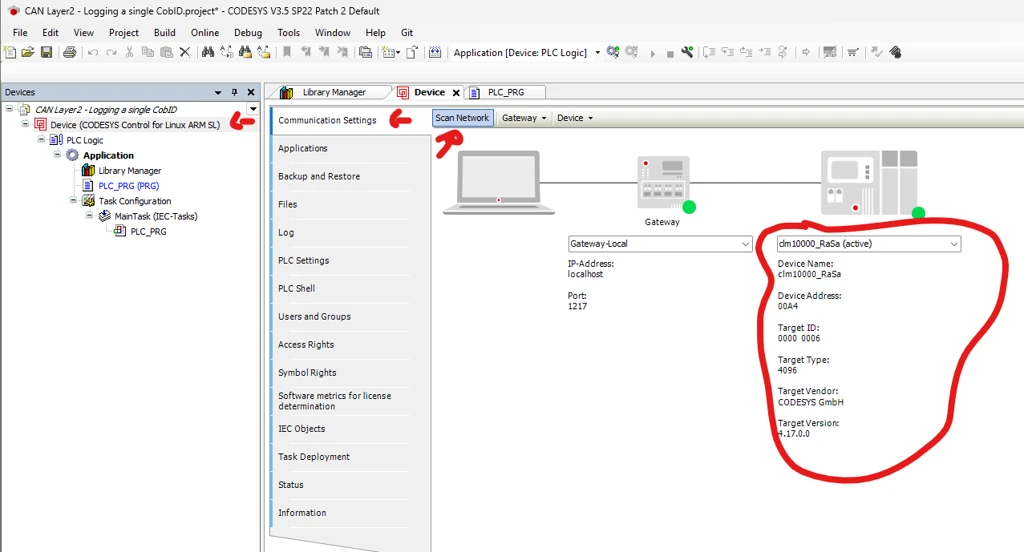
Figure 13: Scan network and select device -
Log in to the device.
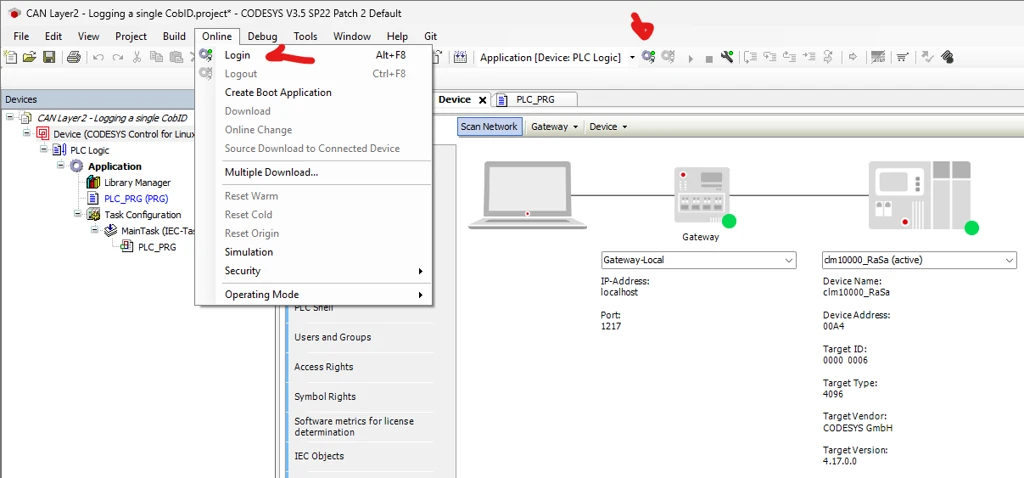
Figure 14: Log in to the device CODESYS asks for credentials. After firmware version 3.4.0, get the credentials from the CODESYS section of the Configuration Web UI.
-
If another application was running on the device, CODESYS asks how to download the code. A clean download is always preferable.
Verification
- Enter the IP address of your CANlink® mobile 10000 into a web browser to access its web interface.
- Check that the example variables are correctly initialized.
- Wait for the next upload cycle. The logged CAN messages appear in the DataPortal.