Settings
The Settings screen provides the following menus:
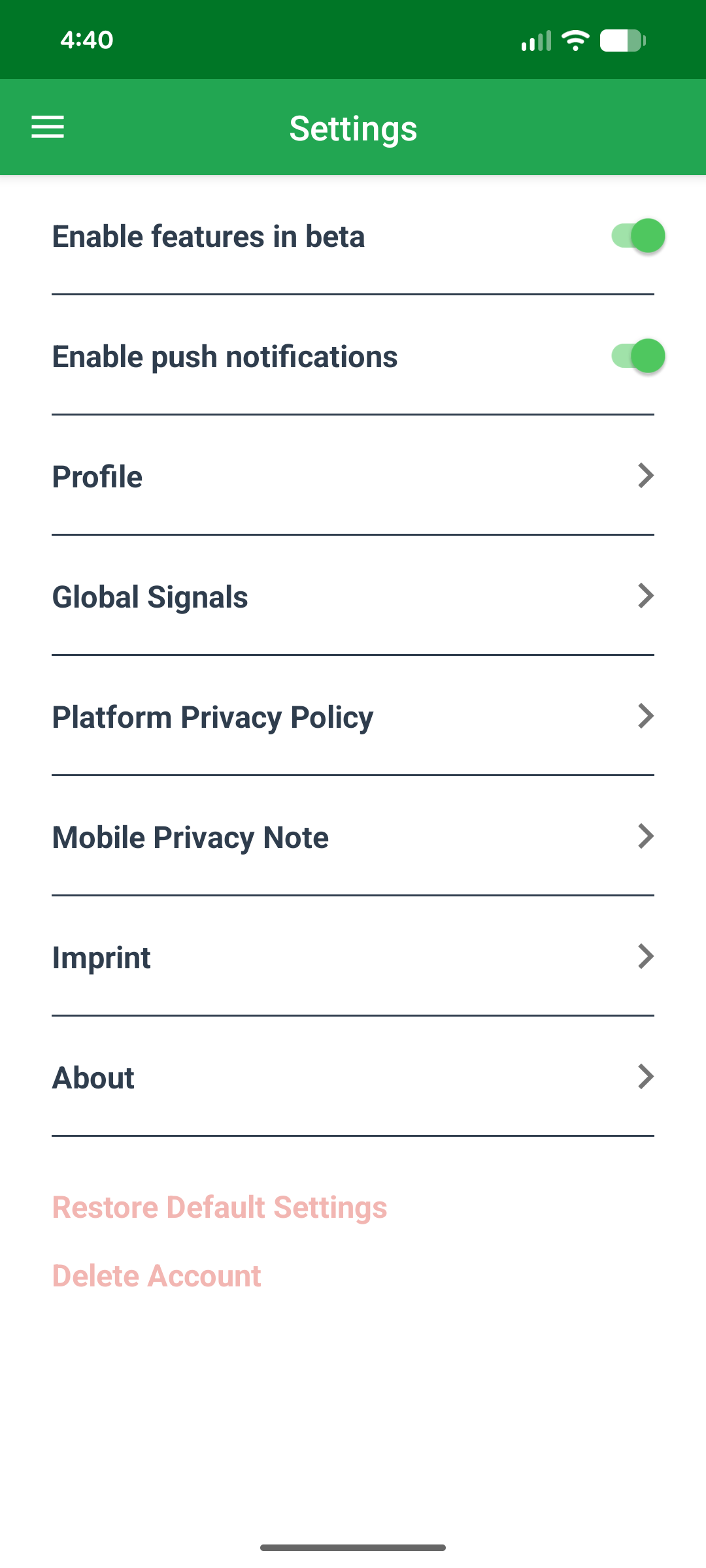
Two toggles sit above the menus: Enable features in beta and Enable push notifications.
Machine Companion App follows the phone's language setting throughout the app, including the privacy policy documents described under Privacy Policy. Supported languages are English (fallback), German, French, and Italian.
Profile
The Profile menu shows the following account information:
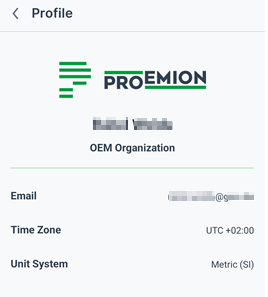
- App or company logo
- Full name of the user
- Organization of the user
- E-mail address of the user
- Time zone of the user
- Unit system of the user
Global Signals
The Global Signals menu lists all signals used across your machines, and lets you reorder them yourself:
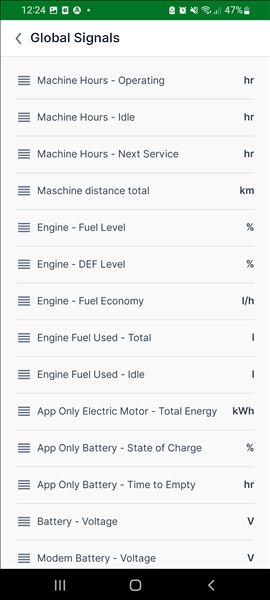
Read how signals are used in Machine Companion App in Signals List, which explains how this list and its ordering affect the General tab.
Privacy Policy
Upon launching the app or logging in, users see a Legal documents popup if they have not yet accepted the latest version of either the Mobile Privacy Note or the Platform Privacy Policy:
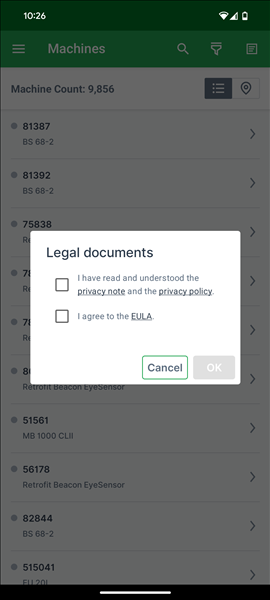
To continue using the app, users must check both the privacy note/policy checkbox and the EULA checkbox, then select OK. Selecting Cancel logs them out. The Platform Privacy Policy and Mobile Privacy Note each remain accessible at any time as their own menu item in Settings.
The app shows the privacy policy documents in the phone's language and records the consent.
Other Settings
- Imprint: legal company information.
- About: version information.
- Restore Default Settings: resets all default settings.
- Delete Account.