Upload and Manage ECU Firmware
The first step in setting up ECU FOTA in the DataPortal is to upload the target firmware to a Software Repository — a version-managed store that holds all available firmware versions for a specific ECU type. Once the firmware is uploaded, it can be selected when creating an ECU update request.
To deploy it to a machine, you also need to configure the Electronic Architecture.
Before starting, ensure you have a valid Intel HEX file for the target ECU — provided by the ECU manufacturer.
Create a Software Repository
-
Navigate to Settings > ECU Management > Software Repositories.
-
Click Create repository in the top right corner.
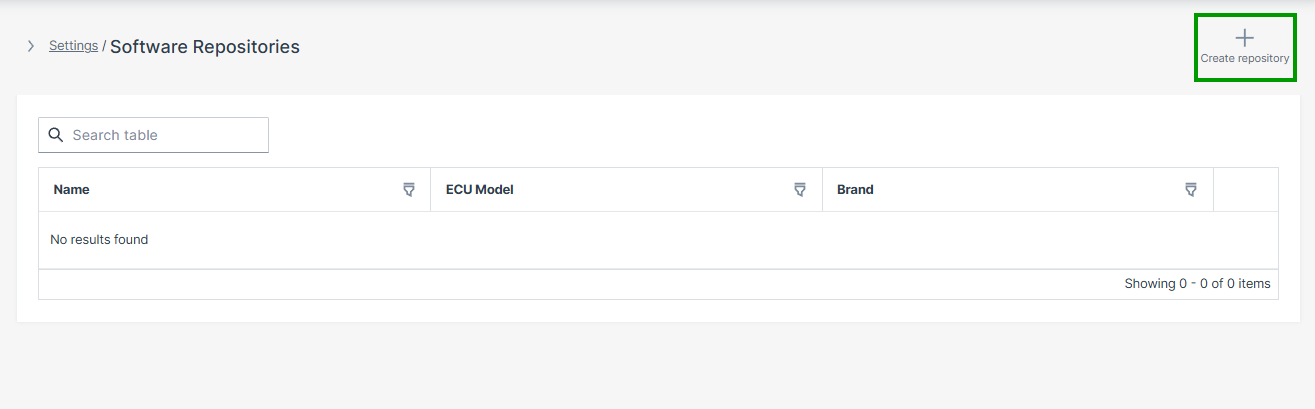
Figure 1: Software Repositories Overview -
Configure the repository parameters:
Parameter Description Name A descriptive name for this repository Description Optional description ECU Brand The ECU manufacturer, selected from dropdown ECU Model The specific ECU model identifier, selected from dropdown The ECU Brand and ECU Model configured here are later matched against the Electronic Architecture to ensure firmware is deployed only to compatible controllers.
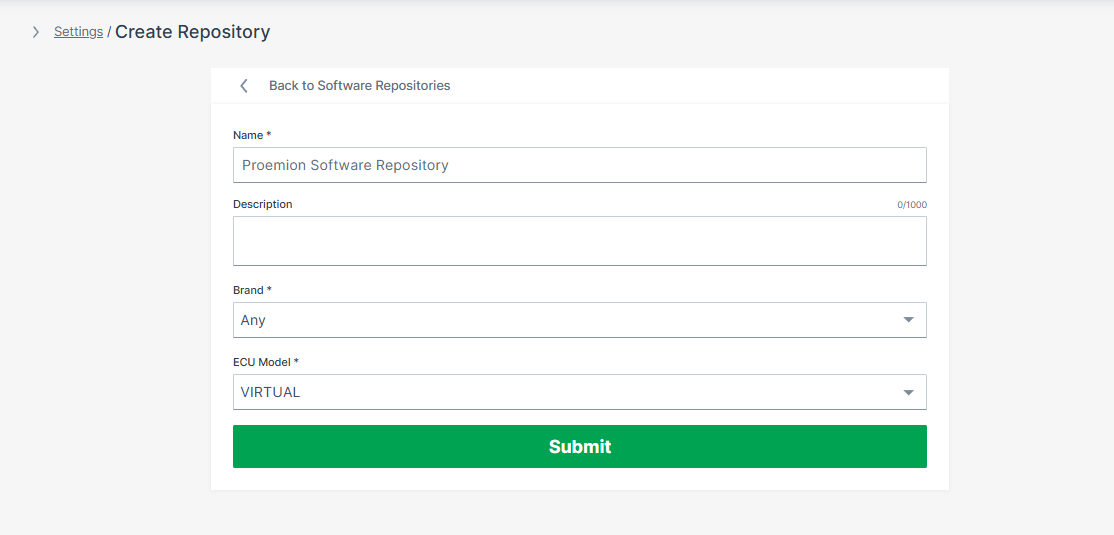
Figure 2: Create Software Repository -
Click the Submit button.
The Software Repository is now successfully created.
Add a Firmware Version
-
Click Add software version in the top right corner of the repository detail page.
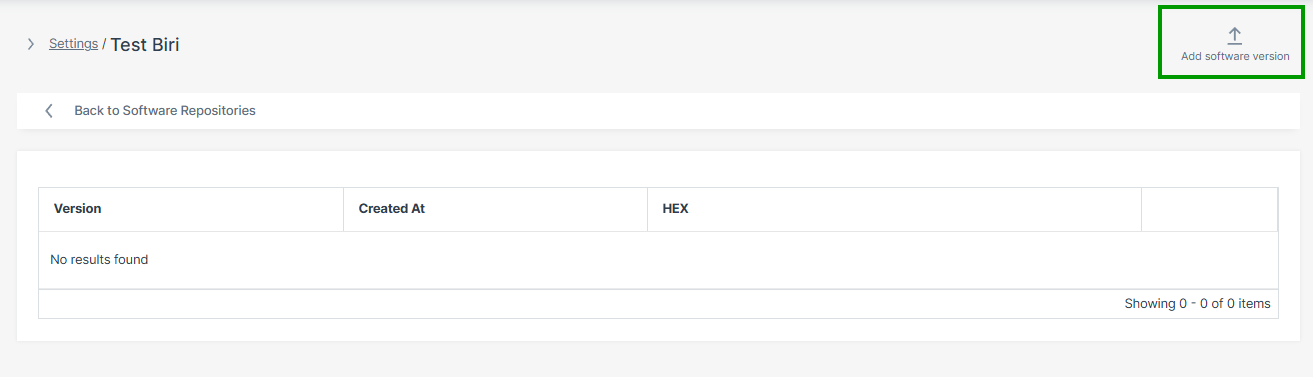
Figure 3: Add Software Version -
Enter the following and click Create:
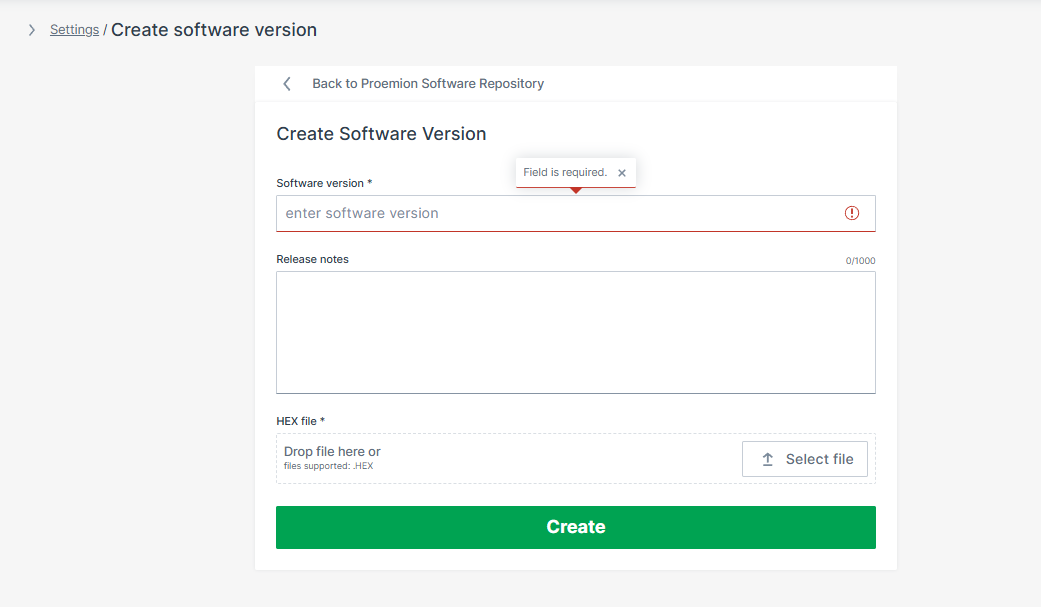
Figure 4: Add Firmware Version
| Field | Description |
|---|---|
| Software version | Firmware version identifier, e.g. 1.4.2 |
| Release notes | Optional description of changes in this version |
| HEX file | ECU firmware image — drag and drop or click Select file. Supported format: .HEX |
The firmware version is now available for ECU update requests.
Troubleshooting
| Problem | Possible Cause |
|---|---|
| Upload button unavailable | Missing ECU:Admin permission set — see Onboarding |
| Repository menu not visible | Lab Mode not enabled — see Onboarding |
| Upload rejected | Invalid or unsupported firmware file format — only .HEX is supported |
| Firmware not deployable | ECU mapping not yet configured in the Electronic Architecture |
| ECU update unavailable | ECU FOTA not enabled on the target TCU |