ECU Update Request
An ECU update request is the instruction to deploy a specific firmware version to a specific ECU on a specific machine. Once submitted, the request is delivered to the TCU, which handles the update process on the machine.
Note
Each update request targets one ECU on one machine. To update multiple ECUs, create a separate update request for each.
Trigger an Update Request
-
Navigate to Settings > ECU Management > Software Repositories.
-
Select a repository and open the Details page.
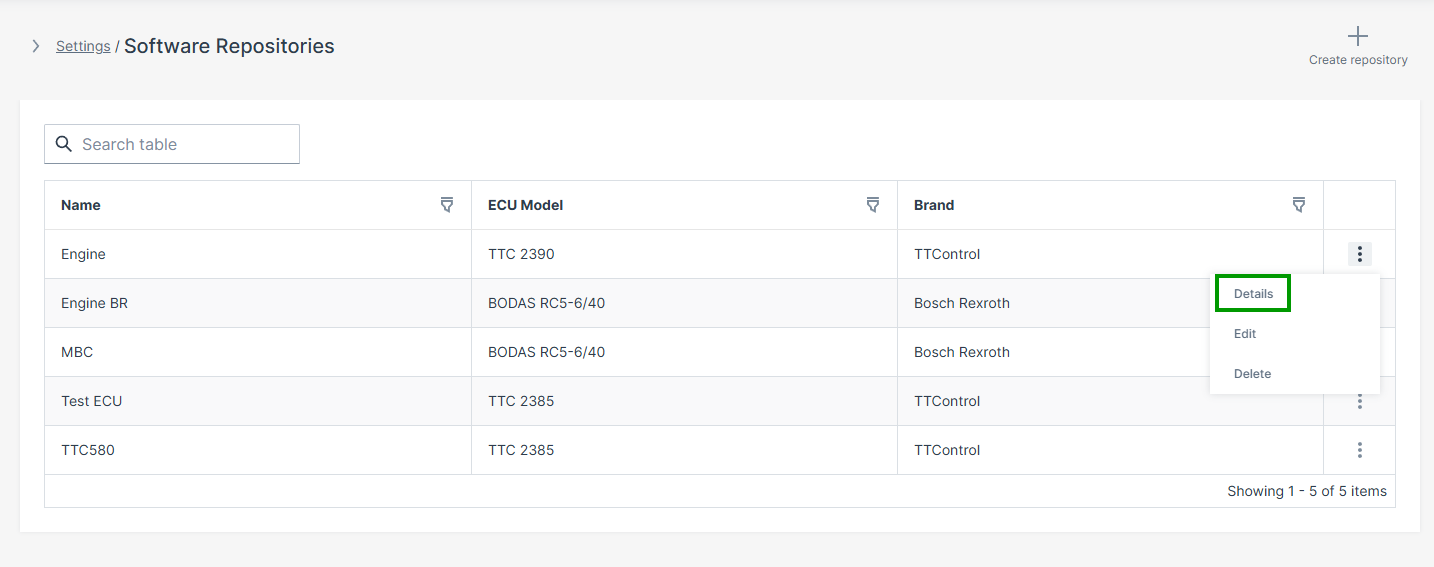
Figure 1: Software Repository Details -
Select Update to this version to submit the update request.
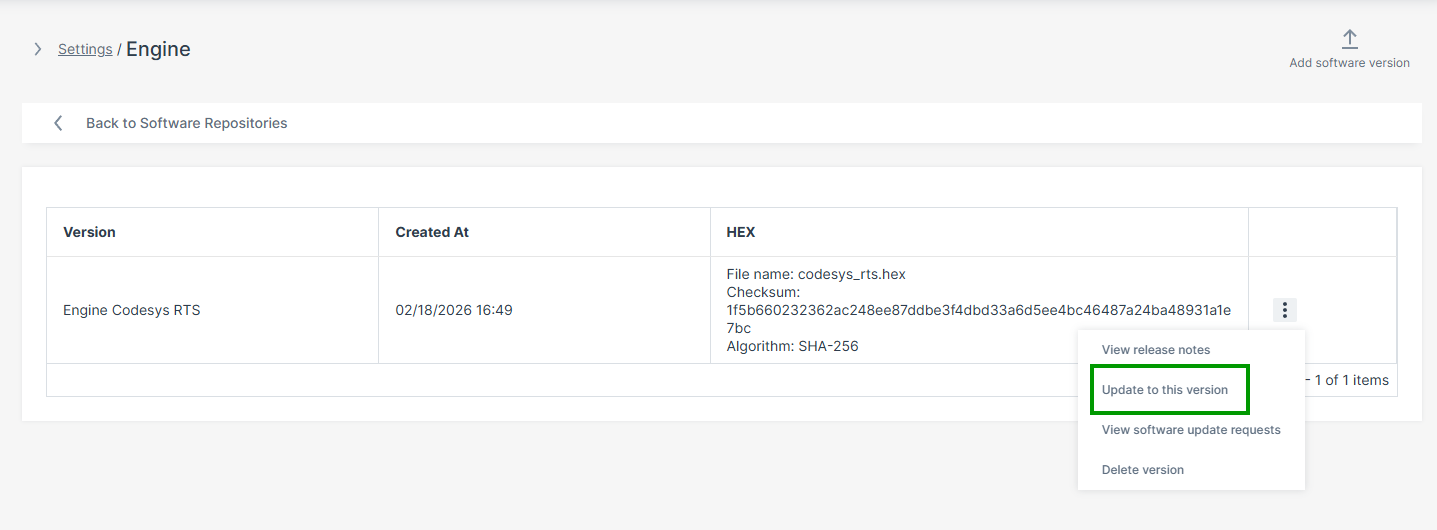
Figure 2: Update Request Option
The update page refreshes automatically.
Note
If the TCU is offline when the request is submitted, the update is queued and delivered automatically when the TCU reconnects. Multiple update requests for the same ECU are processed in the order they were created. The UI will warn you if there are pending updates when you create a new one.
After submission, the TCU downloads the firmware and signals to the machine that an update is available. The machine-side operator must then approve the update before flashing begins — see HMI Approval Interface for the full machine-side workflow.
Update Request Status
After submission, the update request detail page shows the current status. The following status values may appear:
| Status | Meaning |
|---|---|
| Pending | Update request created, waiting for TCU to come online |
| In progress | TCU has downloaded the firmware, awaiting operator approval or flashing |
| Successful | Update completed and verified |
| Failed | Flashing or health verification failed — check TCU log in the DataPortal |
| Cancelled | Update was cancelled before operator approval |
Cancel an Update Request
An update can be cancelled from the DataPortal as long as the machine-side operator has not yet approved it. Once the operator approves the update at Checkpoint 1, remote cancellation is no longer possible.
-
Navigate to Settings > ECU Management > Software Update Requests.
-
Open the relevant request.
-
Select Cancel update in the upper right corner.
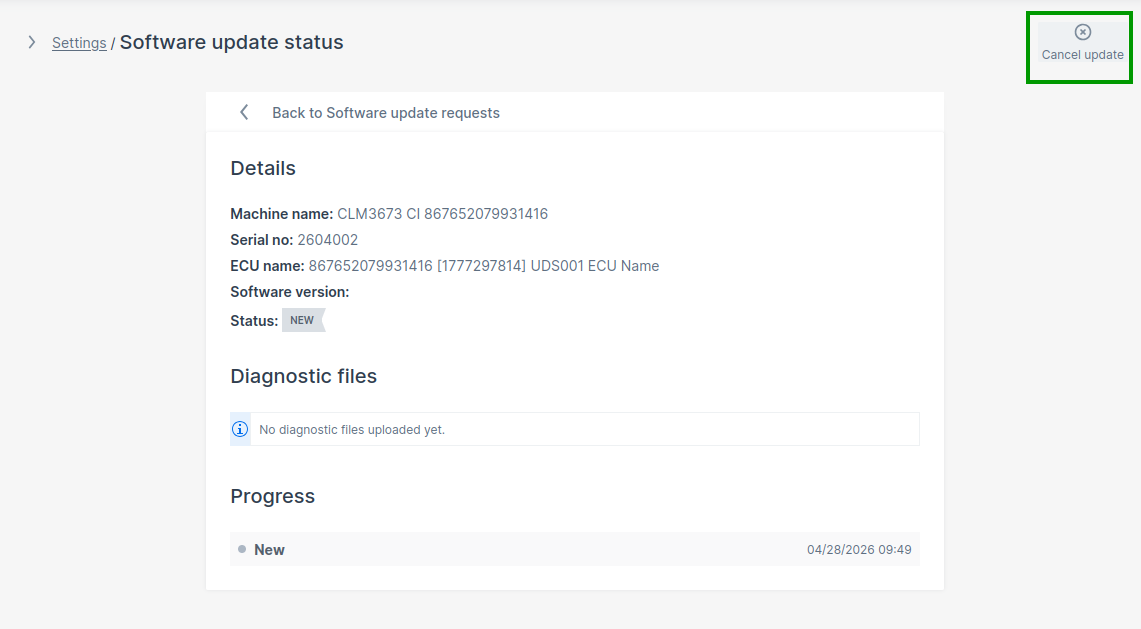
Figure 3: Cancel Update Request
If the TCU is offline, the cancellation is queued and delivered when the TCU reconnects.
Troubleshooting
| Problem | Possible Cause | Update Request Status |
|---|---|---|
| Machine not selectable | No Electronic Architecture assigned to the machine | — |
| ECU missing | ECU mapping incomplete in the Electronic Architecture | — |
| Firmware version unavailable | Repository mismatch — ECU Brand or Model does not match | — |
| Update request not executed | TCU offline — request is queued and will execute on reconnect | Status: Pending |
| Update remains pending | Machine-side operator has not yet approved the update (Checkpoint 1) | Status: In progress |
| Flashing does not start | Bootloader address incorrect — application address used instead of bootloader address | Status: Failed |
| ECU not reachable | Incorrect CAN addressing or wrong CAN interface | Status: Failed |
| Communication timeout | Wrong CAN interface selected | Status: Failed |
| Flashing fails | ECU bootloader transition failed or CAN communication problem | Status: Failed |