Bluetooth
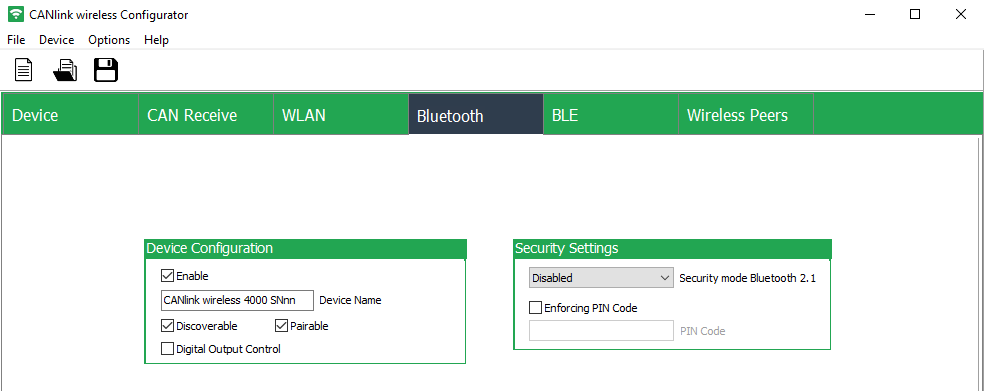
The Bluetooth tab contains the Device Configuration and Security Settings sections, described below.
Configuration
- Enable: enables Bluetooth.
- Device Name: changes the device name. The device name can have 4 to 29 characters.
- Discoverable and Pairable: makes the device discoverable and pairable, a requirement for Bluetooth.
- Digital Output Control: when enabled, the Digital Output switches high when a Bluetooth connection has been established. Use this to signal or switch other systems that depend on a valid Bluetooth connection.
- Enforcing PIN Code: the Bluetooth PIN code for the CAN-PC connection can have a maximum length of 15 characters.
When the PIN code is enforced, the password is required:
- For the device: enter the PIN in this PIN code field.
- For the paired device, for example a PC: a window is displayed to enter the PIN and establish the connection.