Optimization Configuration
Optimization Configuration is a feature that manages communication handshakes, reducing the delay between a request and its corresponding answer.
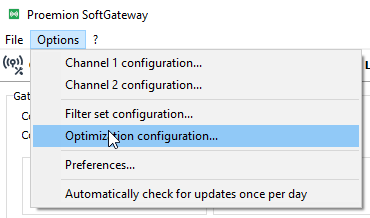
Select Options > Optimization configuration to open the configuration window:
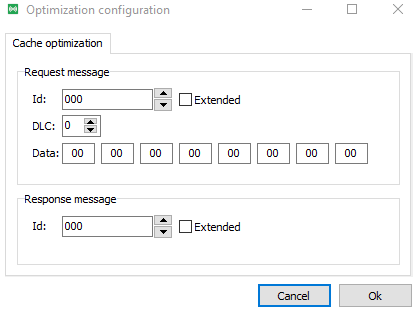
- Configure a request message. When this message is received, on either side of SoftGateway, it starts storing response messages and sends back a stored answer if one already exists.
- Configure a response message, the answer to the request message. SoftGateway saves the latest data content and returns it when requested.
Example
A request is sent under optimization:
- ID:
0x123 - DLC:
8 - Data:
11 22 33 44 55 66 77 88
Expected reply:
- ID:
0x321
When SoftGateway sees the request for the first time, it starts the optimization.
An ECU on the remote side replies with 0x321.
The first reply might take some time to arrive.
The second time the same request is sent, SoftGateway immediately answers with the stored response, significantly reducing the waiting time.