CAN Filters
Set up CAN filters to limit the CAN communication for transmitted and received 11-bit or 29-bit messages.
Leave the filter set to Fully Open to apply no filtering, see Predefined Filter Profiles.
Filters can also be imported.
Note
During an active connection, CAN filters can be switched.
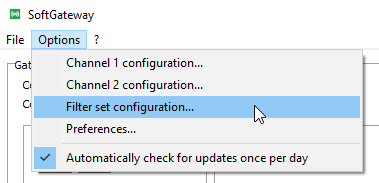
Open the Filter set configuration window via Options > Filter set configuration:
Alternatively, select the Filters button:
Create a New Filter Set
-
Open the Filter set configuration window via the Filters button.
The Filter set configuration window opens:
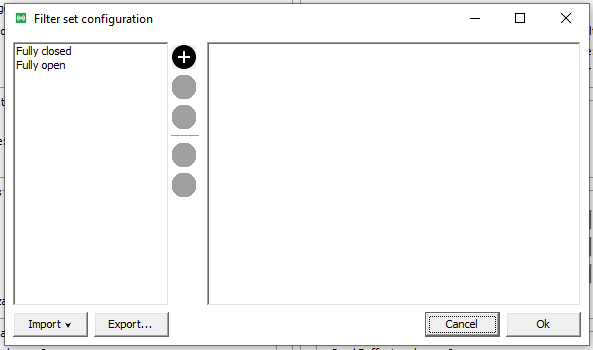
Figure 3: Filter set configuration window -
Click the Plus icon to add a new filter set.
-
Rename the filter set by clicking the Pencil icon, or remove it by clicking the X icon.
Filters can also be imported in this window.
-
Enter the filter set directly in the empty area on the right, as shown in the following image.
The ID, Mask, and Suspension time/Timeout in msec can be edited in the same area.Note
If an
.idsexport from a previous SoftGateway version is available, its content can be copied and pasted here.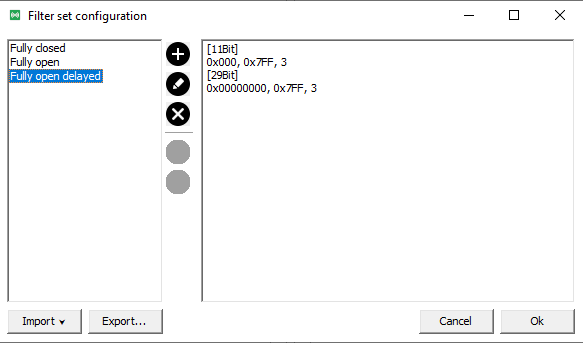
Figure 4: New filter -
Click OK to store the filter set.
The filter set can also be exported as a JSON file.
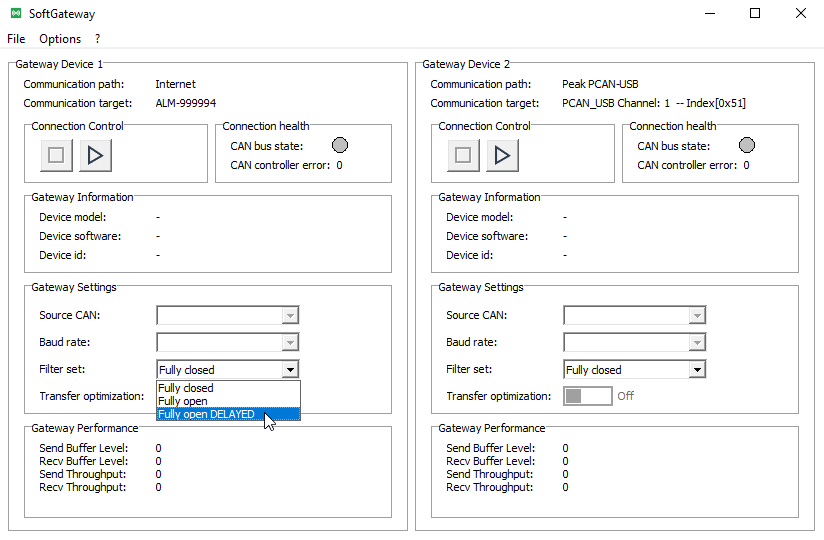
The new filter set becomes immediately available for selection in the Gateway settings:
Predefined Filter Profiles
By default, two predefined profiles are available in the Filter set configuration window: Fully closed and Fully open.
Selecting a profile fills the area on the right (empty by default) with its content, in the following format:
-
Fully open:
[11Bit] 0x000, 0x000 [29Bit] 0x00000000, 0x00000000 -
Fully closed: empty/blank
Neither predefined profile can be overwritten, removed, or edited.
The filter definition format works as follows:
[11Bit],[29Bit]: CAN message filters applied to a CAN message ID with a length of 11 bit or 29 bit.0x0/0x00000000: the fixed CAN message ID, in hex or decimal format.0x000/0x00000000(optional): the CAN message filter mask, in hex or decimal format.0/0: the down-sample cycle time. If this value is0, it can be omitted from the filter definition.