Feature Description
The Proemion Data Analytics instances are an environment which allow advanced analytics of machine related data.
The environment is a Jupyter Lab instance with a Python environment with relevant libraries preinstalled running on a remotely accessible server.
In addition, the instance provides a library called Prodata which makes all relevant resources of the Proemion DataPlatform available in the instances and does Data Analytics-relevant preprocessing of the data provided by the Proemion DataPlatform.
Find the documentation of the library at Prodata documentation.
In addition to that the instances provide:
- Reports which help to analyze commonly asked questions of machine OEMs.
-
Guides which help to get started to build own custom analyses.
Both the reports and the guides can be used as a starting point for individual analyses helping to answer questions from different stakeholders like Service, R+D, Sales, etc.
Exemplary reports and guides: -
DTC report example: DTCs in relation to number of machines per model:
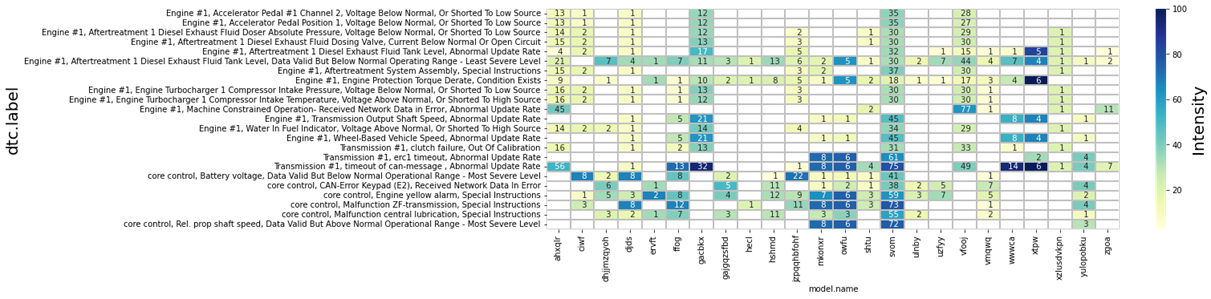
Figure 1: DTC report example: DTCs in relation to number of machines per model -
Fetching timeseries with
Prodata library: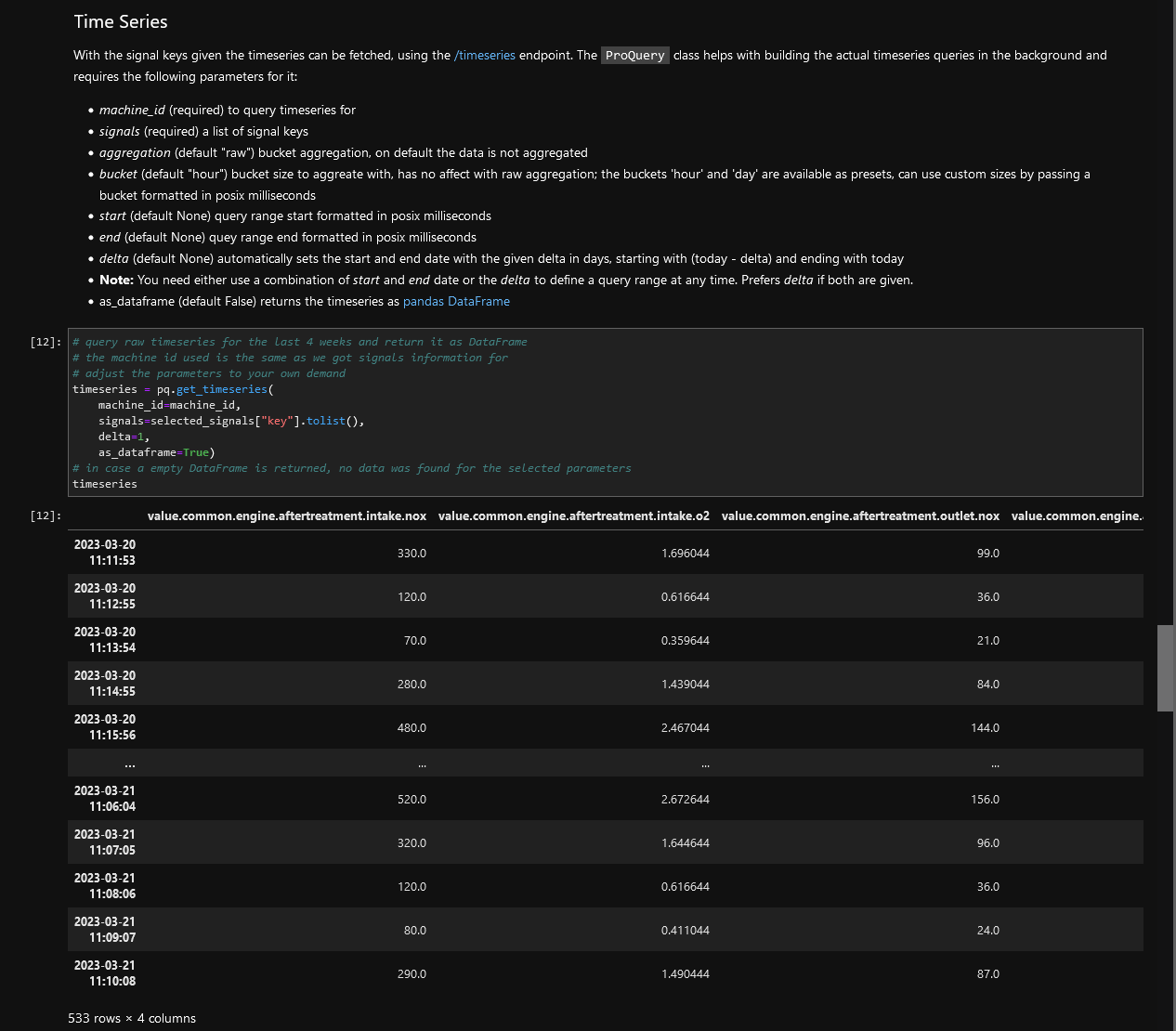
Figure 2: Fetching timeseries with Prodata library -
Sample plot with description from data exploration guide:
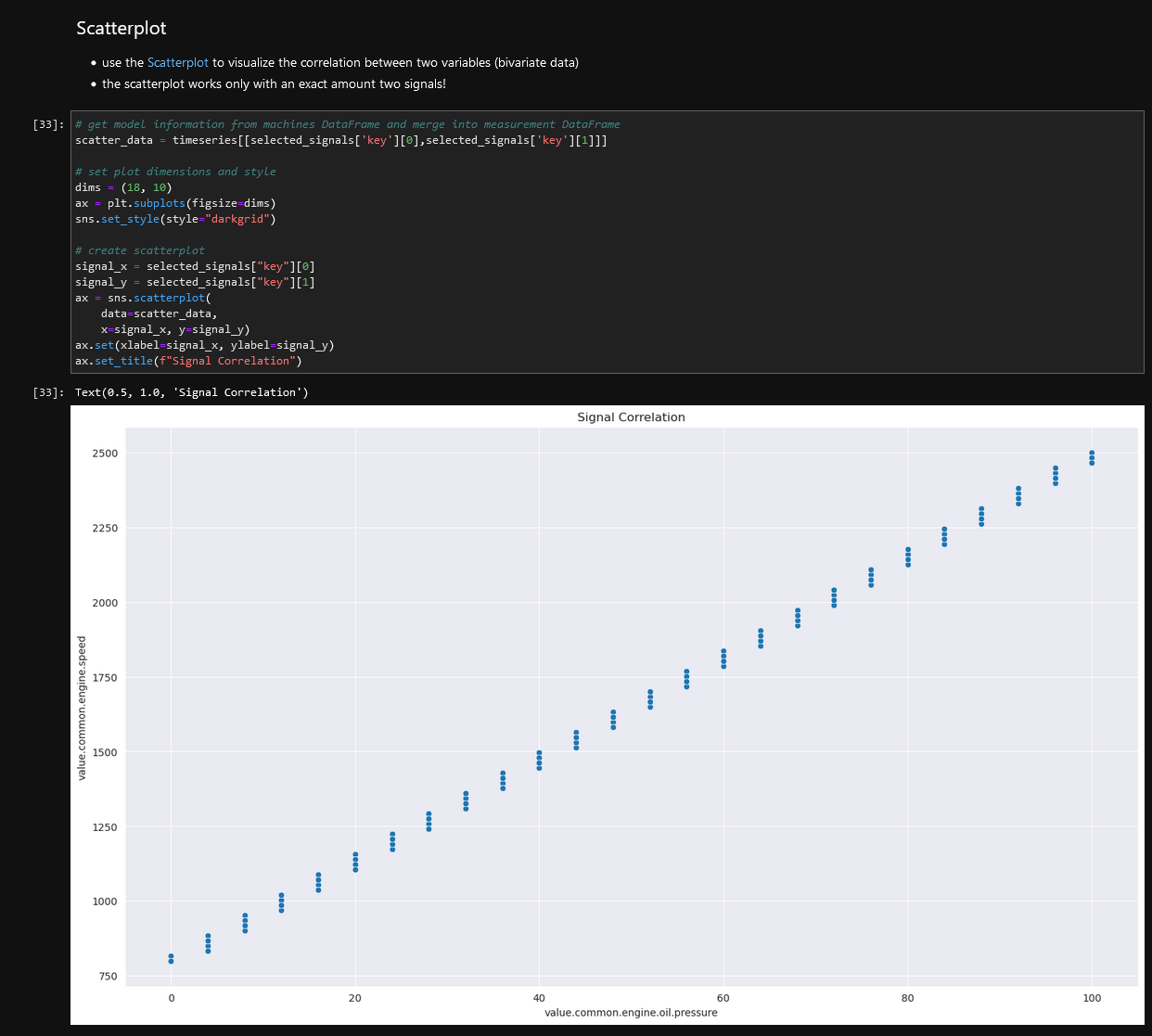
Figure 3: Sample plot with description from data exploration guide
Use Cases
In many cases, this environment which allows individual analysis of telematics data can help to answer questions of different stakeholders of the telematics solution.
Exemplary questions are:
- What is the right engine size for the next generation of a machine model?
- What are usage profiles of the machines (e.g.operating hours, temperatures, etc.)?
- Are there patterns in the data which could explain the root cause for specific machine problems seen in the field?
Activation
The Data Analytics feature is a paid DataPortal feature.
To enable it, it must be ordered beforehand; contact your Proemion representative.
In the DataPortal, you can activate the Data Analytics feature via the Feature Switch, see Feature Switch.
Configuration
The Data Analytics instances are accessible via the DataPortal.
For detailed information on how to access the instance, read Data Analytics in the DataPortal documentation.
A Data Analytics instance is available indefinitely but has to be restarted after 2 hours of inactivity.
All your data you have been uploading to your instance is available everytime you request a new instance.
The instance must be bound to your organization unit.
To implement this and the DataPortal access, contact your Proemion representative.