CANlink® mobile Opening Tool
The CANlink® mobile Opening Tool (part number 157012001) is especially designed for opening a CANlink mobile device in a GH1209 housing, recognizable by the square holes on the mounting tabs.
You can order it at Proemion or print it yourself, see References.
Note
Do not use the tool for any other housings, even if they appear similar.
How to open CANlink® mobile housing
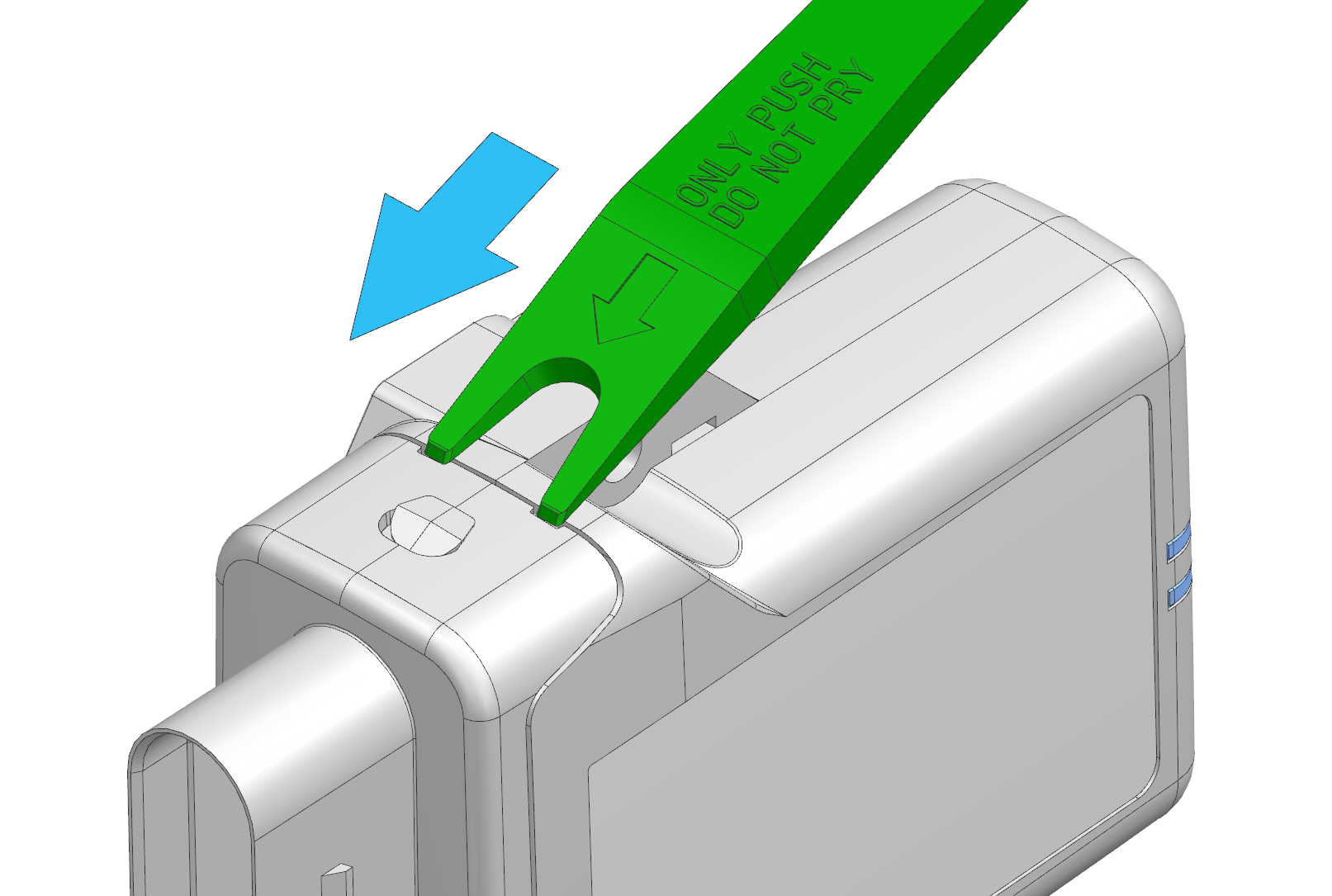
- Insert the tool into the appropriate slots of the housing.
- Push the tool in the direction of the arrow until it clicks.
- Repeat the procedure on the opposite side.
- Pull out the lid including the PCB.
Note
Do not pry with the tool — this may damage the tool.
Gently remove the lid to avoid damaging sensitive internal components.
Tutorial video
Watch the video to see how it works:
References
You will find the following reference material in the Download Center under: 01_Proemion_Devices > 90_Accessories
-
3D file (STL) for 3D printing
-
3D file (STEP) for customer modification
-
Drawing with recommended 3D printing settings
-
Tutorial video “How to open a CANlink mobile housing”