Metadata
Metadata identifies a PDC configuration with a name and a description.
Name
This section specifies the Name of the configuration file. This information is also displayed in the PDC Management of the DataPortal. The name is limited to 254 characters; only the first 254 characters are used for display.
Note
This section must be the first item after the header in the configuration file.
<Name xsi:type="MessageDefinition">
  <Label lang="en" value="Example Parsing Definition"/>
  <Label lang="de" value="Beispiel Parsing Definition"/>
</Name>
| Declaration | Description |
|---|---|
lang |
Required is the shortcut of the language. For example, en for English or de for German. |
value |
Equivalent name for the specified language. This name is displayed on the DataPortal in the Machine Overview depending on the language settings of the DataPortal. |
Description
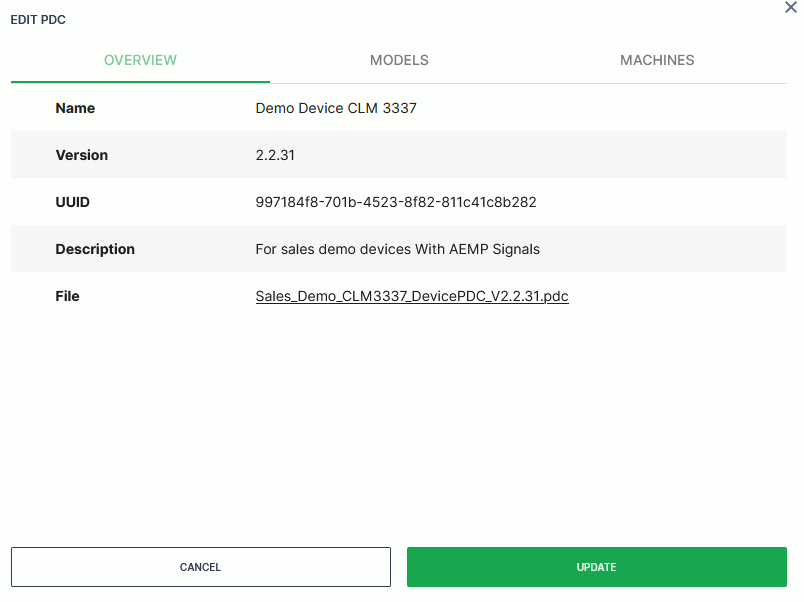
The Description as well as the Name, the UUID and the Version are displayed in the PDC Management of the DataPortal.
<Description xsi:type="MessageDefinition">
  <Label lang="en" value="First Version for PDC Documentation"/>
  <Label lang="de" value="Beispiel Parsing Definition"/>
</Description>
| Attribute | Description |
|---|---|
lang |
Required is the shortcut of the language. For example, en for English or de for German. |
value |
Equivalent name for the specified language. This name is displayed on the DataPortal in the Machine Overview depending on the language settings of the DataPortal. |
The Description field in the DataPortal: